What is TRELLIS.2?
TRELLIS.2 is a model released by Microsoft that generates a 3D model from a single image.
The output is a 3D model with color and surface detail (a mesh with PBR textures).
Pixal3D
Pixal3D is an improved version based on TRELLIS.2, released by Tsinghua University, Tencent ARC Lab, and others.
It projects the image features into 3D space pixel by pixel before generating, so the input image and the 3D model line up pixel for pixel, and the shape stays faithful to the input image.
Contains a referral link
Downloading the models
- background_removal
- birefnet.safetensors (444 MB)
- clip_vision
- dino_v3_L_naf_fp32.safetensors (1.22 GB)
- diffusion_models
- trellis_2_int8_convrot.safetensors (5.25 GB)
- For TRELLIS.2
- pixal3d_int8_convrot.safetensors (5.58 GB)
- For Pixal3D
- pixal3d_multiview_int8_convrot.safetensors (5.58 GB)
- For Pixal3D multi-view
- trellis_2_int8_convrot.safetensors (5.25 GB)
- geometry_estimation
- moge_3_vitl_fp16.safetensors (741 MB)
- For Pixal3D
- moge_3_vitl_fp16.safetensors (741 MB)
- vae
- trellis_2_shape_vae_bf16.safetensors (1.10 GB)
- trellis_2_texture_vae_bf16.safetensors (948 MB)
📂ComfyUI/
└── 📂models/
    ├── 📂background_removal/
    │   └── birefnet.safetensors
    ├── 📂clip_vision/
    │   └── dino_v3_L_naf_fp32.safetensors
    ├── 📂diffusion_models/
    │   ├── trellis_2_int8_convrot.safetensors
    │   ├── pixal3d_int8_convrot.safetensors
    │   └── pixal3d_multiview_int8_convrot.safetensors
    ├── 📂geometry_estimation/
    │   └── moge_3_vitl_fp16.safetensors
    └── 📂vae/
        ├── trellis_2_shape_vae_bf16.safetensors
        └── trellis_2_texture_vae_bf16.safetensors
TRELLIS.2
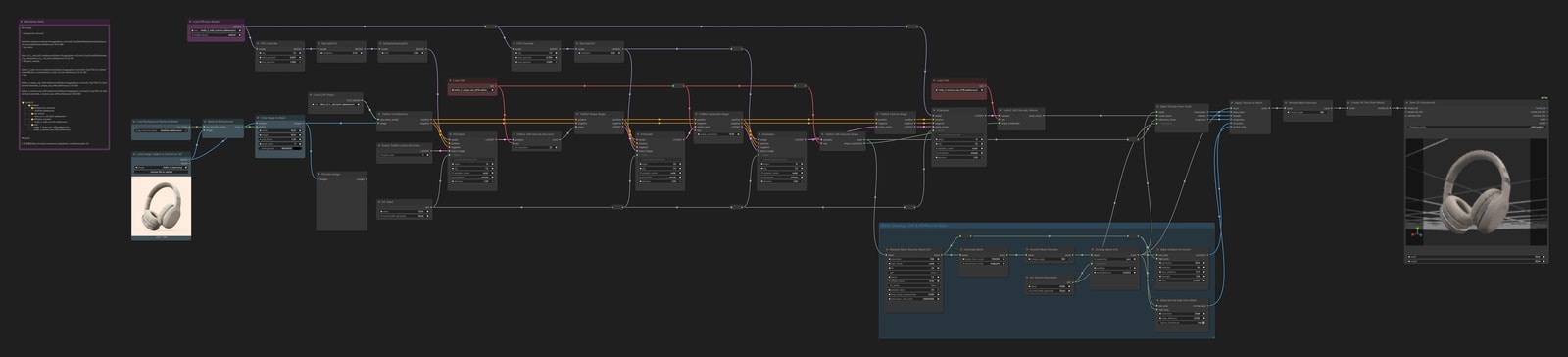
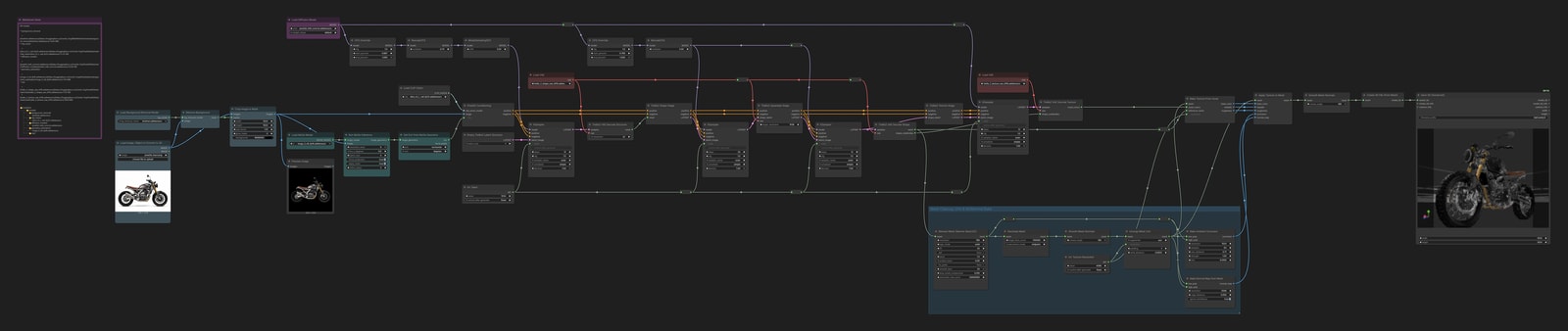
The workflow is huge enough to make you hesitate, but for the most part you just swap the input image and run it.
Preprocessing
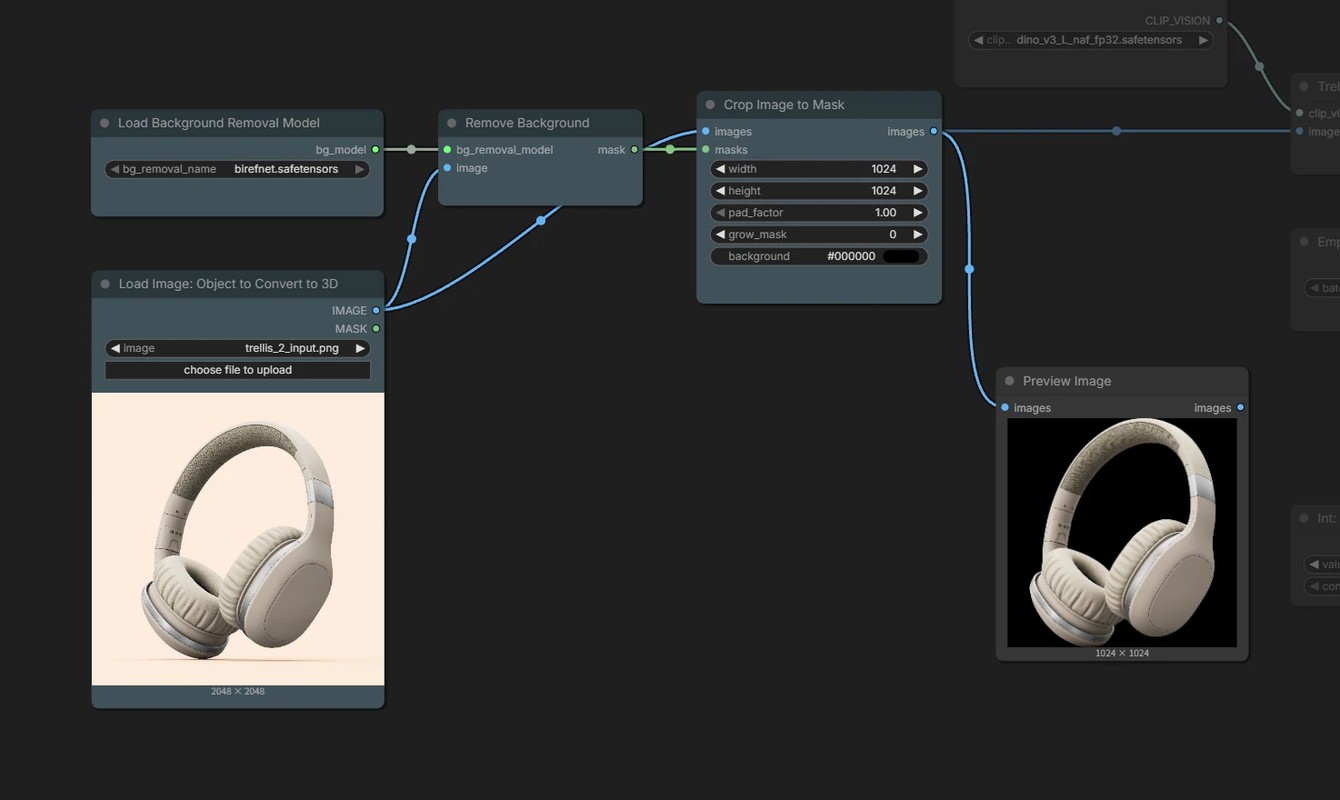
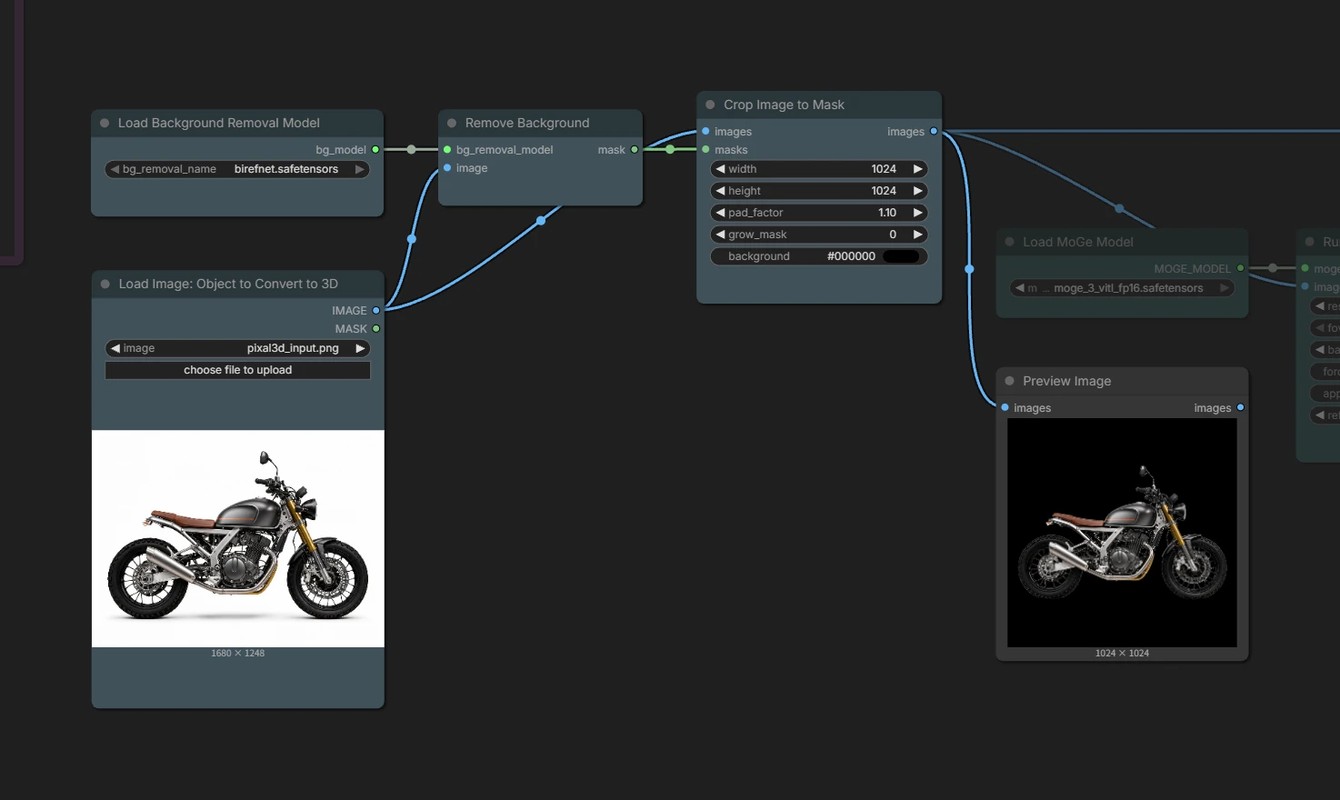
Removes the background with BiRefNet and makes a square image with a solid black background.
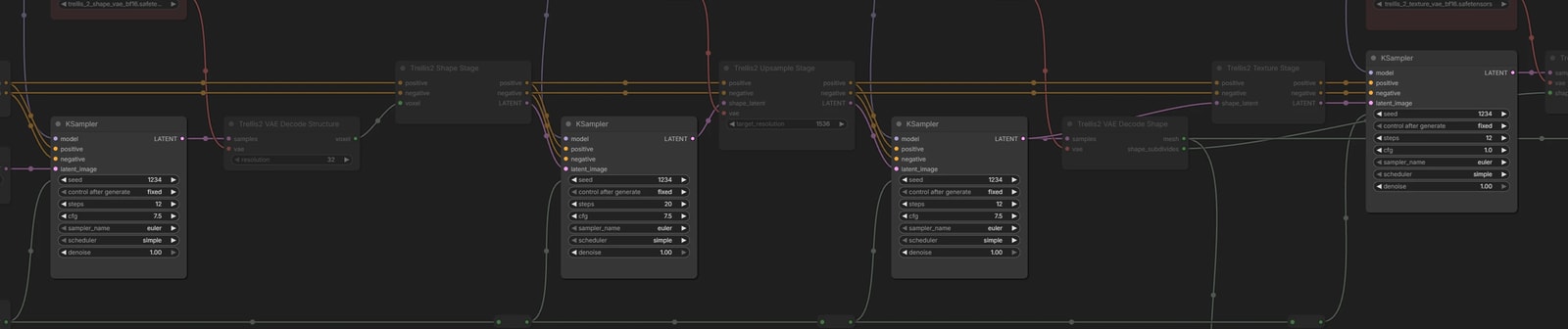
Four sampling passes
TRELLIS.2 generates in four passes, starting from the rough shape.
- Pass 1
- Decides where the object is, using a coarse 32³ voxel grid
- Pass 2
- Builds the shape inside those voxels at a resolution of 512
- Pass 3
- Raises the shape from pass 2 to a resolution of 1536 and rebuilds it
- Pass 4
- Adds color and material to the finished shape
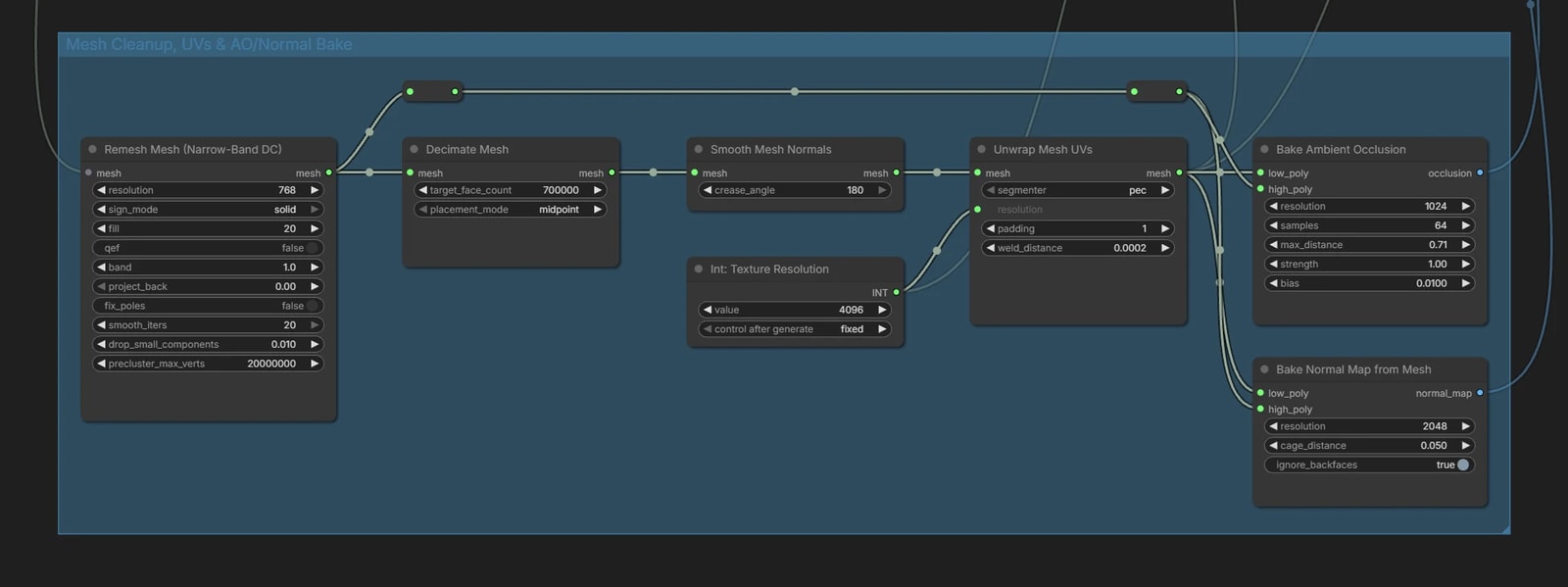
Mesh post-processing
The generated mesh is cleaned up before the textures are baked.
Remesh Meshrebuilds the faces evenly, andDecimate Meshreduces them to 700,000Unwrap Mesh UVsunwraps the UVs, and the voxel colors are baked into a texture- The normal map and AO are also baked from the mesh before decimation

Pixal3D
It is almost the same as TRELLIS.2, but it takes an extra FOV (field of view) input, so a step that estimates it from the image is added.
Preprocessing
The pad_factor of Crop Image to Mask is 1.0 for TRELLIS.2, but Pixal3D uses 1.1 here.
Model
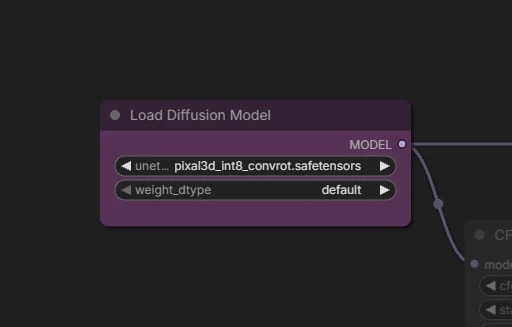
Switch the diffusion model to pixal3d_int8_convrot.safetensors. The VAE and DINOv3 are the same as for TRELLIS.2.
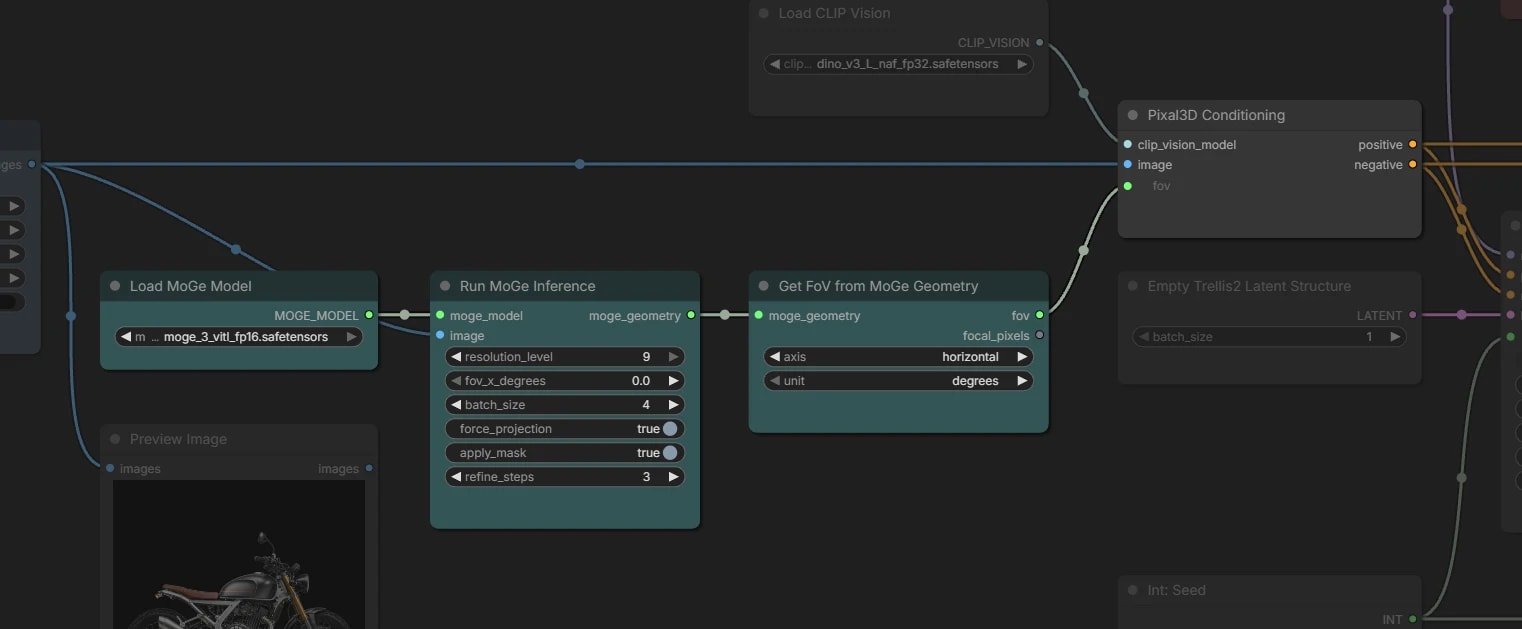
Estimating the field of view with MoGe
Pixal3D uses the field of view (FOV) of the camera that took the image to project the image into 3D space.
This workflow uses MoGe-3 to estimate the FOV.
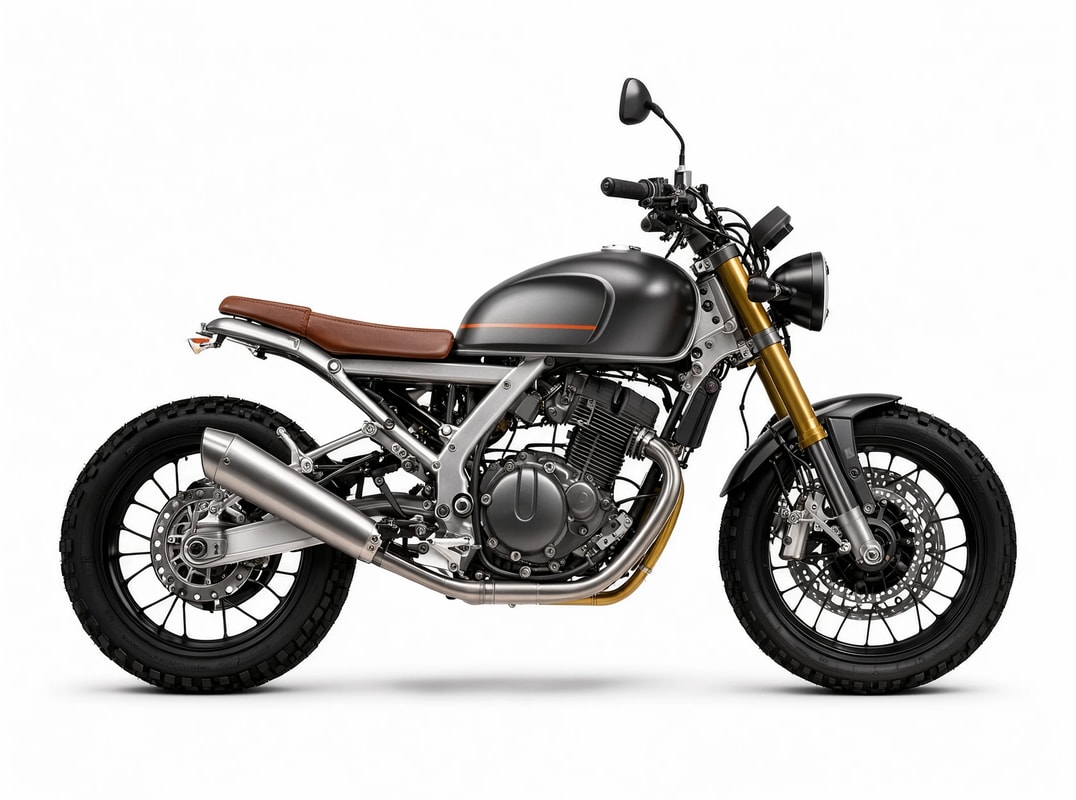
Pixal3D multi-view
Generates a 3D model from four images: front, left, back, and right.
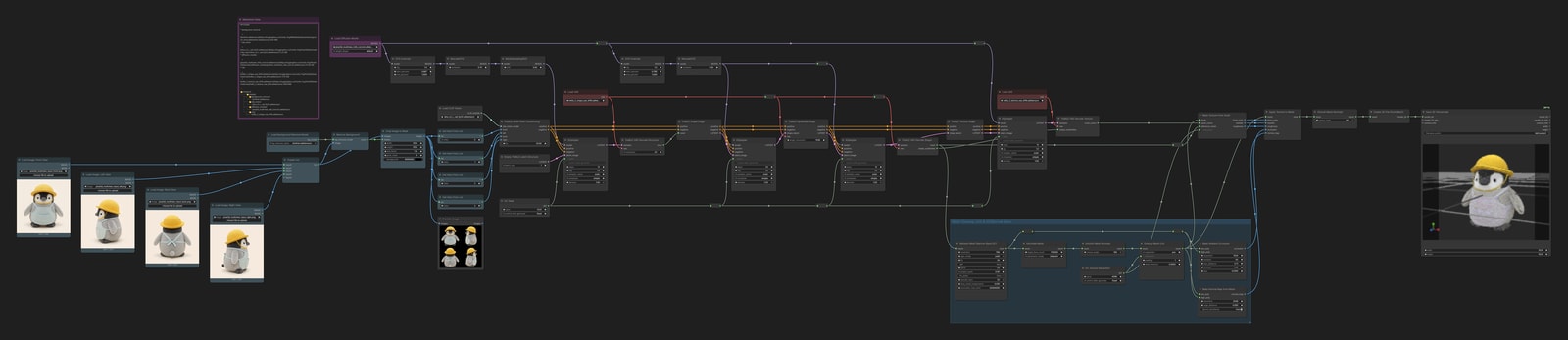
The multi-view images were generated with Qwen-Image-2.1. Prepare them however you like, for example by making a turntable video with a video generation model and pulling frames from it.
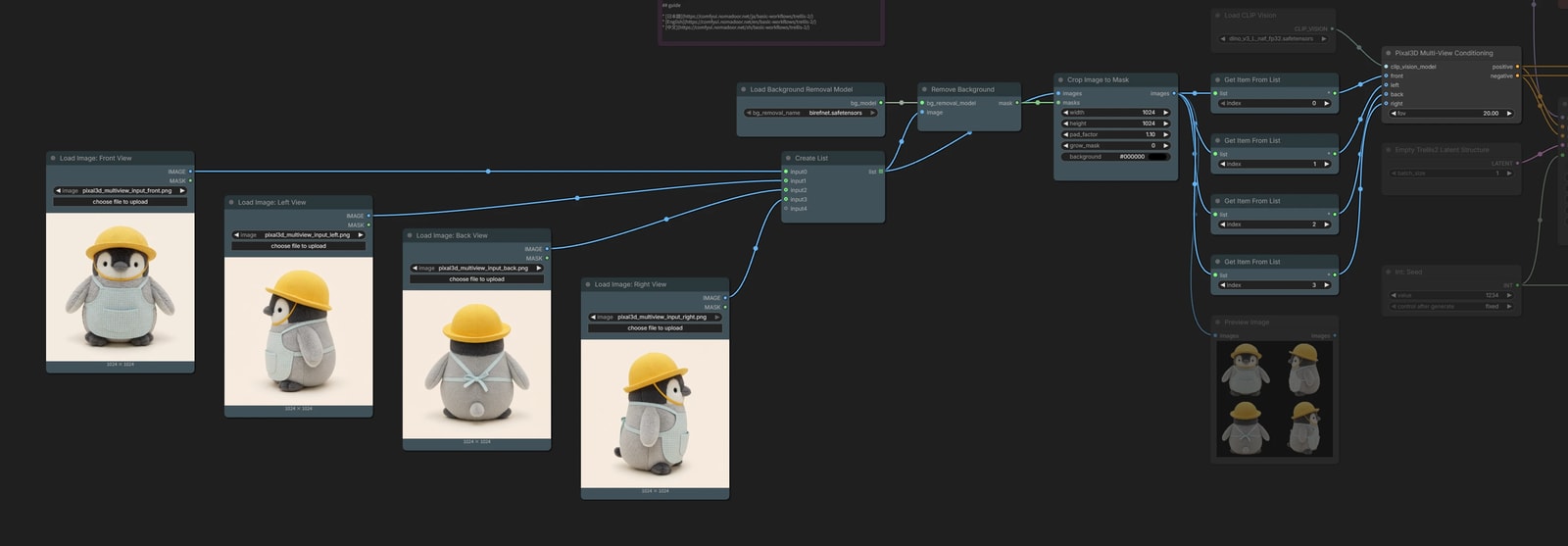
Four-view input
Each of the four images is turned into a black-background image, the same way as above.
To keep the workflow compact, the images are first gathered into a list and processed in order, then taken out one at a time with Get Item From List.
fovstays at the default of 20- When you use photos, it may be better to put in a value estimated from one of them with MoGe.