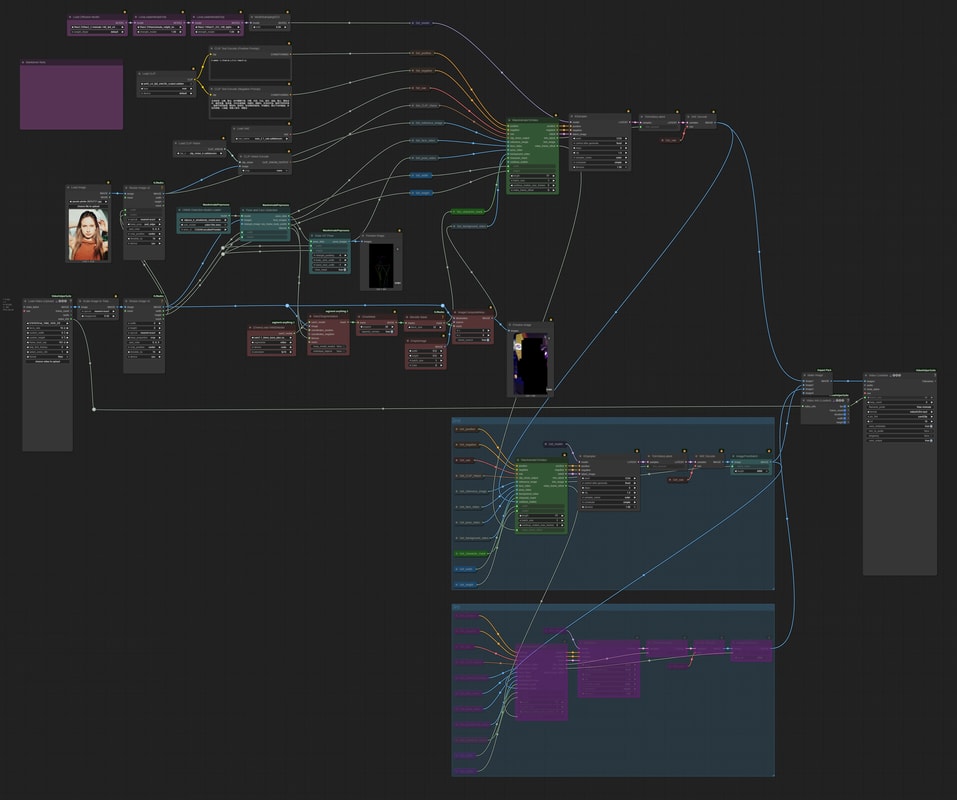
What is Wan-Animate?
Wan-Animate is a Wan 2.1-14B-I2V based model specialized for motion transfer to humans and characters.
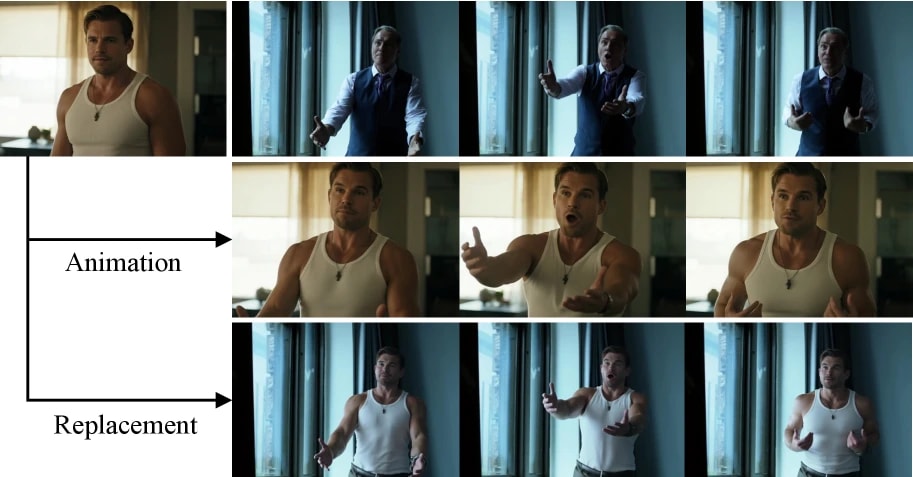
- Animation Mode: Moves the input image according to the movement of the reference video.
- Replacement Mode: Replaces the person in the input video with the person in the reference image.
There are two generation modes, but it is easier to think of Replacement Mode as Animation Mode with added "processing to blend into the background".
Since it is based on Wan 2.1, it can only generate up to 77 frames, but like the Wan 2.1 VACE extension, it has a feature that allows you to generate virtually infinitely long videos by repeatedly extracting the last few frames and generating the continuation.
Required Custom Nodes
Face detection and pose estimation are performed as pre-processing. The following custom nodes are very convenient.
- ComfyUI-WanAnimatePreprocess
- Face detection by YOLO
- Pose (stick figure) extraction by ViTPose
- ComfyUI-segment-anything-2
- Person mask generation using SAM2 (Used in Replacement Mode)
Model Download
Collect Wan-Animate core and common models for the Wan 2.1 series.
- diffusion_models
- loras
- clip_vision
- text_encoders
- vae
- gguf (Optional)
Placement example:
📂ComfyUI/
└── 📂models/
    ├── 📂clip_vision/
    │   └── clip_vision_h.safetensors
    ├── 📂diffusion_models/
    │   └── Wan2_2-Animate-14B_fp8_e4m3fn_scaled_KJ.safetensors
    ├── 📂loras/
    │   └── WanAnimate_relight_lora_fp16.safetensors
    ├── 📂text_encoders/
    │   └── umt5_xxl_fp8_e4m3fn_scaled.safetensors
    ├── 📂unet/
    │   └── Wan2.2-Animate-14B-XXXX.gguf      ← Only when using gguf
    └── 📂vae/
        └── wan_2.1_vae.safetensors
Animation Mode
This mode moves the input still image according to the movement of the person in the reference video.
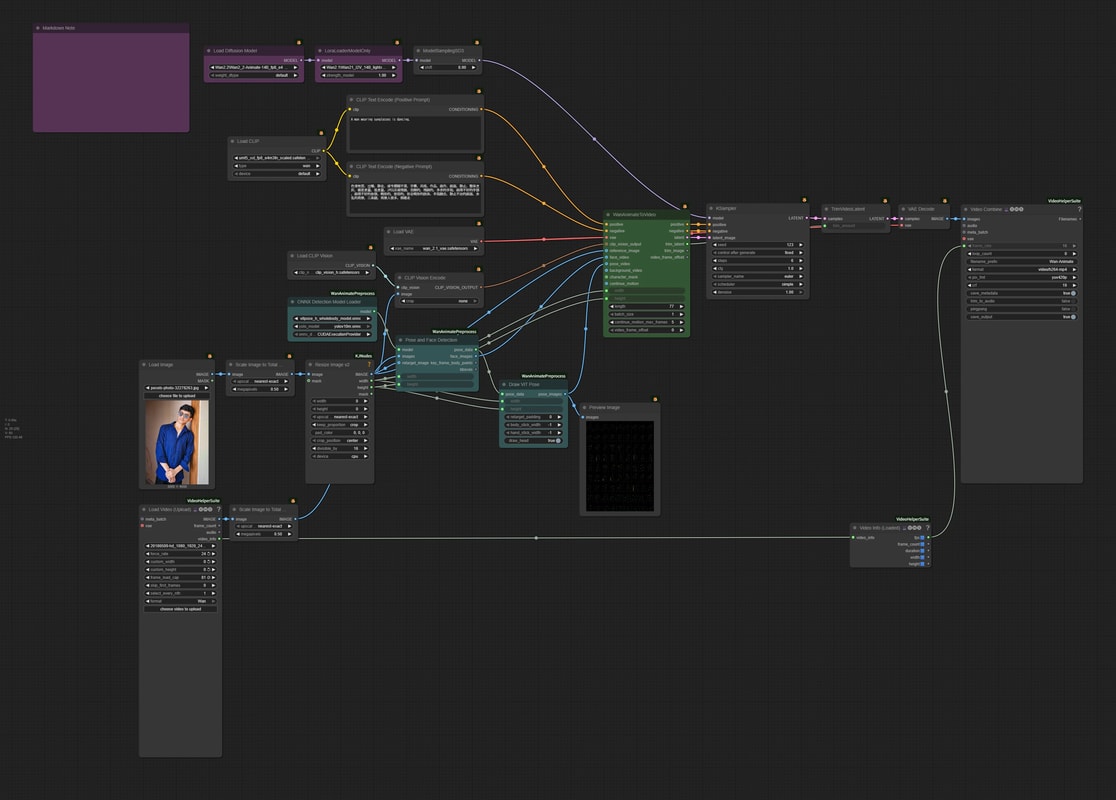
It's quite huge so it might be intimidating, but the base is exactly the same form as Wan 2.1 image2video. Let's go ahead without fear!
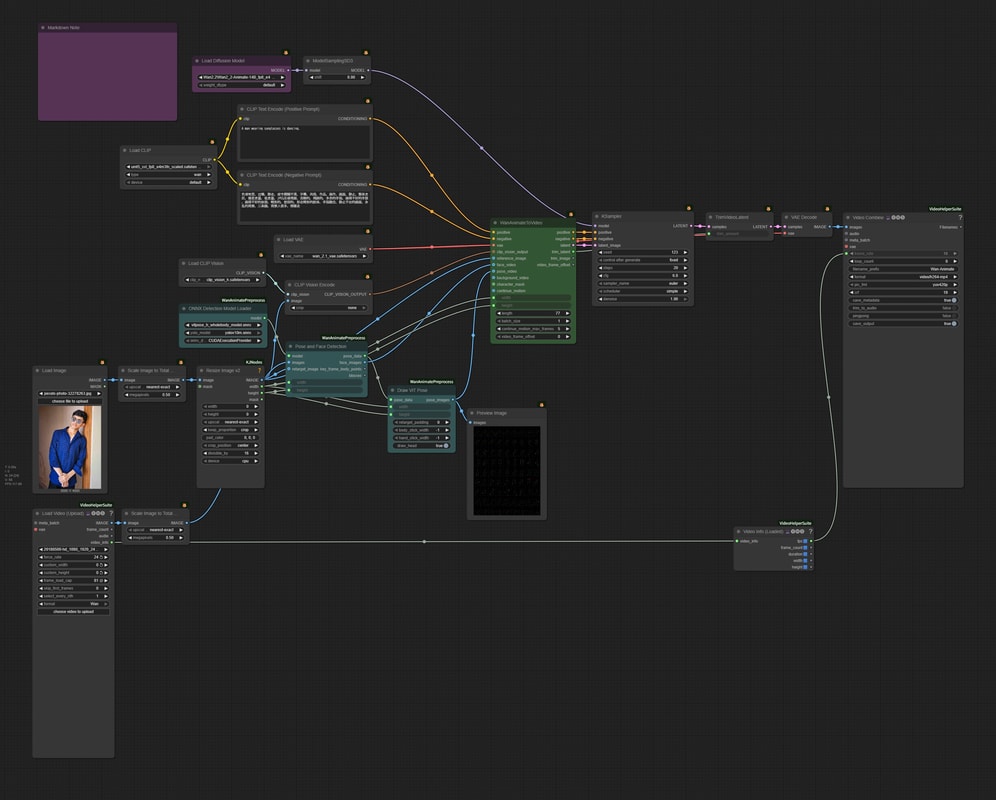
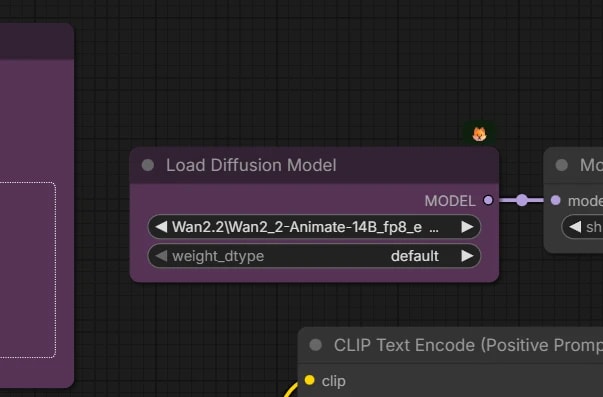
Load Wan-Animate Model
- Load
Wan2_2-AnimatewithLoad Diffusion Model.
Decide Generation Resolution
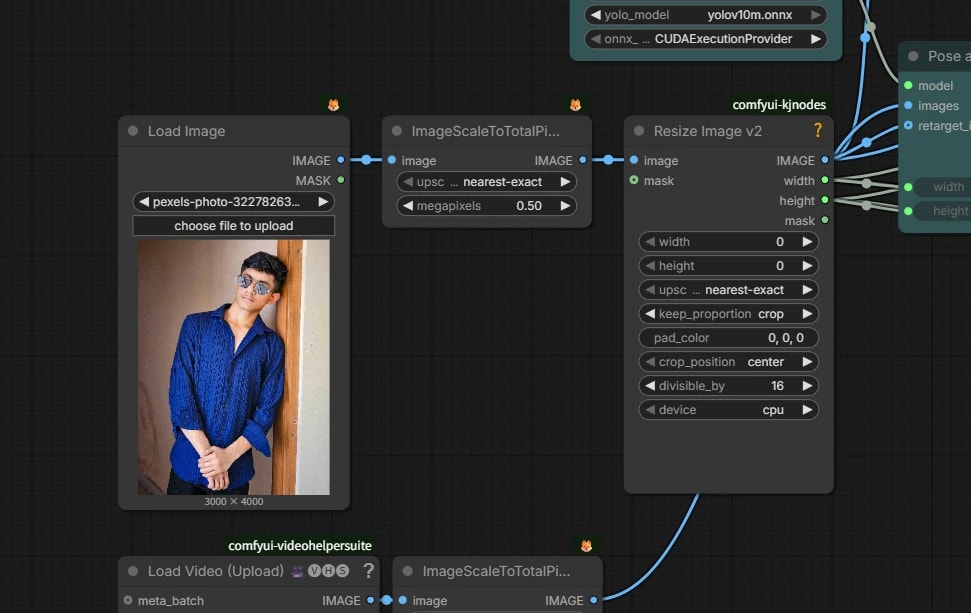
- Adjust the total number of pixels with
Scale Image to Total Pixelsaccording to the input image. - Change the value according to your PC specs.
- Finally, crop the resolution to a multiple of 16.
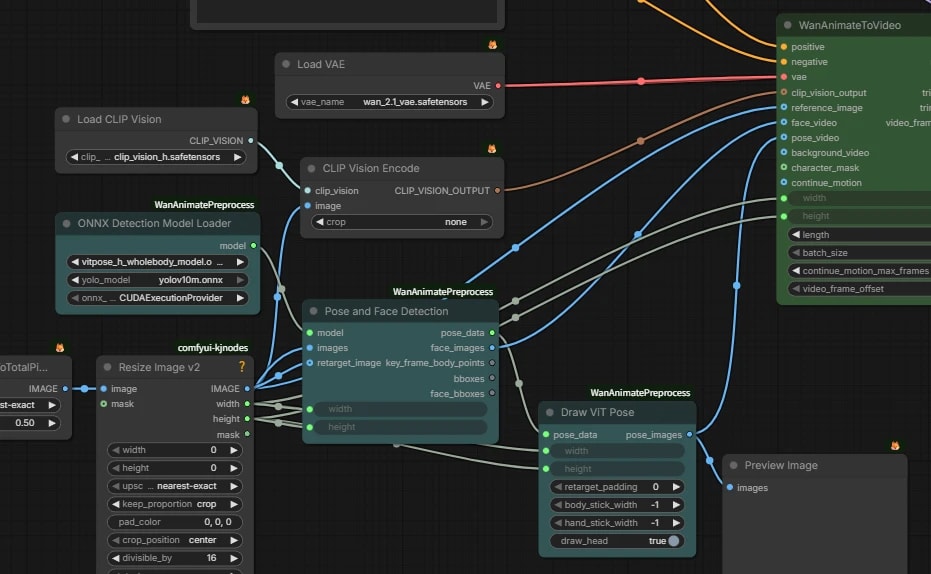
Input additional information to WanAnimateToVideo node
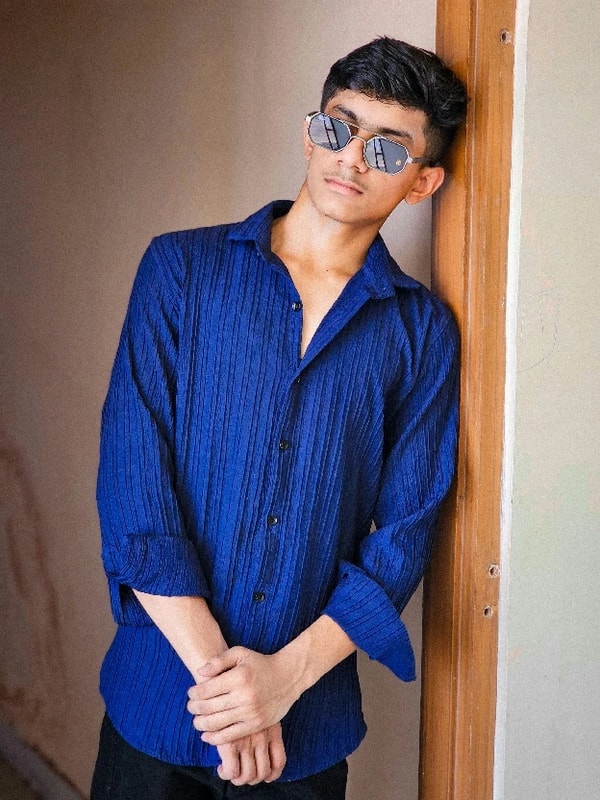
reference_imageThe still image you want to move.face_videoVideo with the face part cropped from the reference video.Pose and Face Detectionautomatically performs face detection by YOLO -> cropping.pose_videoVideo generating stick figures (key points) from the reference video using ViTPose. Since the skeleton and position are different between the driving video and the image you want to move, adjustments are made by the retarget process.
Replacement Mode
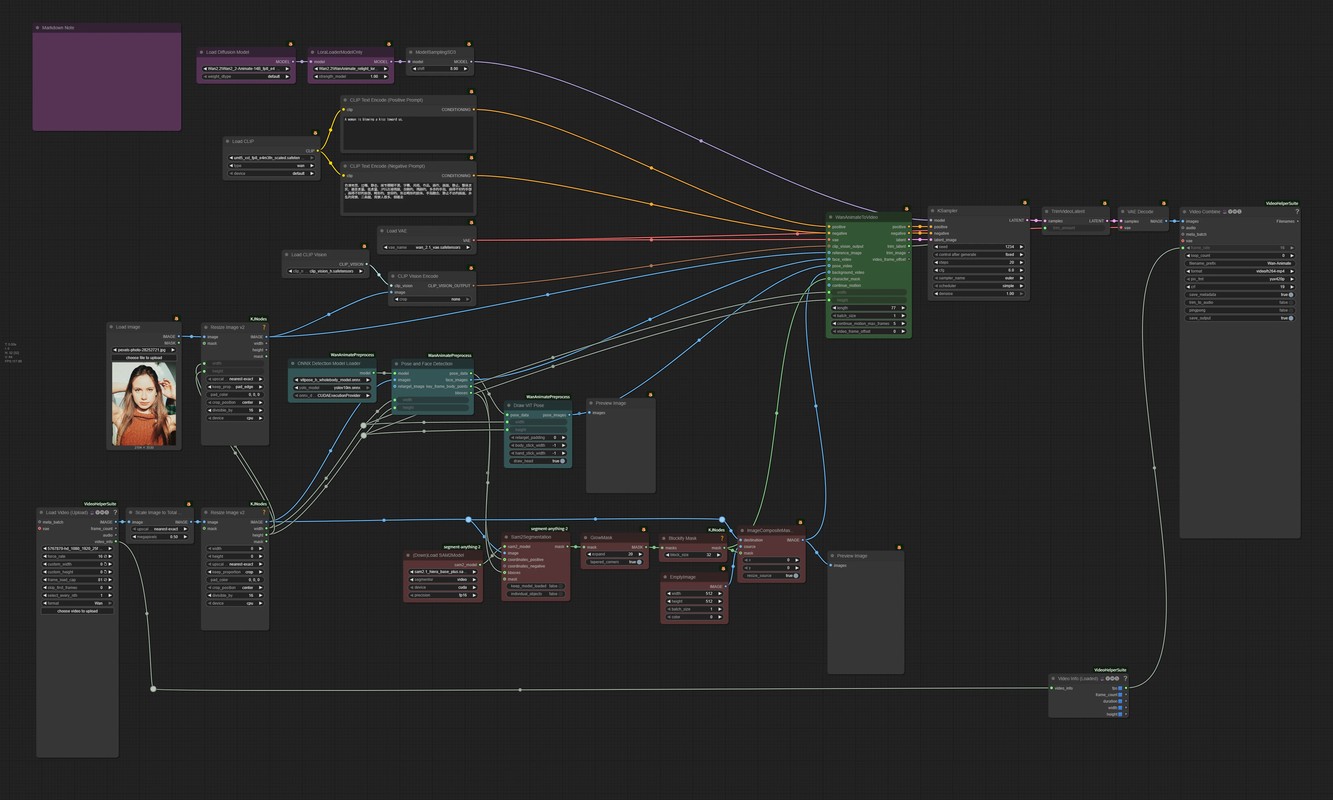
This mode replaces the person in the input video with the person in the reference image.
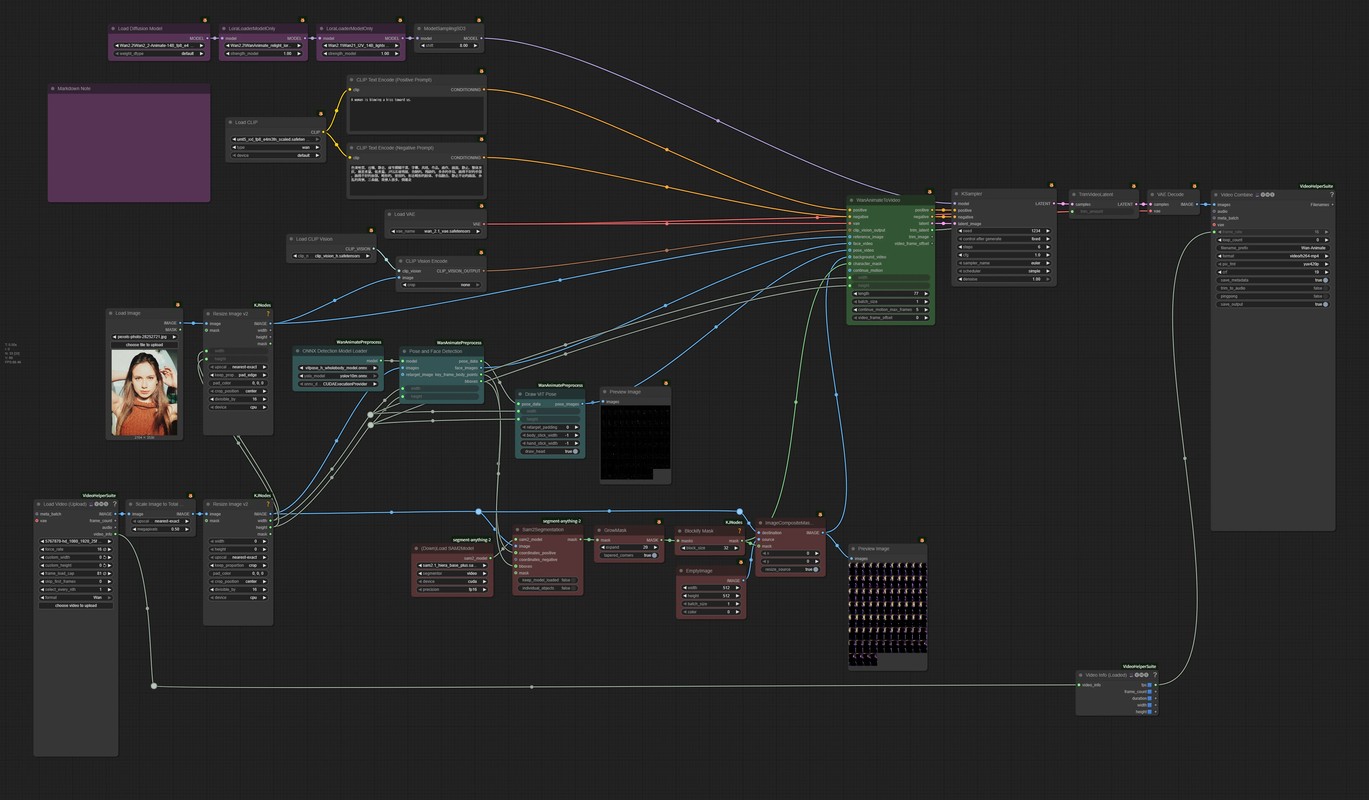
It adds a mask for inpainting the person and relighting processing to blend into the background to the Animation Mode.
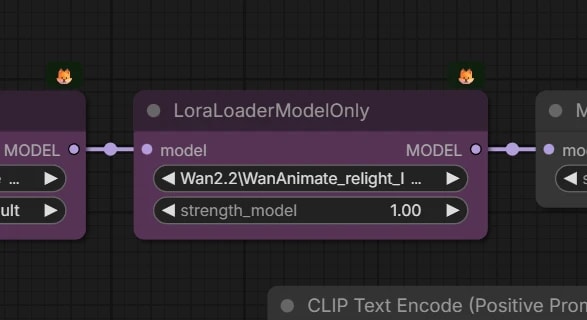
Add Relight LoRA
- Add relight LoRA to blend the replaced person into the background.
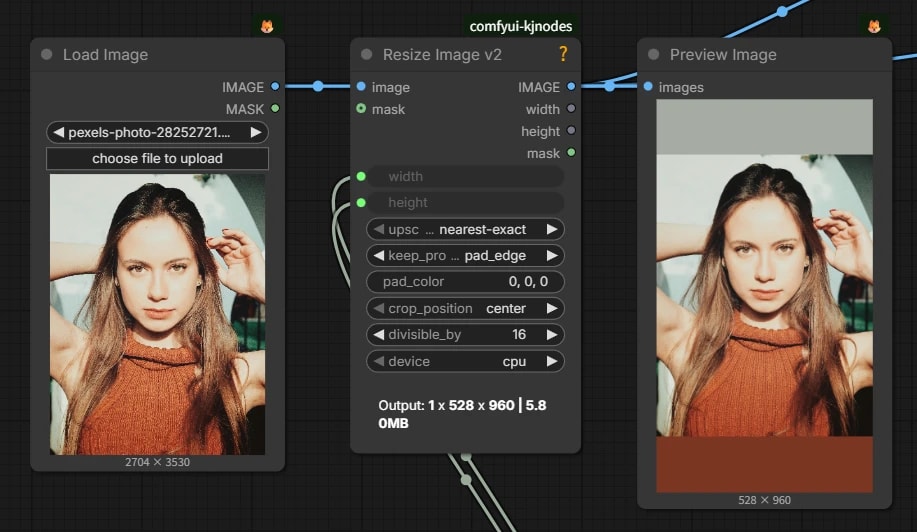
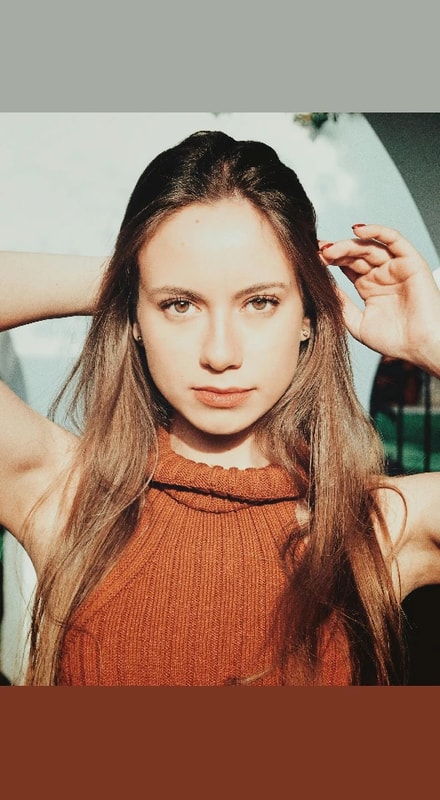
Padding of Reference Image
- Since the video is the standard this time, pad the reference image according to the resolution of the video.
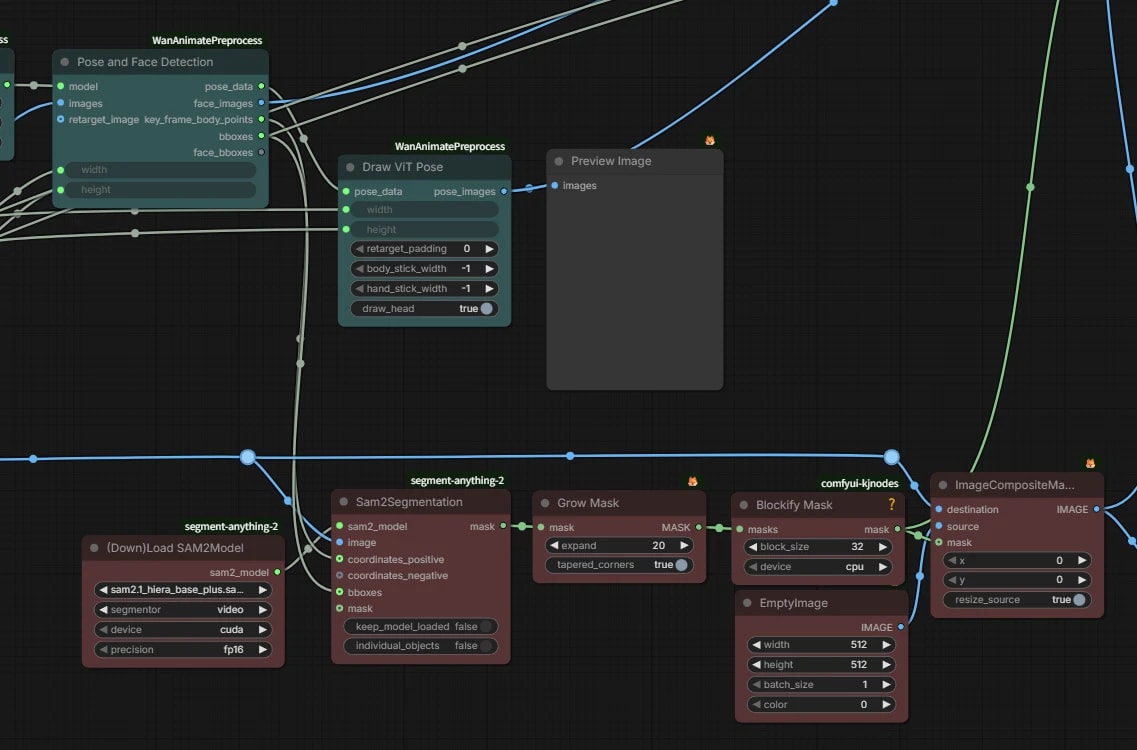
Person Mask Generation
- Pass the person coordinates acquired by
Pose and Face Detectionto SAM2.1 to generate a mask. - Inflate the mask slightly and convert it to a blocky mask like pixel art with the
Blockifynode to make it acharacter_mask. If you don't do this, for some reason a thin edge remains on the outline of the generated video. - Use a video where the masked part is filled with black with
ImageCompositeMaskedasbackground_video.
6-Step Inference (Lightx2v LoRA)
You can reduce sampling steps to 4-6 steps using Distilled LoRA.
I was concerned about degradation when using it with text2video, but with Wan-Animate, since we are not creating a video from scratch, it doesn't bother me much. I want to actively use it.
Model Download
📂ComfyUI/
└── 📂models/
    └── 📂loras/
        └── Wan21_I2V_14B_lightx2v_cfg_step_distill_lora_rank64.safetensors
Animation Mode (Fast Version)
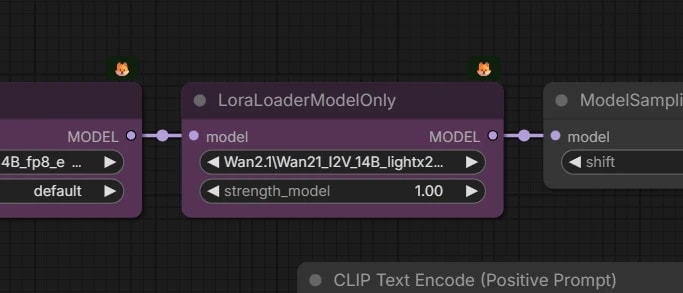
Apply LoRA
-
🟪 Load Lightx2v LoRA with
LoraLoaderModelOnly. -
KSampler Settings
steps... 4-6cfg... 1.0
Replacement Mode (Fast Version)
Repeating Process for Long Videos
The base of Wan-Animate is the same as Wan 2.1 I2V, and the upper limit is 77 frames generated in one inference. If you want to create a long video exceeding this, construct it to "repeat the generation many times while inheriting the last few frames".
Since ComfyUI cannot perform loop processing, it will be in the form of connecting almost the same workflow in series one after another.
Allows specific to be frankly not a smart process, and is a part where it yields a step to Kijai's implementation in ComfyUI-WanVideoWrapper.
Animation Mode (Repeat)
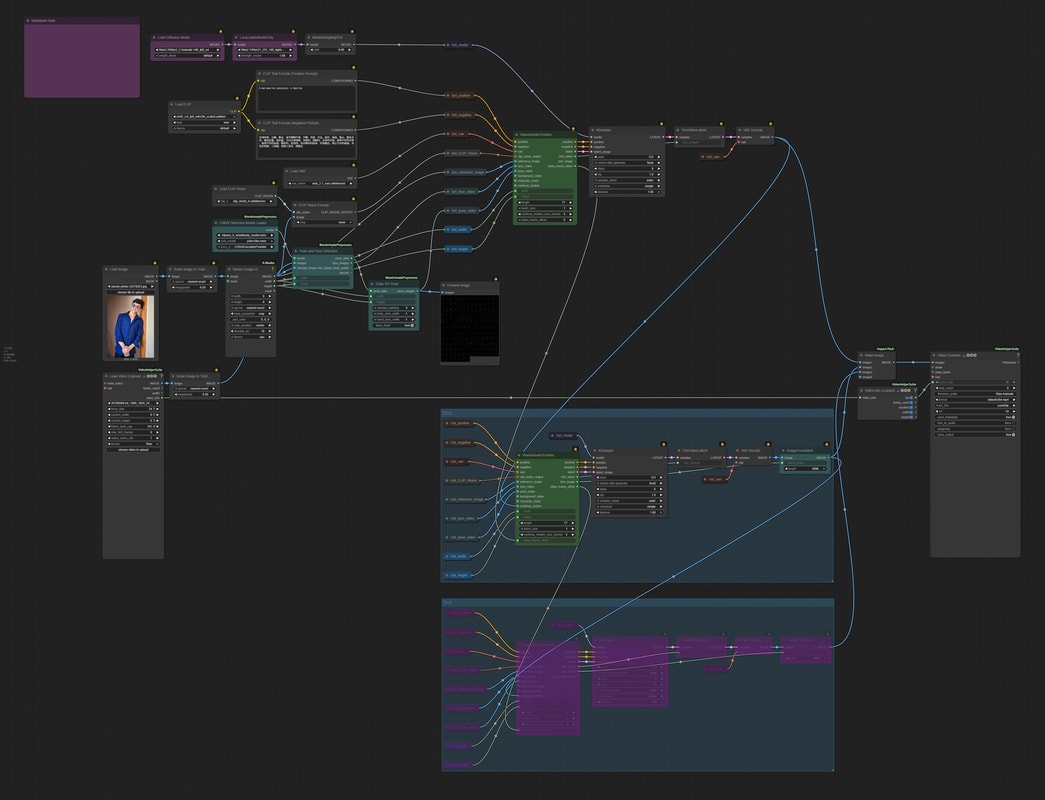
At first glance, it looks like a huge workflow, but the only differences from the previous ones are the following two points.
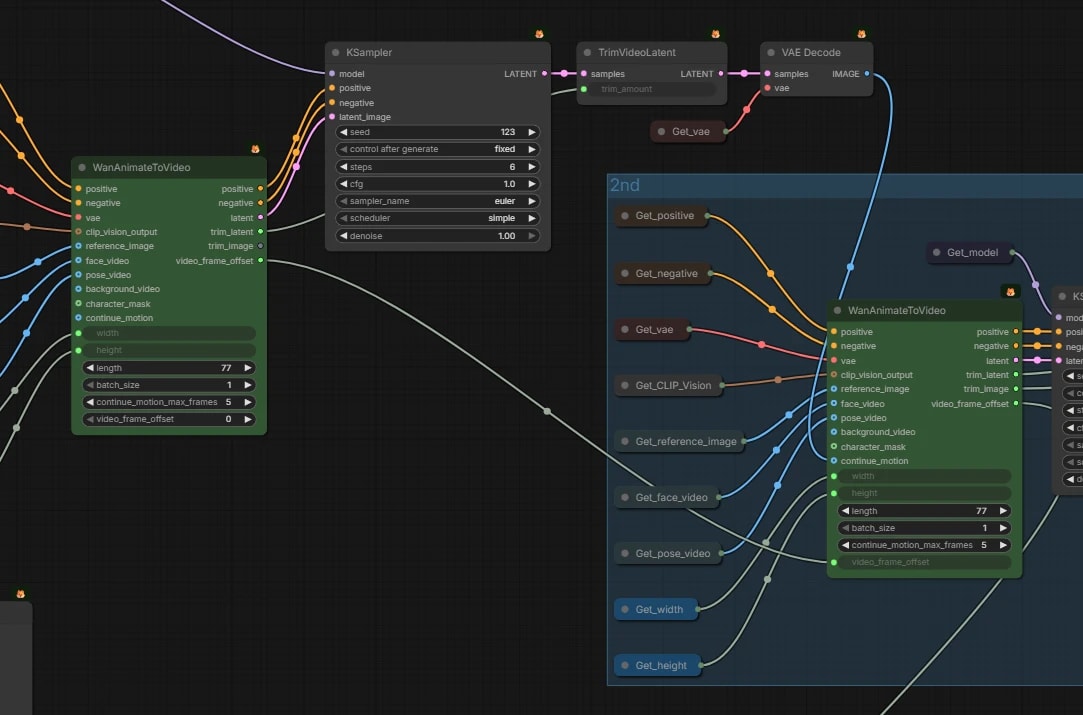
-
video_frame_offset- If 77 frames were generated in the first round,
face_videoandpose_videoneed to be used from the 78th frame onwards in the second round. - If you put the offset frame count in
video_frame_offset, it will automatically shift the reference start position offace_video/pose_video.
- If 77 frames were generated in the first round,
-
continue_motion_max_frames- Set the number of frames to serve as overlap.
- For example, if
lengthis 77 andcontinue_motion_max_framesis 5, it uses the last 5 frames from the previous round and generates the remaining new 72 frames.
If you connect this group repeatedly, you can theoretically make a video as long as you want. However, like a copier, the error accumulates little by little.
Replacement Mode (Repeat)