What is Flux.1 Kontext?
Flux.1 Kontext is an instruction-based image editing model based on Flux.1.
It is undoubtedly this model that sparked the popularity of the task of AI image editing such as nano banana.
Like Flux.1, there are three variations: pro, max, and dev, but only dev is available for local use.
What is Instruction-based Image Editing?
A model that edits an image according to instructions when you input an image and text instructions is called an instruction-based image editing model on this site.
For example, suppose you want to dye the hair of a woman in a photo red. Until now, you would mask the hair, add ControlNet Canny because you don't want to change the hairstyle, and then perform inpainting with a prompt like "photo of a woman with red hair".
It is easy with instruction-based image editing. Just pass the image to the model and instruct it like a producer asking a designer, "Make the woman's hair red."
Change facial expressions, remove disturbing objects, change the art style.
Everything can be achieved with just one model and prompt.
Model Download
Even with Kontext, the basic configuration is the same as the regular Flux.1.
-
diffusion_models
-
clip / T5 / VAE
-
gguf (Optional)
📂ComfyUI/
└── 📂models/
    ├── 📂diffusion_models/
    │   └── flux1-dev-kontext_fp8_scaled.safetensors
    ├── 📂clip/
    │   ├── clip_l.safetensors
    │   └── t5xxl_fp8_e4m3fn_scaled.safetensors
    ├── 📂vae/
    │   └── ae.safetensors
    └── 📂unet/
        └── flux1-kontext-dev.gguf      ← Only when using gguf
Workflow (Basic)
The workflow of Kontext itself is a simple configuration that just adds ReferenceLatent to the regular Flux.1.
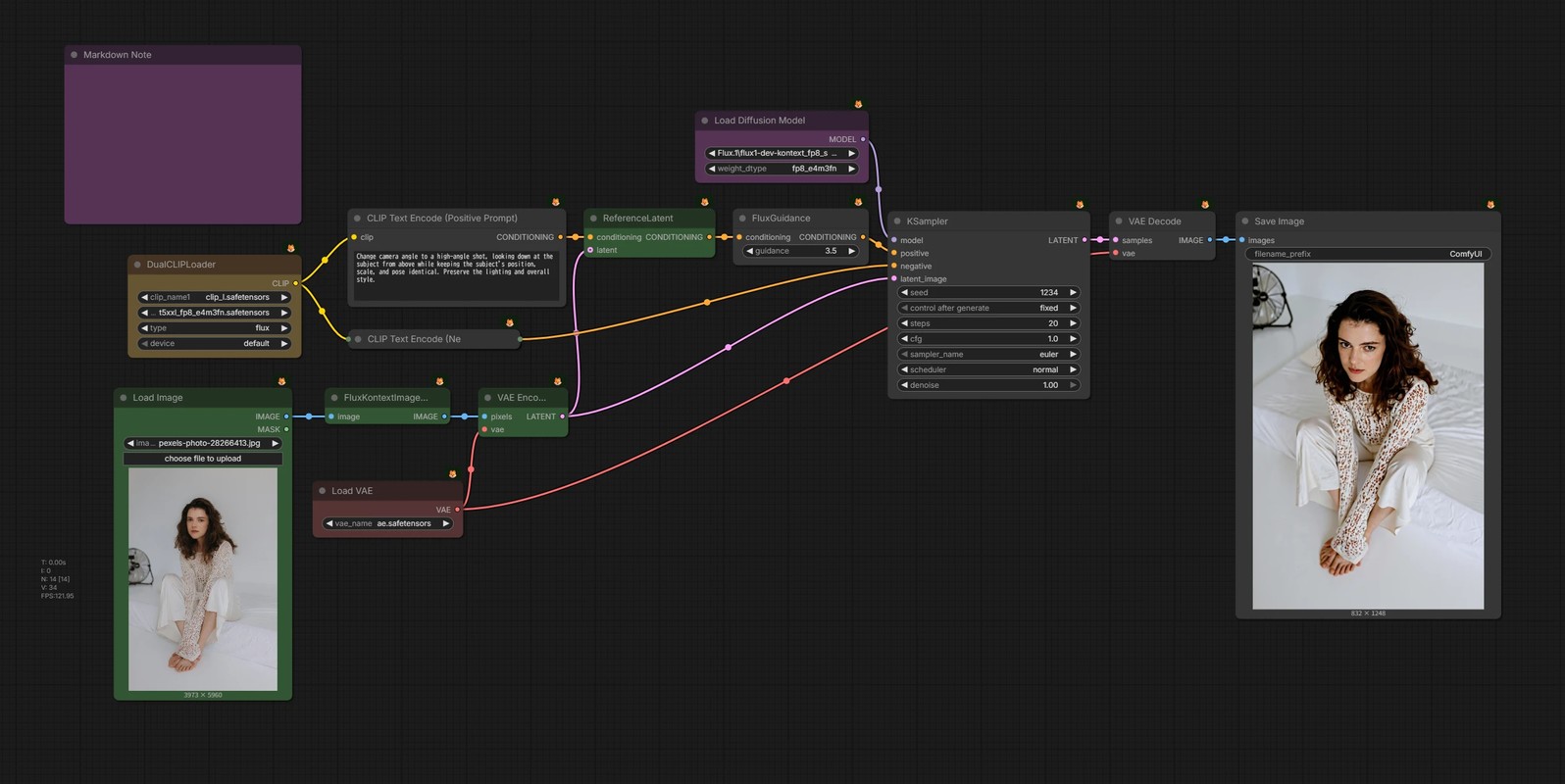
- 🟪 Load
flux1-dev-kontext_fp8_scaled.safetensors. - 🟩 Resize the input image to a resolution suitable for Kontext with the
FluxKontextImageScalenode.- There are resolutions recommended by Flux, and a resolution with a close aspect ratio is automatically selected from them.
- 🟩 Convert the resized image to latent and connect it to
ReferenceLatent.
How to write prompts
Basically, follow the official prompting guide.
However, there is no special notation. If you write what you want to do in English in the form of "Do △△ to ◯◯", it will generally work.
If something changes that you don't want to change (e.g., the background changes even though you only want to change the hairstyle), explicitly state the "conditions you don't want to change" as follows:
- e.g.
Keep the person's pose, position, and size the same.
However, due to the performance of the model, it often does not follow instructions well. You shouldn't ask for too much yet.
Capabilities
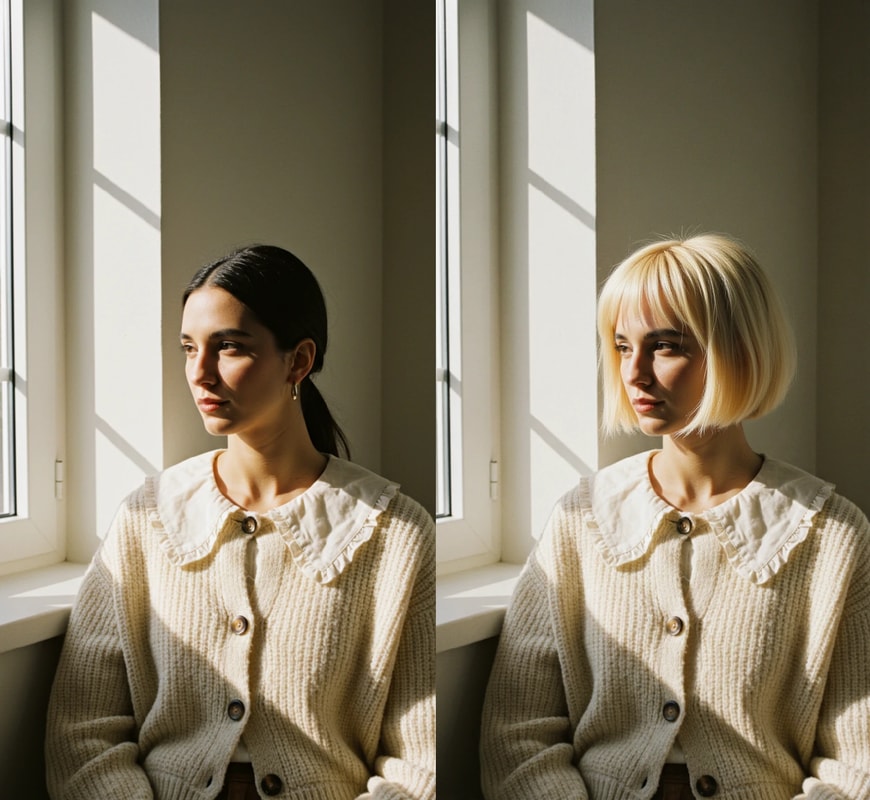
Image Editing
Change the hair to a messy blonde bob.
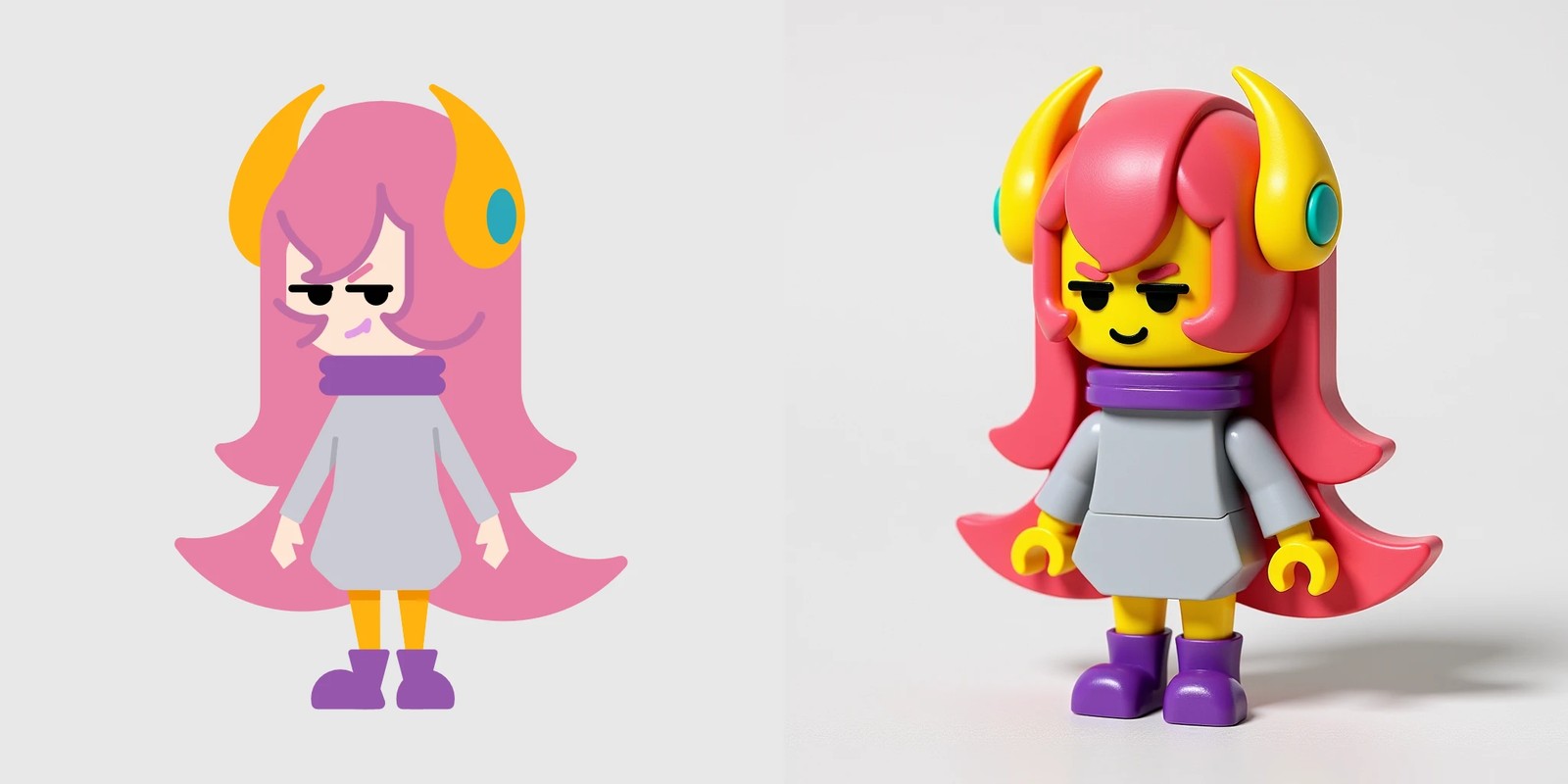
Style Transfer
This character is made out of Lego blocks.
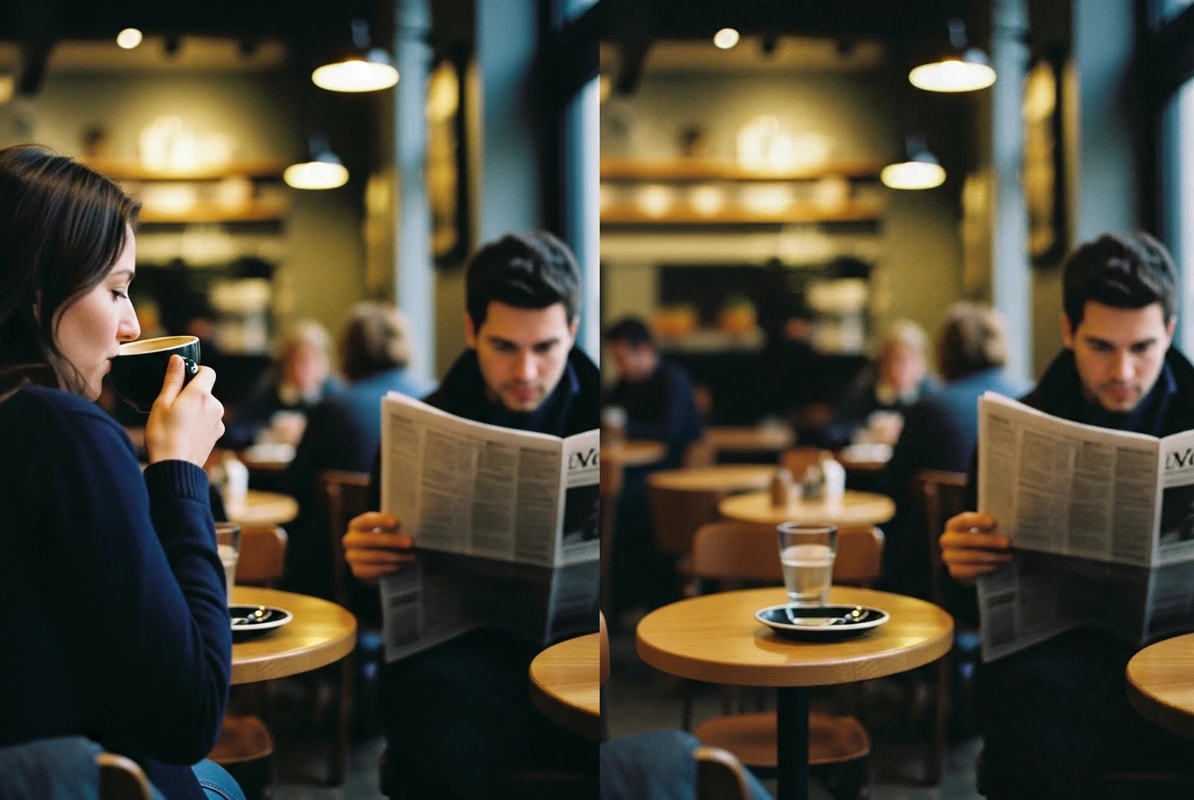
Object Removal
Remove the woman
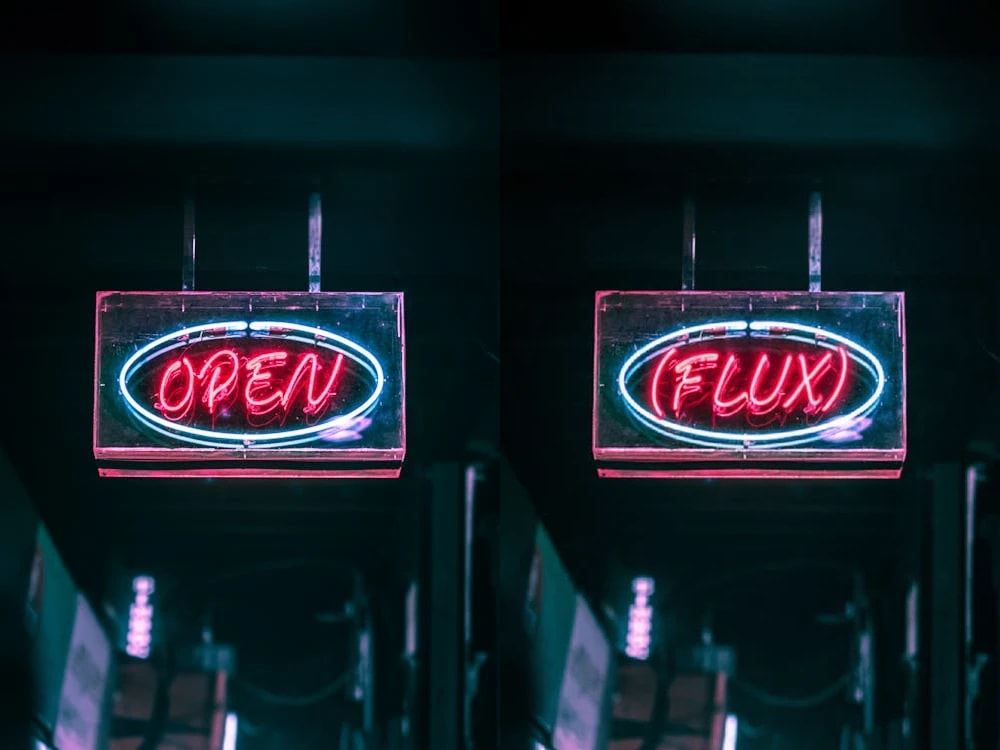
Text Replacement
Replace [OPEN] with [FLUX]
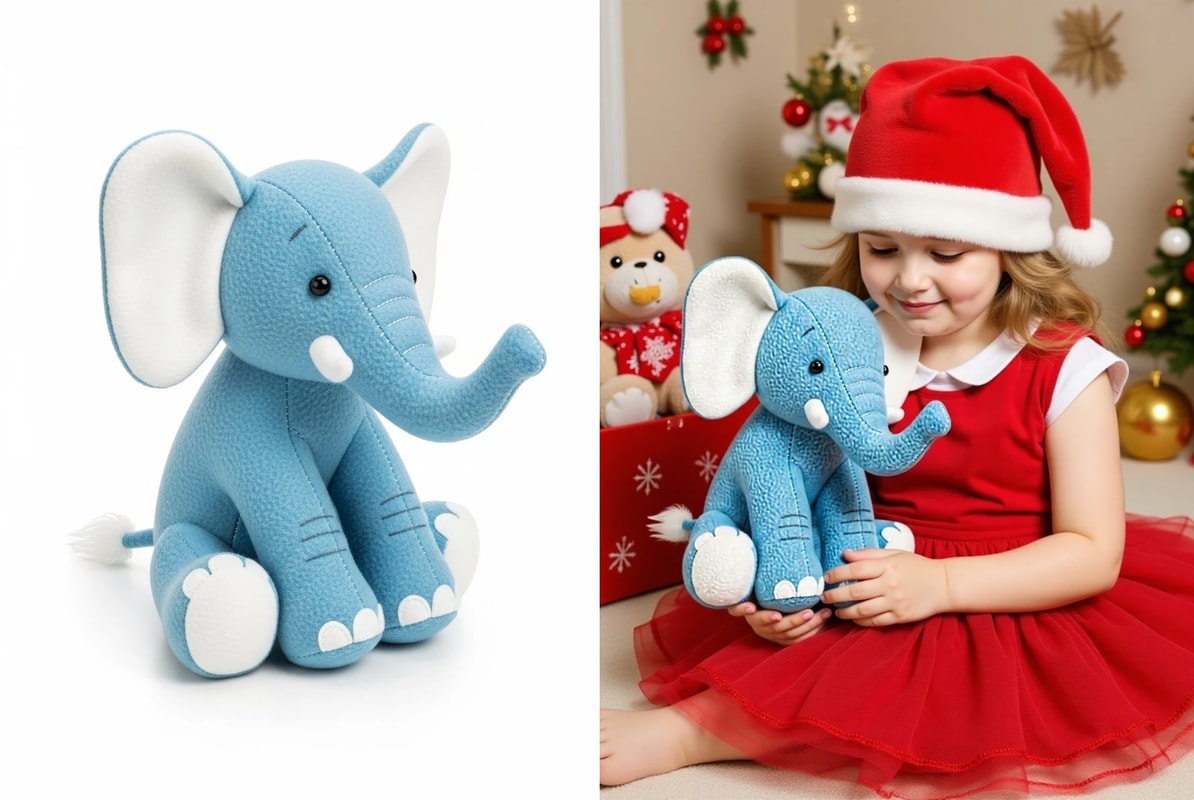
Subject Transfer
A photo of a girl who received a stuffed elephant as a Christmas present.
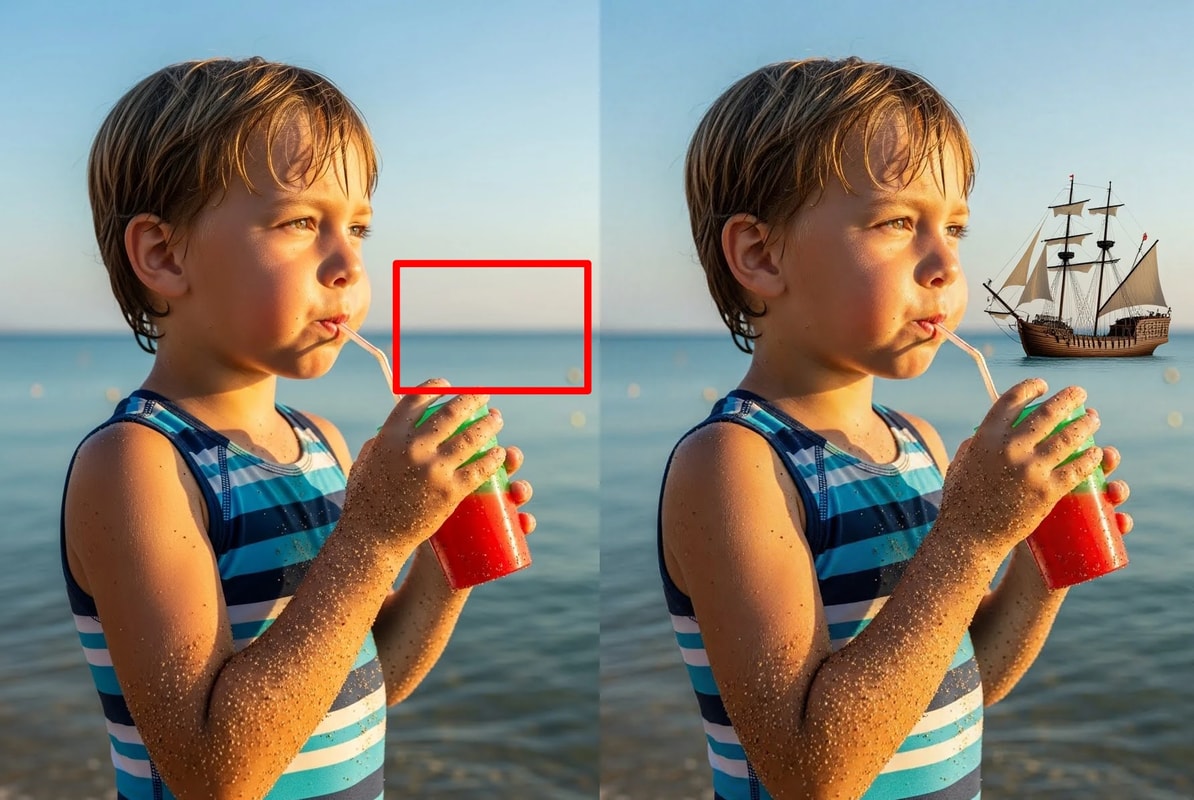
Positioning by Guide
Add a sailing ship to the box position.
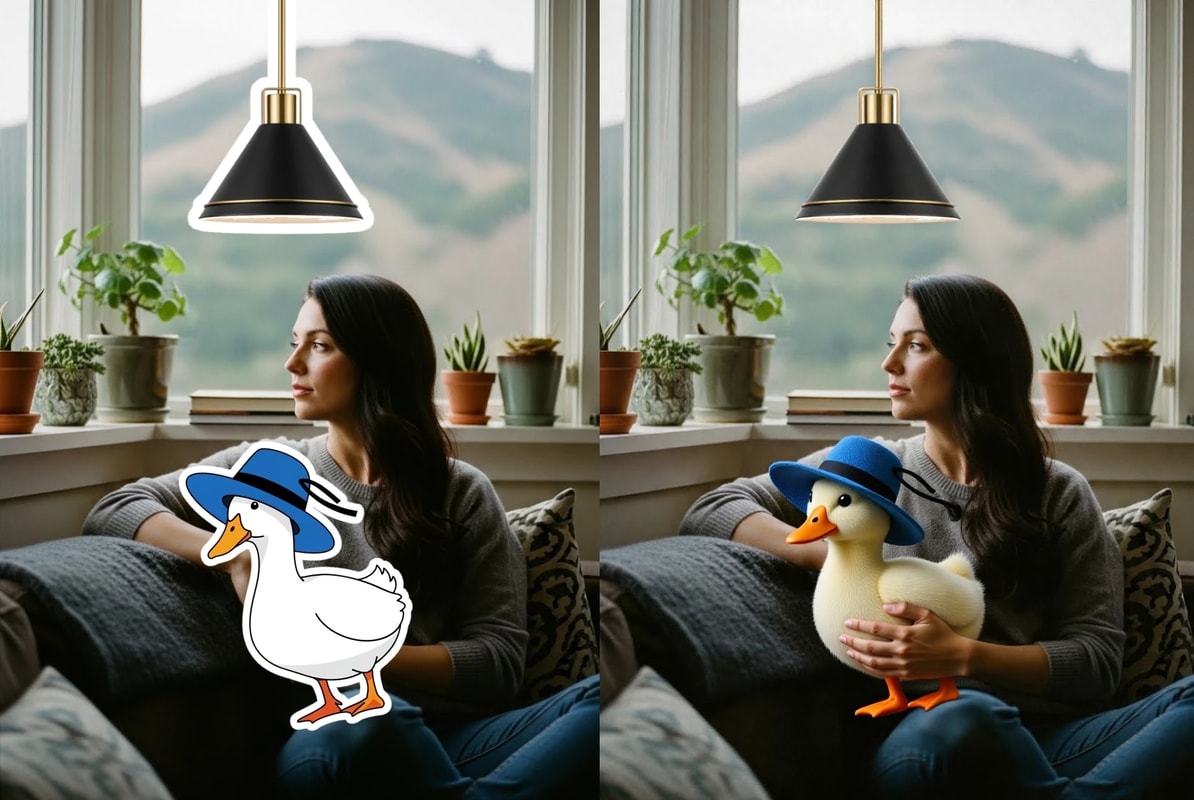
Refine Collage
It edits to blend manually created collage images.
Transform the flat duck sticker into a realistic plush duck toy with the same blue hat and place it in the woman’s arms so she is naturally hugging it. Also turn the outlined pendant lamp into a realistic lamp, removing the white sticker edges and matching the scene’s lighting, color, and perspective.
There is also a LoRA that boosts this ability.