What is MiniMax H3?
MiniMax H3 is a video generation model released by MiniMax.
Its architecture is simple, handling text, images, video, and audio all in a single Transformer, and among local video generation models it stands a cut above in both performance and flexibility.
The base is the same, but there are two models, split by role.
- FL2VA
- Used for text2video, image2video, and First / Last Frame to Video
- Ref2VA
- Uses images, video, and audio as references, combining people, motion, camera work, visual style, voices, and more
Contains a referral link
Recommended Settings
- Resolution
- 768p, about 1 MP
- Width and height must be multiples of 32
- FPS
- 24 FPS
- Frames
17n + 5
- Video length
- 5–15 seconds
Model Download
- diffusion_models
- text_encoders
- vae
📂ComfyUI/
└── 📂models/
    ├── 📂diffusion_models/
    │   ├── minimax_h3_fl2va_pruned_int8_convrot.safetensors
    │   └── minimax_h3_ref2va_pruned_int8_convrot.safetensors
    ├── 📂text_encoders/
    │   └── qwen3vl_32b_minimax_h3_int8_convrot.safetensors
    └── 📂vae/
        ├── minimax_h3_audio_vae_fp32.safetensors
        └── minimax_h3_video_vae_int8_convrot.safetensors
Prompts
Natural-language prompts work, but you will need to follow the recommended prompt format to get the most out of the model.
The format is too complicated to write by hand, so give MiniMax's official prompt guides to ChatGPT or Claude and have it write the prompt for you.
- MiniMax H3 Skills
- Video Prompt Writing Guide
- For T2VA, I2VA, FL2VA, and L2VA
- Full-Reference Prompt Guide
- For Ref2VA
Still, so you can check whether the prompt you get back is right, I'll go over the basics.
FL2VA
For T2VA / I2VA / FL2VA / L2VA, split the video and audio description into three sections.
integrated_multimodal_description:
[Shot 1] Describe the visuals, character motion, camera work, dialogue, and sound effects.

overall_soundscape:
Describe ambient and physical sounds.

non_diegetic_music:
Describe the background music. If there is none, write N/A.
For a single continuous shot, state explicitly in the description that there should be no cuts.
[Shot 1] Single continuous shot, one take, no cuts. ...
For multiple shots, omit the timestamp from the first shot and specify the cut time from the second shot onward.
[Shot 1] Describe the first shot.
[Shot 2] At 00:02.000, the camera cuts to ...
[Shot 3] At 00:04.000, the shot changes to ...
Ref2VA
For Ref2VA, split the prompt into its dedicated six-section format.
subject_definitions:
Define the people, objects, video, and audio to reference.

summary:
Briefly describe what you want to create.

retention_analysis:
Describe what to preserve or transfer from the reference materials.

detailed_description:
Describe the visuals, motion, camera work, dialogue, and sound effects.

overall_soundscape:
Describe ambient and physical sounds.

non_diegetic_music:
Describe the background music. If there is none, write N/A.
Refer to connected materials with tags such as <Picture 1>, <Video 1>, and <Audio 1>, and describe what to use from each one.
If you only want to use one part of a reference, such as a person in a photo, define it as something like <Subject 1>.
<Subject 1> is the woman in <Picture 1>.
Wrap dialogue in <d> tags and specify the language with a tag such as [Japanese].
<Subject 1> (S1) says: <d>[Japanese] こんにちは。</d>
About Optimization
MiniMax H3 produces excellent quality, but it is also an extremely demanding model.
Many techniques have been developed to reduce VRAM usage or speed up generation. They are all impressive, but each comes with some loss of quality.
Choosing among them means weighing the benefits against the drawbacks, and that's very hard to judge. So on this page, the workflows use only Comfy Kitchen Attention (CK Attention) and no other optimizations.
I have collected more details here:
Once the available techniques have settled down a little, I plan to cover them in a separate article.
text2video / T2VA
Model: fl2va
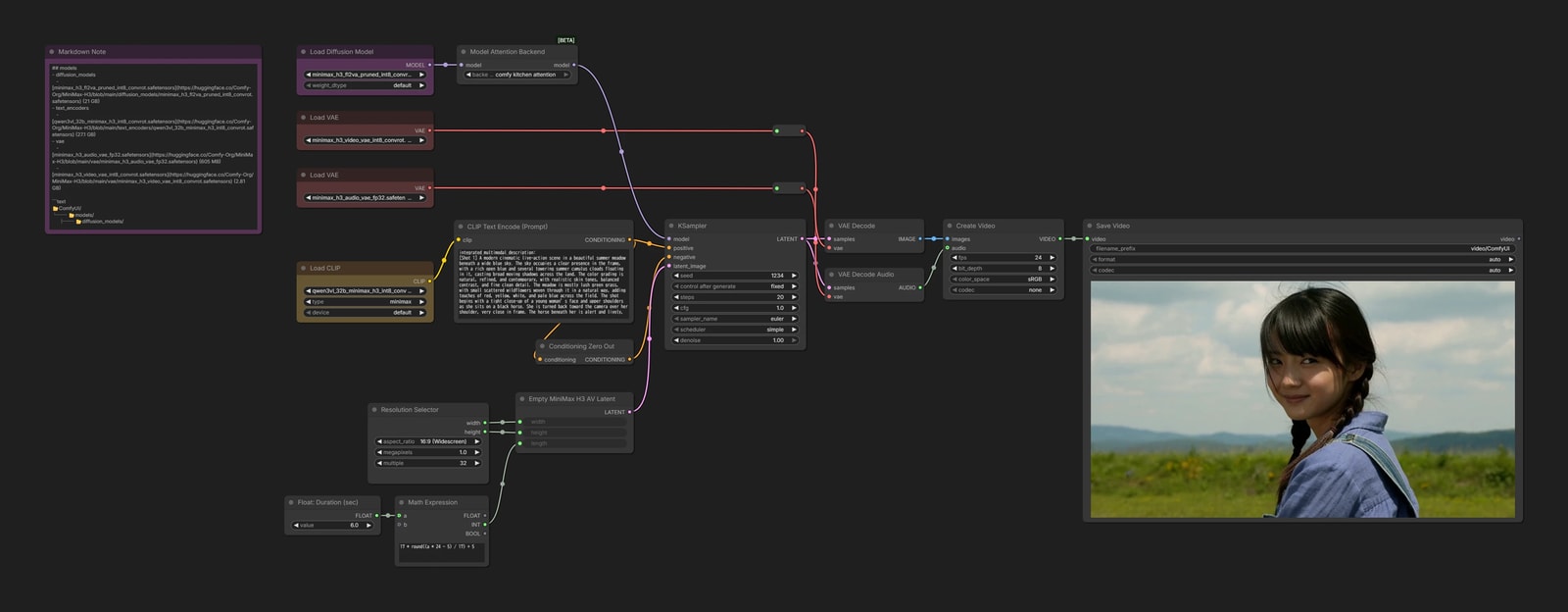
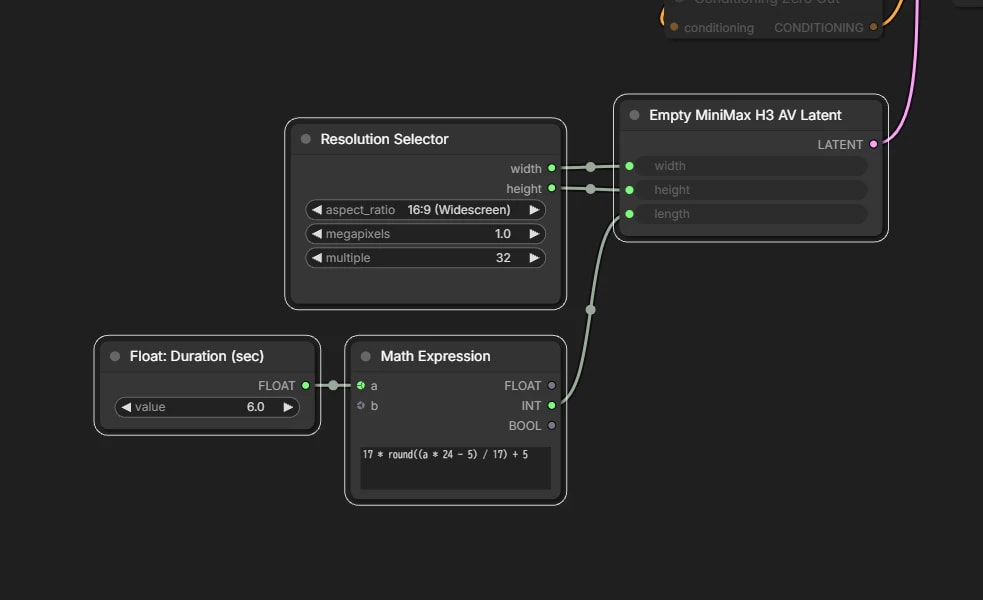
Resolution and video length
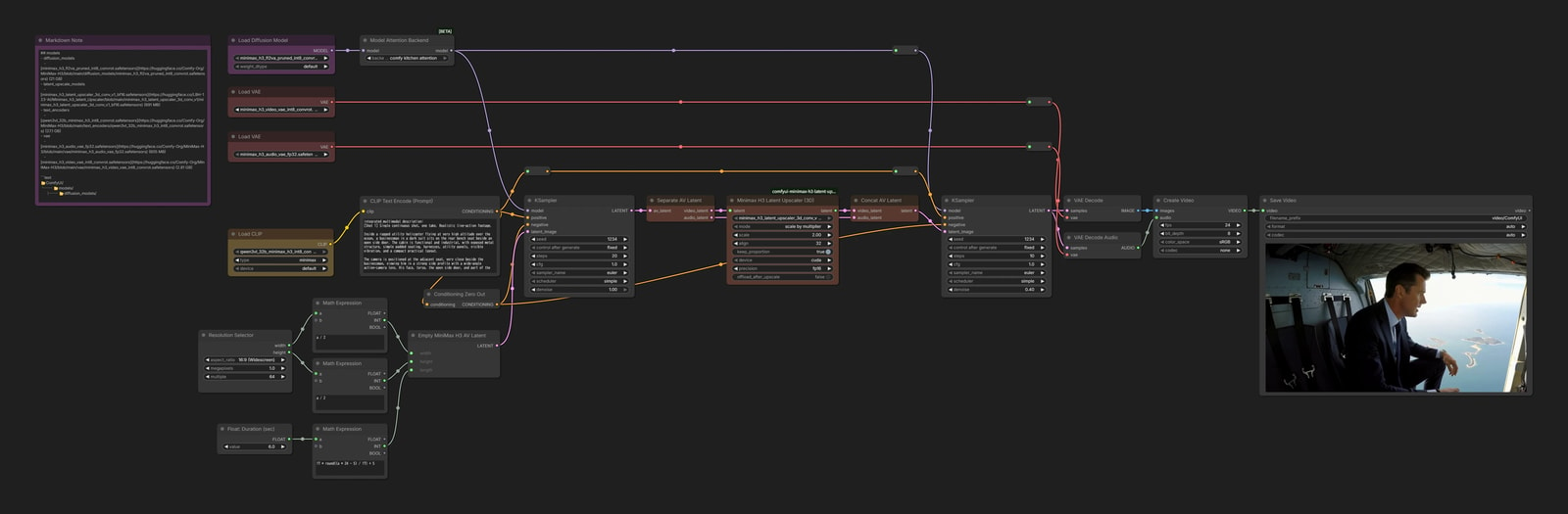
The recommended resolution is about 1 MP, but the computational cost is also quite high. You may want to begin with a smaller size, such as 0.3 MP.
Enter the desired video length in seconds (sec), and the workflow rounds the frame count to a suitable 17n + 5 value.
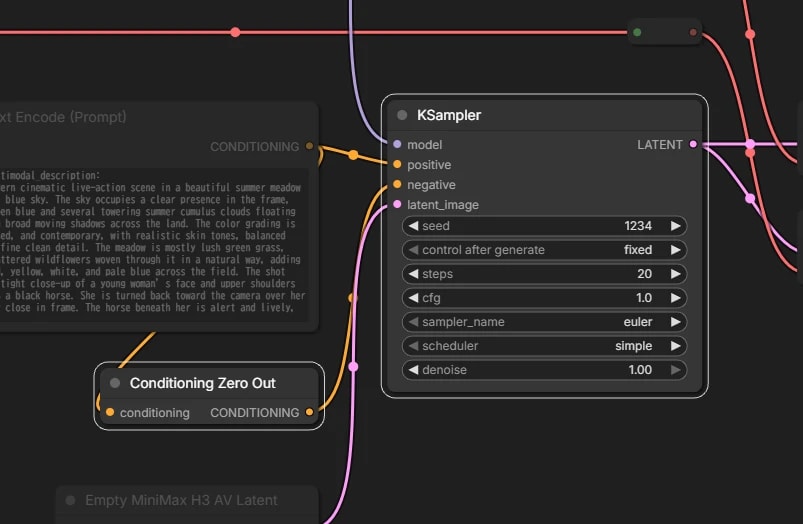
CFG
H3 is already CFG-distilled, so set CFG to 1.0.
image2video / I2VA
Model: fl2va
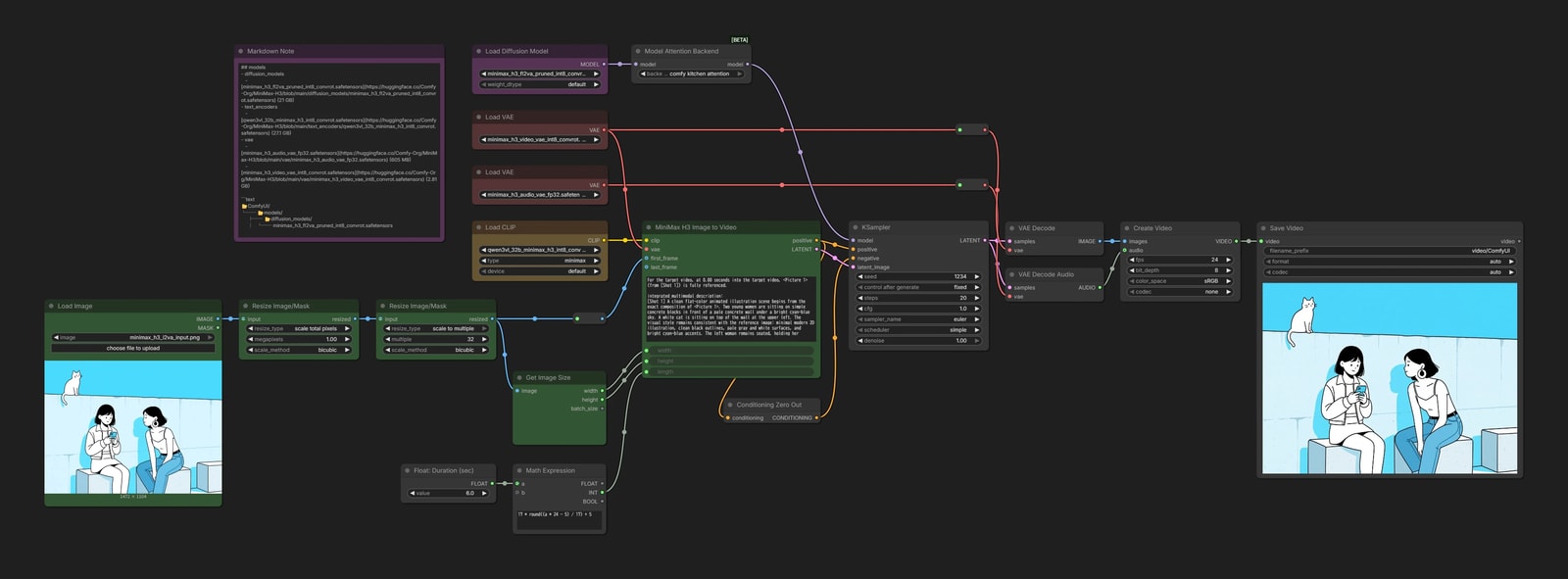
Enter the prompt and first image in MiniMax H3 Image to Video.

First / Last Frame to Video
Model: fl2va
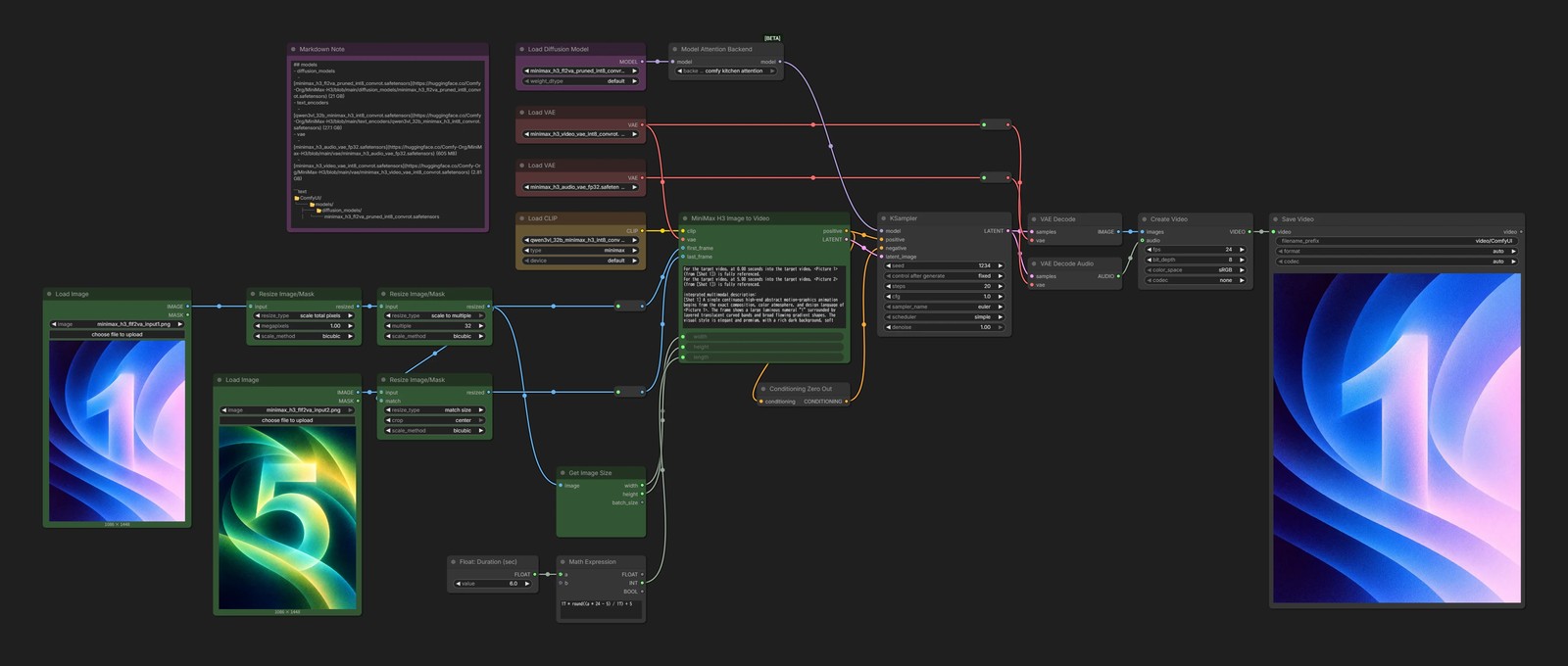
This is basically the same as I2VA. Just provide an image for last_frame as well.


Audio-driven Video Generation
Model: fl2va

Add Guide for MiniMax H3 can also take audio as input.
Provide an image and audio clip, then generate a video in which the person in the image moves in time with the audio.

Reference Generation
Model: ref2va
This is where MiniMax H3 really comes into its own—and where things get interesting.
H3 lets you throw in as many images, videos, and audio clips as you like as reference material for the video, without much fuss.
Then just give an instruction like “make the person in Picture 1 speak with the voice from Audio 1,” and that's enough to control the video. Amazing.
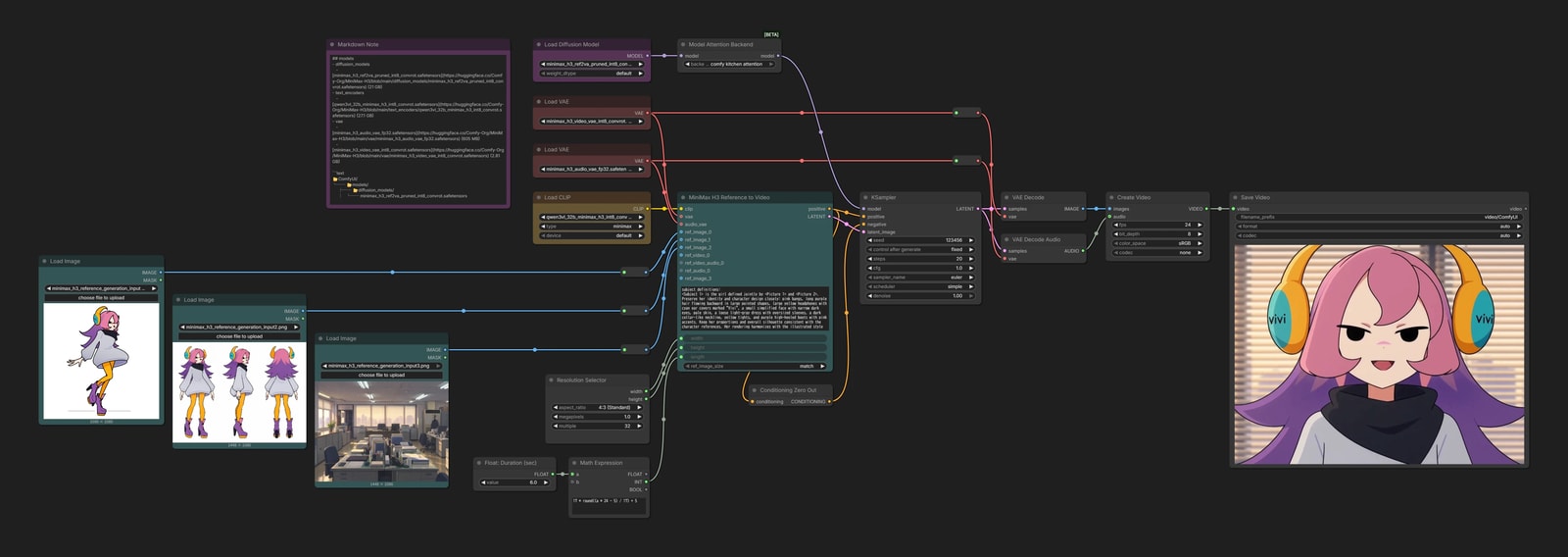
For this example, we will generate a video using only images as references.
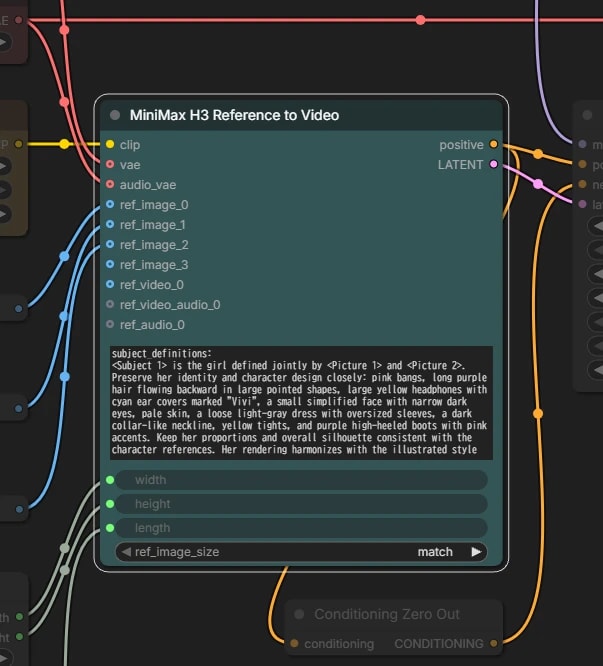
Prompt
The prompt format differs from the fl2va model.
Use the Ref2VA prompt section above as a guide.
Confusingly, the node counts from 0 with names such as
ref_image_0, while H3 prompts count from 1 with tags such as<Picture 1>.
🤔 Ref2VA has lower basic output quality than FL2VA
MiniMax itself acknowledges this: the Ref2VA model produces lower basic output quality than the FL2VA model.
I'd rather wait for a proper fix, but there are a few tricks.
The two models actually have almost the same architecture, so FL2VA can handle Reference Generation to some extent as well.
It's cleaner now. That said, Ref2VA is still the more flexible of the two, as you'd expect.
There's also a community-made Hybrid model that cleverly blends the two, so I'll mention it here. If you can't put up with Ref2VA's quality anymore, give it a try.
- Minimax-H3-fl2va-ref2va-hybrid-models
- Several versions are available, differing in how heavily they lean toward Ref2VA
- Try
b20-49orb25-49.
Video Editing
Model: ref2va
Another major use of ref2va is instruction-based video editing.
It is the video equivalent of image-editing models such as FLUX.2 [klein] and Nano Banana.
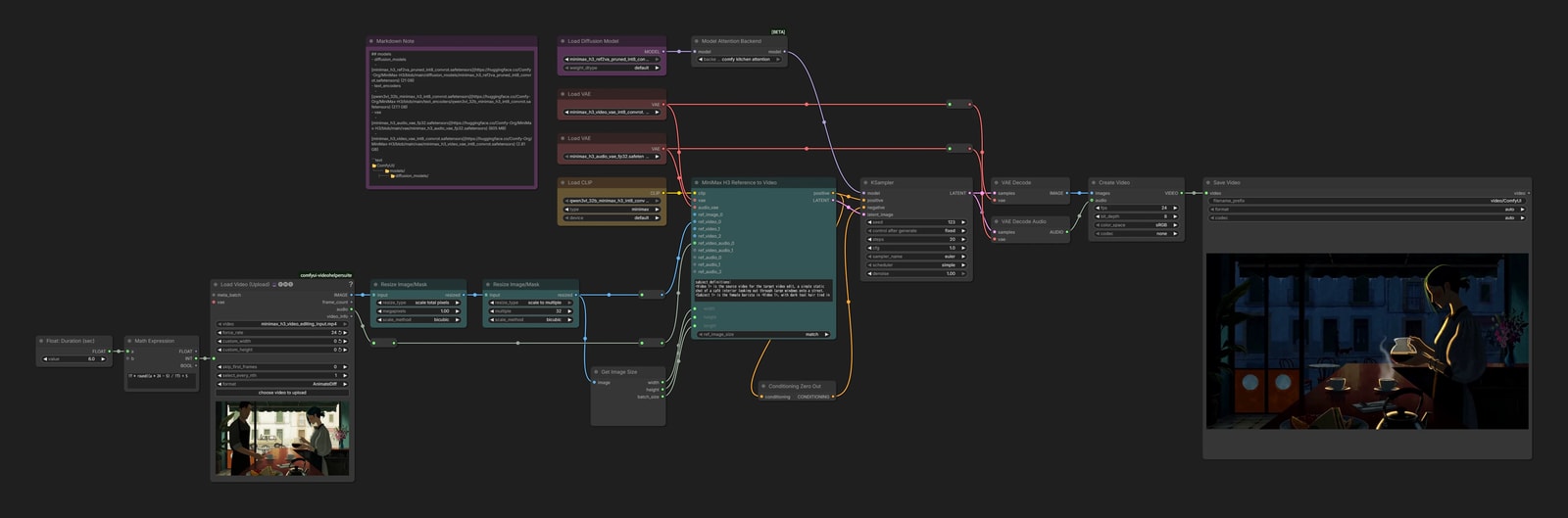
The workflow is basically the same as Reference Generation.
Provide a video as a reference, then write a prompt instructing the model to do something such as “remove the person” or “change the visual style.”
Spatial Inpainting
Model: either model
H3 can also perform traditional(?) mask-based inpainting, regenerating only the masked area.
However, you can usually accomplish the same thing through Video Editing by simply asking it to “change X into Y,” so there may not be many reasons to use this method.
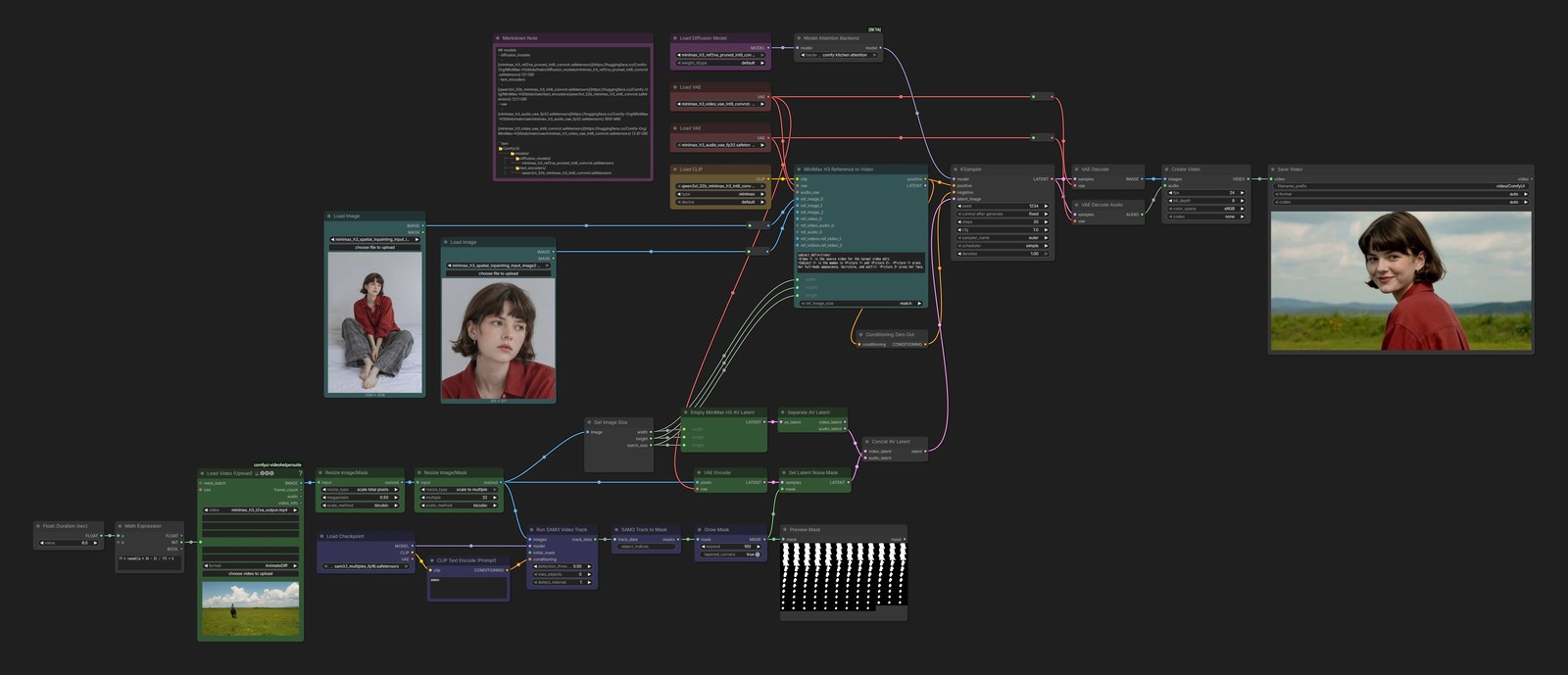
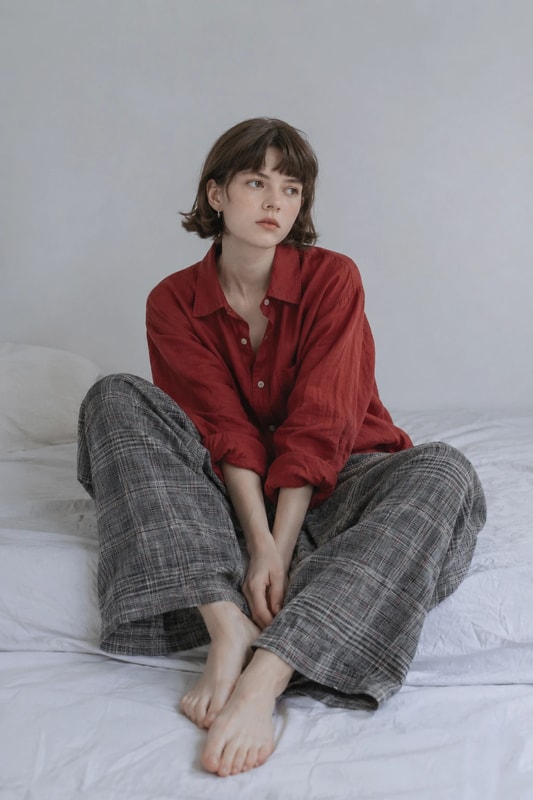
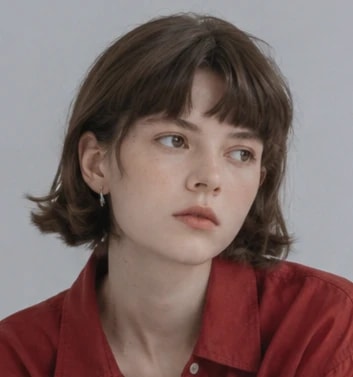
For this example, we use the ref2va model to replace the rider in the video made with T2VA with the woman from the reference images.
Segmentation
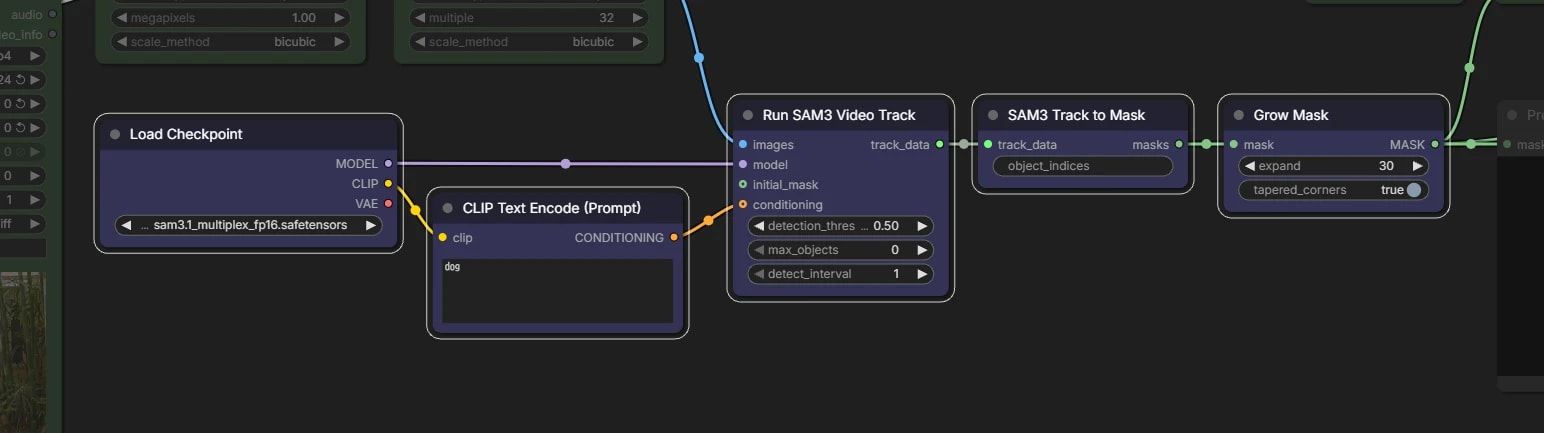
Use SAM 3.1 to mask the rider, then expand the mask to leave some margin.
- SAM 3.1 is covered on a separate page.
Hires.fix
Until now, the workflows have generated directly at 1.0 MP. The quality is good, but each attempt takes quite a long time.
Another option is to generate the first stage at 0.25 MP, then upscale promising results by 2x and finish them. This is the familiar Hires.fix approach.
Even with the same prompt, what the model can express differs between 0.25 MP and 1.0 MP.
If you have the time, generating directly at the recommended 1.0 MP is still the better choice.
Required Custom Node and Model
- xmarre/Comfyui_Minimax_h3_latent_Upscaler-Plus
- The upstream repository is not listed in ComfyUI Manager, so we will use this version, which can be installed through Manager
- latent_upscale_models
📂ComfyUI/
└── 📂models/
    └── 📂latent_upscale_models/
        └── minimax_h3_latent_upscaler_3d_conv_v1_bf16.safetensors
text2video / T2VA
First-stage resolution
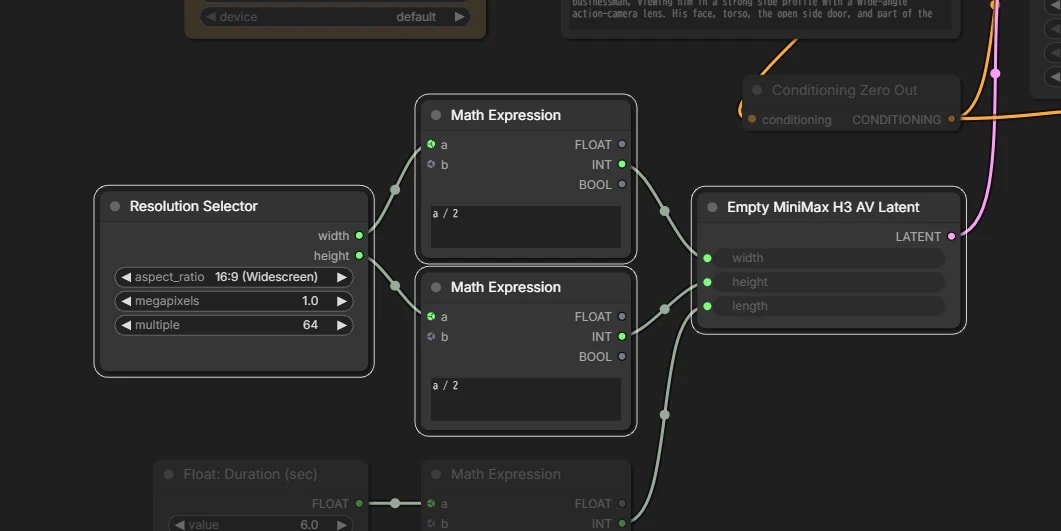
Enter half the desired final width and height in the first Empty Latent.
Upscaling the latent
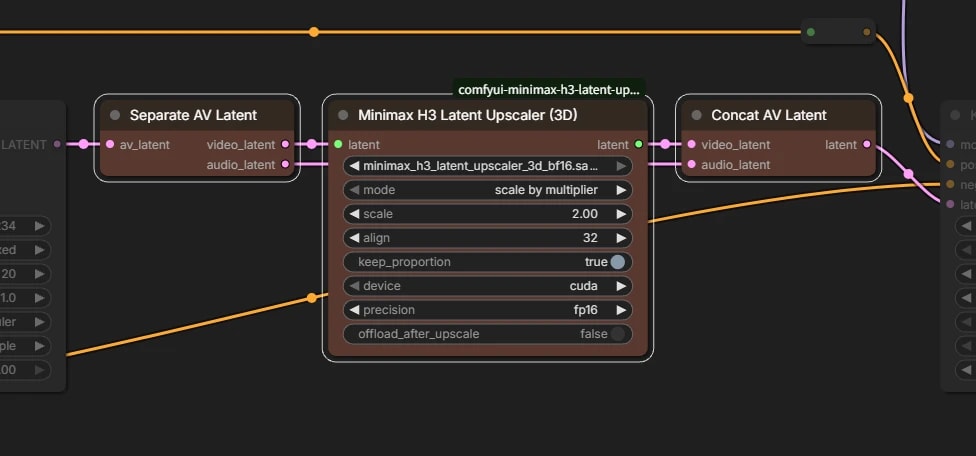
Upscale the latent itself to twice the width and height without decoding it into pixel images.
Simply enlarging the latent causes severe degradation, so this requires a dedicated model.
H3 also stores the video and audio latents together. Since only the video needs to be upscaled, first separate them, then combine them again after upscaling.
image2video / I2VA
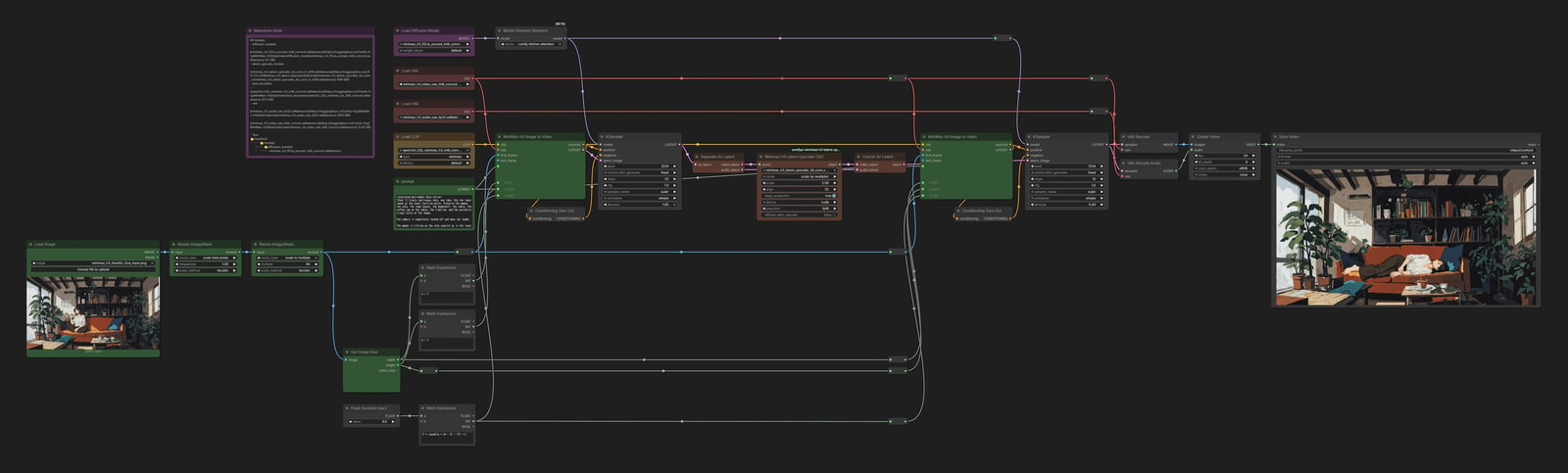
I2VA and Ref2VA also take the resolution as part of their Conditioning.
The first stage must be set to 0.25 MP, while the second must be set to 1.0 MP with twice the width and height, which makes the workflow a bit complicated…