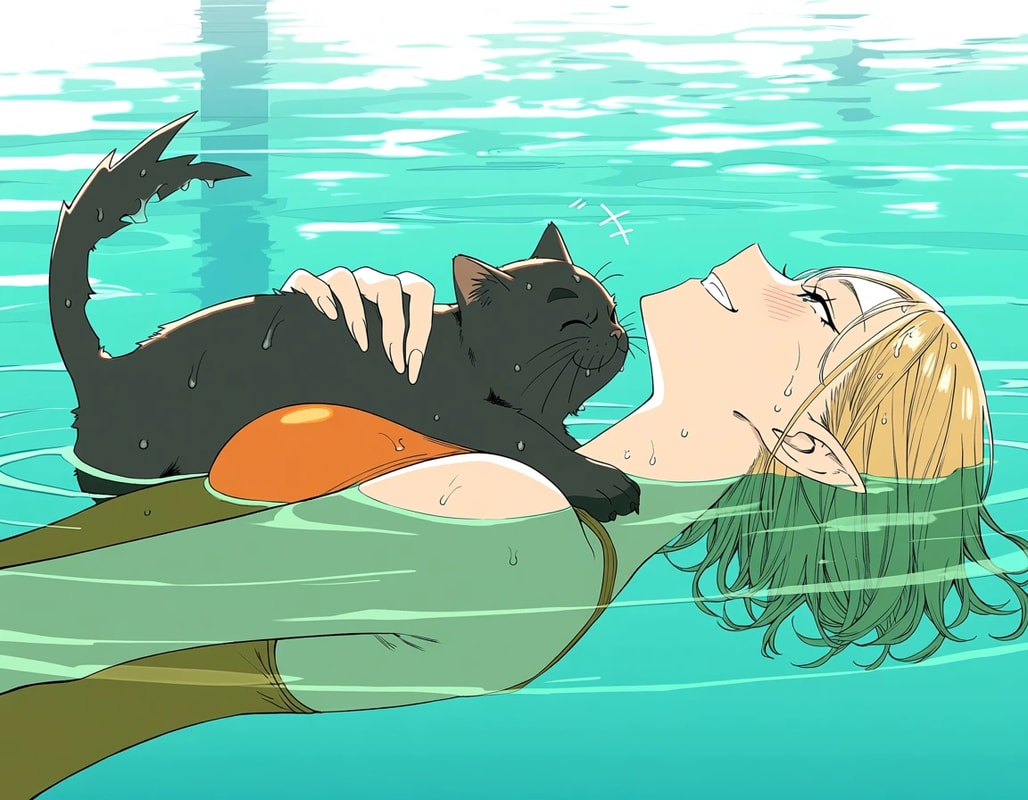
What is Anima?
Anima is a 2B parameter image generation model created through a collaboration between CircleStone Labs and Comfy Org.
It is based on NVIDIA Cosmos, and is a pure anime model trained on several million anime images and art images.
It is one of the models drawing a lot of attention as a possible migration target from SDXL-era anime models.
The license is CircleStone Labs Non-Commercial License.
The Anima model itself, derivative models, and LoRAs are non-commercial. Generated images can be used commercially.
Model Download
-
diffusion_models
- anima-base-v1.0.safetensors (4.18 GB)
- anima-aesthetic-v1.1.safetensors (4.18 GB)
-
text_encoders
- qwen_3_06b_base.safetensors (1.19 GB)
-
vae
- qwen_image_vae.safetensors (254 MB)
anima-base-v1.0is the untuned base model.anima-aesthetic-v1.1is fine-tuned on high-quality images. If you just want to try generating images, this is generally the one to use.
📂ComfyUI/
└── 📂models/
    ├── 📂diffusion_models/
    │   ├── anima-base-v1.0.safetensors
    │   └── anima-aesthetic-v1.1.safetensors
    ├── 📂text_encoders/
    │   └── qwen_3_06b_base.safetensors
    └── 📂vae/
        └── qwen_image_vae.safetensors
Prompt
Anima is trained on Danbooru-style tags, natural language, and combinations of both.
Because the text encoder is smart, you do not need to be as strict as with Pony Diffusion V6, but it may be useful to put quality tags like the following at the beginning of the prompt.
masterpiece, best quality, score_9, safe,
text2image
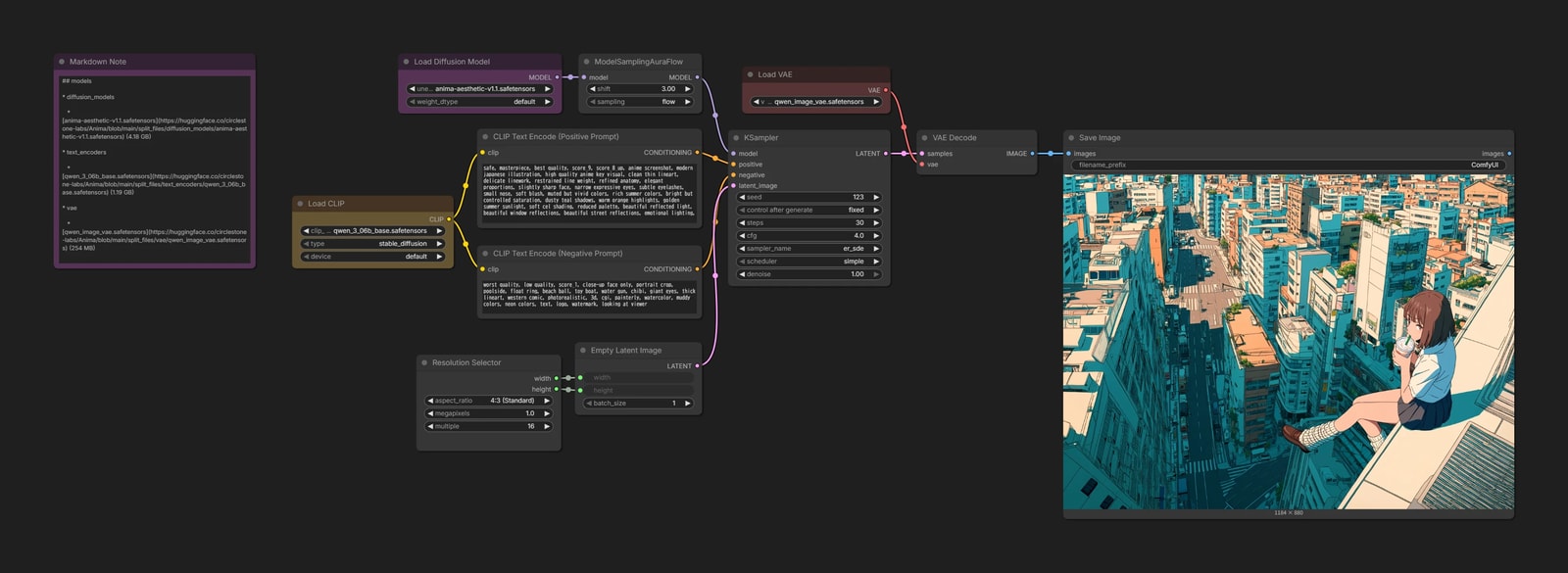
- Recommended resolution is
512pxto1536px. - Samplers with a little variation, such as
er_sdeandeuler_ancestral, are recommended.
Anima LLLite
ControlNet-LLLite is a lightweight ControlNet developed by kohya.
Model Download
Choose a suitable model for the control image you want to use.
Models marked
v2were trained for Anima-Base v1.0. The others were trained for the older Anima Preview3, so they may be a little less effective.
📂ComfyUI/
└── 📂models/
    └── 📂model_patches/
        └── anima-lllite-*.safetensors
anima-lllite-any-test-like-v2
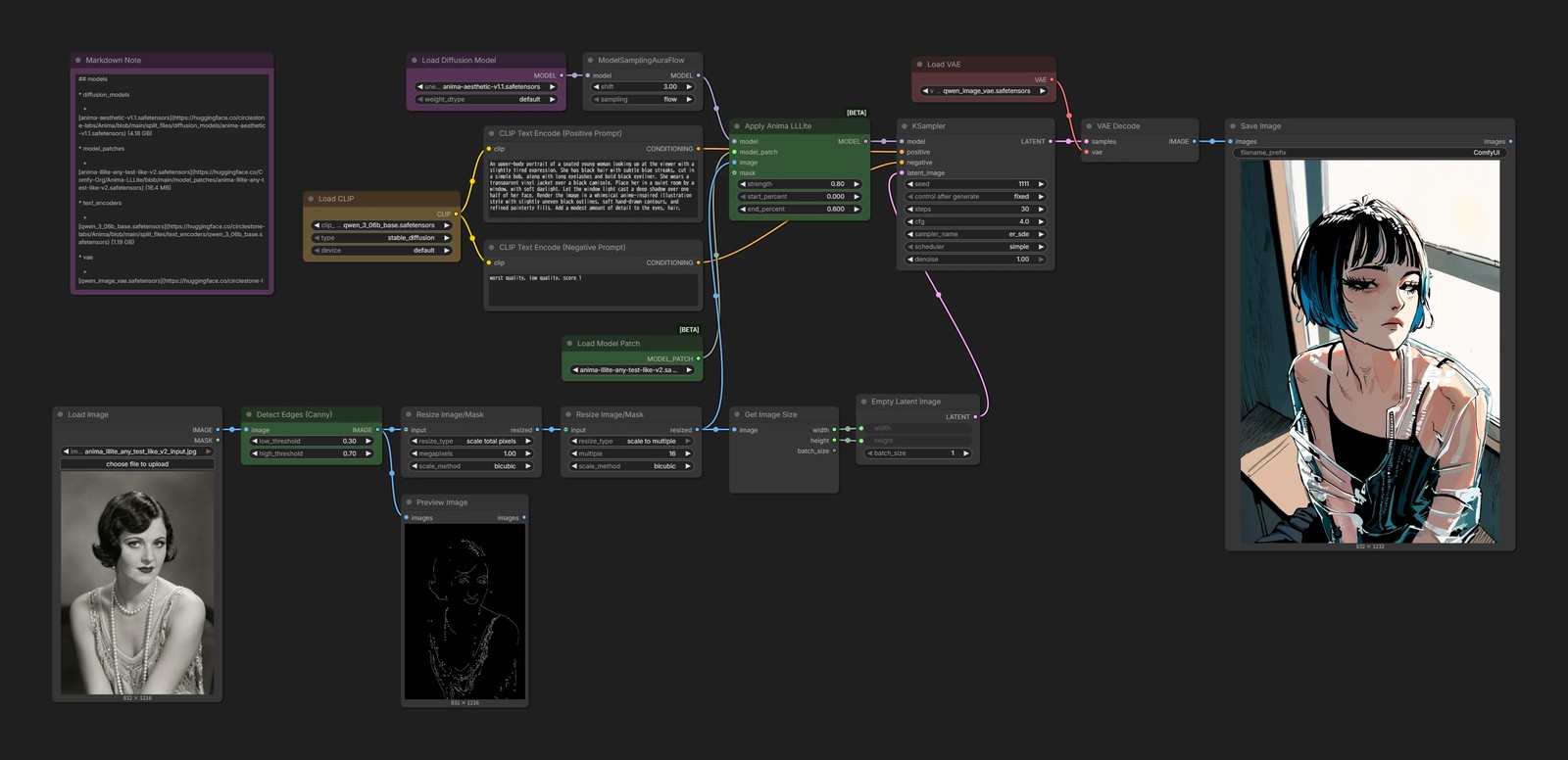
anima-lllite-any-test-like-v2combines several types of control in a single model. It can use rough sketches or line art to guide the composition, or colorize grayscale images.- In this workflow,
Cannyextracts the outlines from the input image and uses them as the control image.