For all its visual complexity, a ComfyUI workflow is basically a straight path. You put material in, and it comes out processed. That's it.
Sometimes, though, you want to take what you just processed and process it again.
You could chain copies of the same workflow one after another, but that's not very elegant.
That's where loops come in.
Loop Basics
Start Loop and End Loop
A loop is made from a Start Loop and End Loop pair. Whatever sits between the two is what gets repeated.
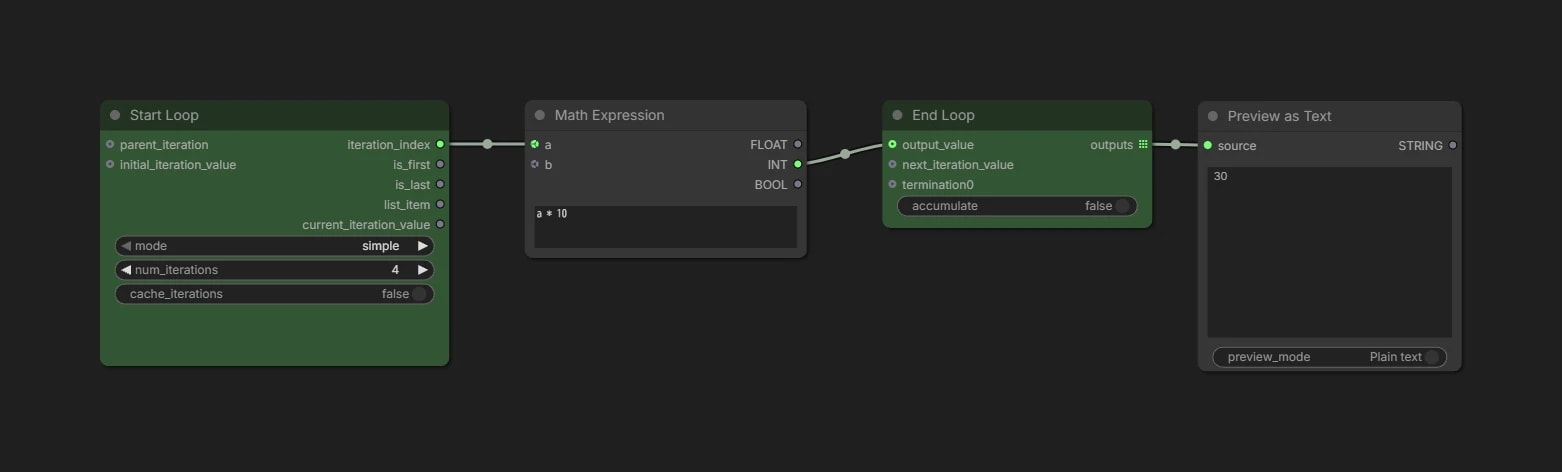
num_iterations: how many times to repeat. One pass through the loop is called an iterationiteration_index: which iteration you are currently on
In this workflow iteration_index starts at 0, so it runs 0 * 10 → 1 * 10 … and only the final 3 * 10 comes out.
Collecting every result with accumulate
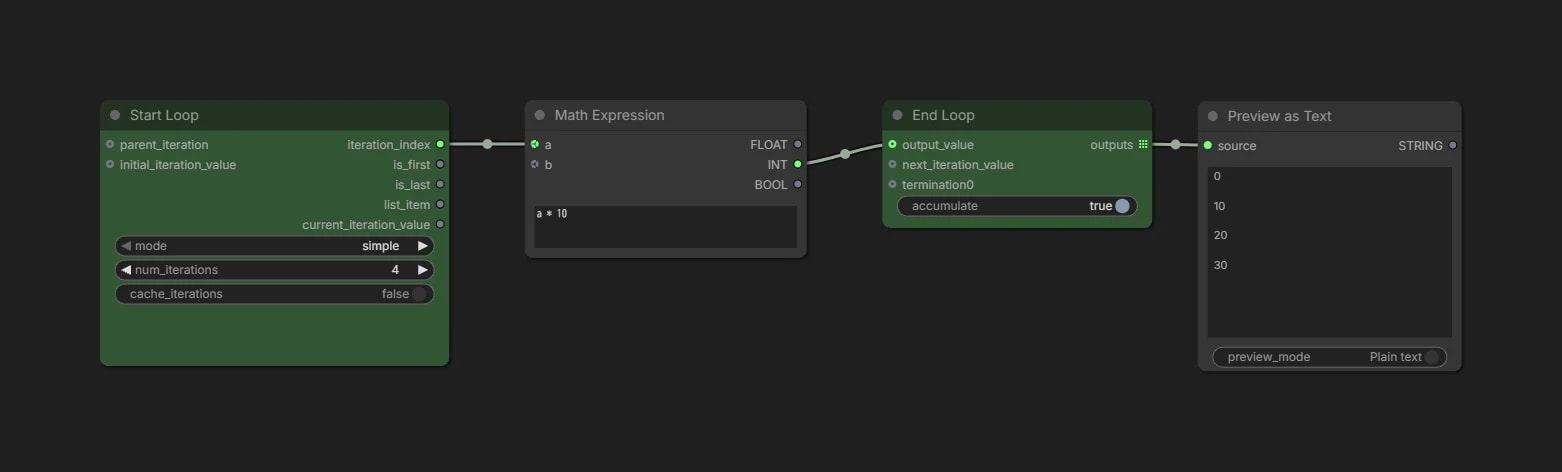
Normally, all that leaves End Loop is the output_value of the last iteration.
Turn on accumulate and nothing gets thrown away: every iteration comes out together as a List.
Simple / For / List
Switching mode changes how the repetition works.
Simple: repeat a given number of timesFor: repeat from a start value to an end value by a step.iteration_indexcarries that value directlySimpleis really just aForstarting at 0 with a step of 1
List: repeat once per element in a List
That is hard to picture in words, so let's send iteration_index straight to the output.
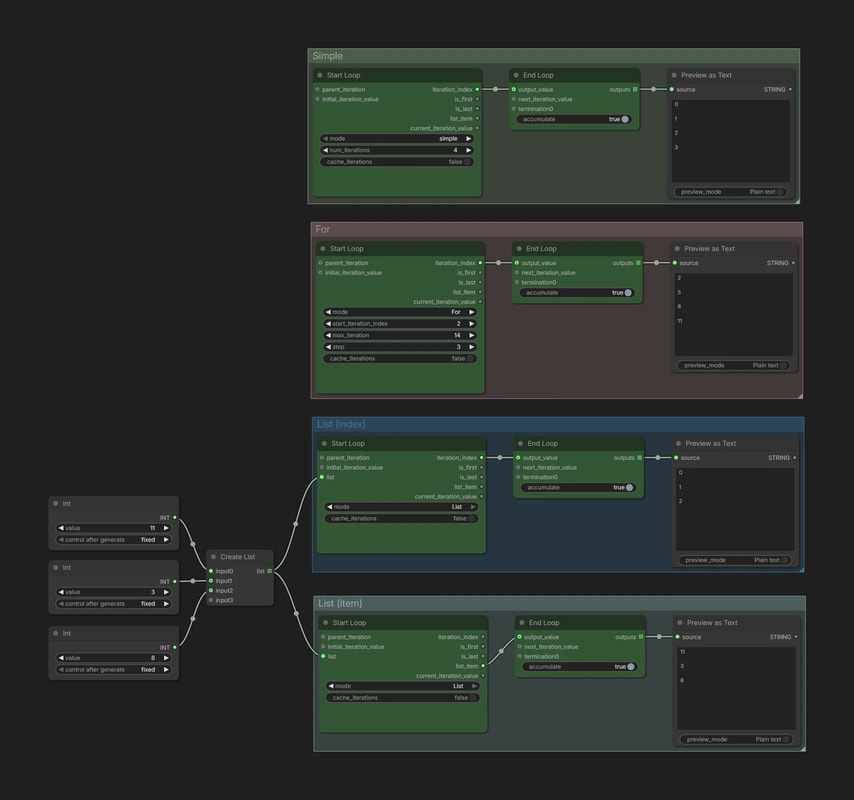
Simple(4 times): 0, 1, 2, 3For(start 2 / end 14 / step 3): 2, 5, 8, 11List(3 elements): 0, 1, 2
List needs a little care. iteration_index only ever tells you which pass you are on, so no matter what you put in the List it stays 0, 1, 2 …
To use what you actually put in, take it from list_item. In this example that gives 11, 3, 8.
Changing behavior only on the first or last iteration
When you want to change the behavior only at the start or end of a loop, use is_first / is_last.
is_first is true only on the first iteration, while is_last is true only on the last.
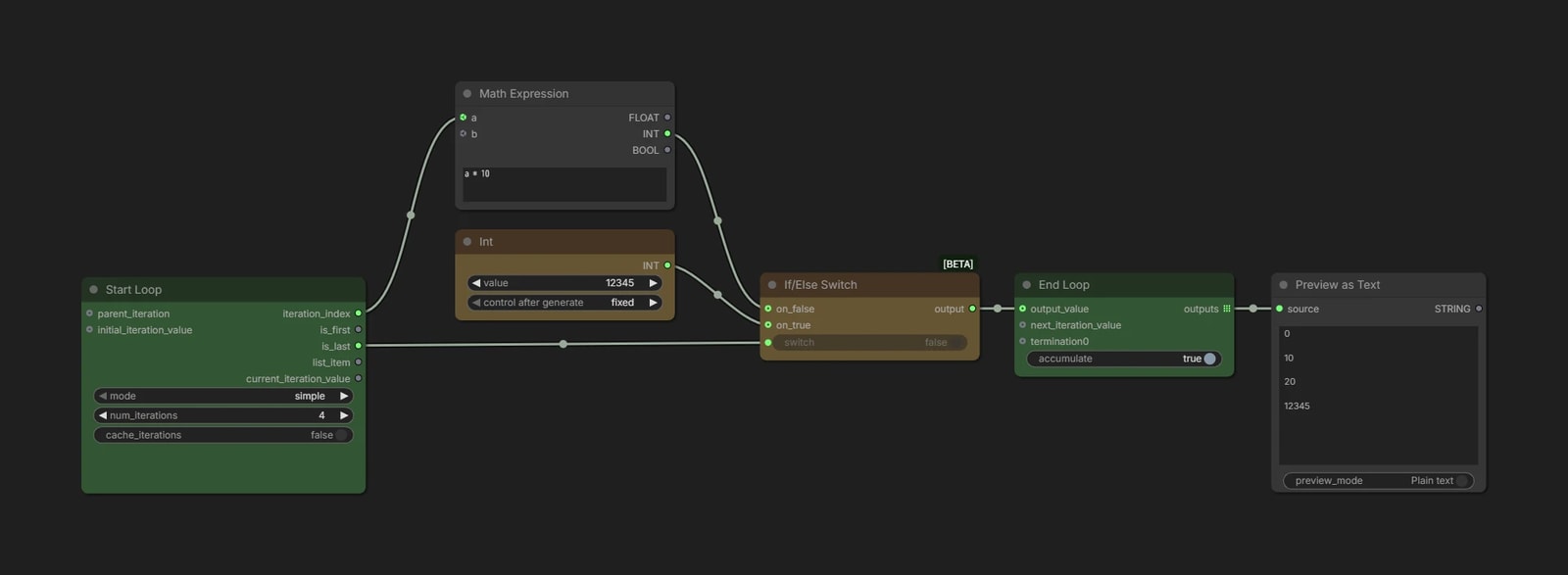
You can generally think of these as outputs to use with If/Else Switch.
In this workflow, only the output from the last iteration is replaced with 12345.
iteration_indextells you which pass you are on, soIf/Else Switchcan also change the behavior at any point—not just the first or last iteration.
Repeating image generation 4 times
Staring at numbers gets dull, so let's bring image generation into it.
We feed iteration_index straight in as the seed.
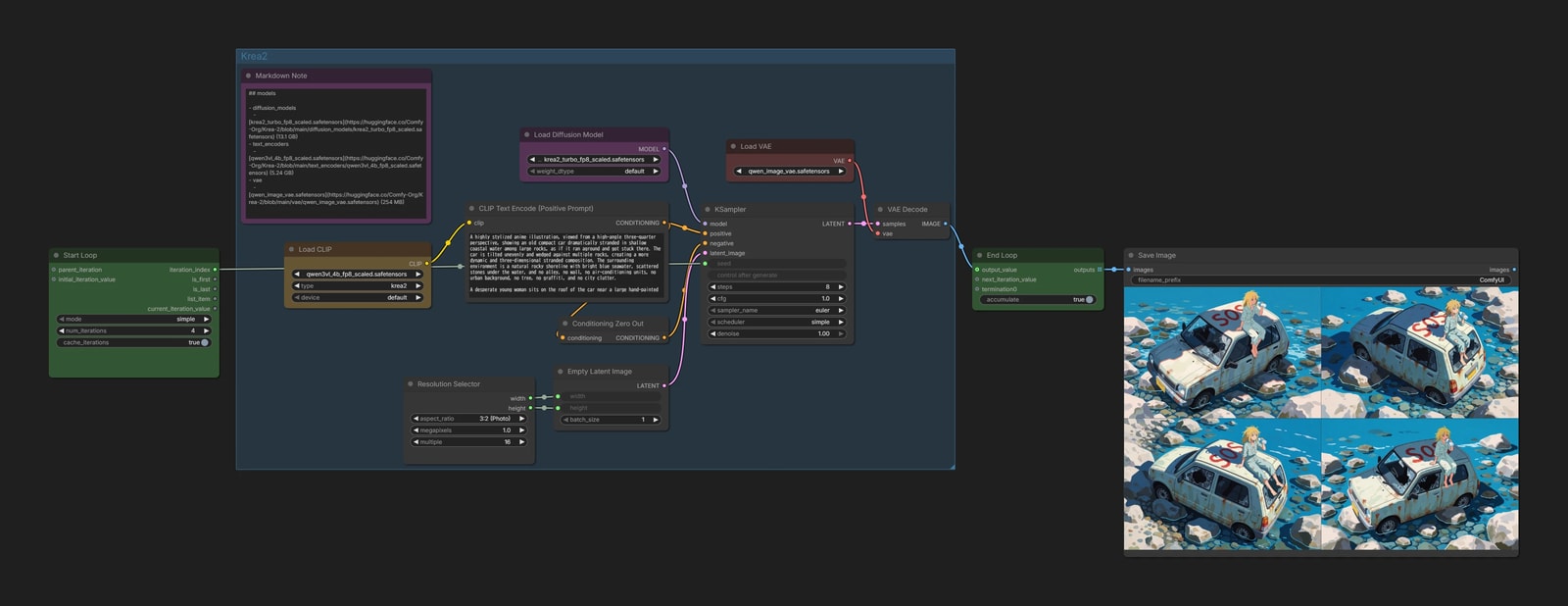
With Simple = 4, you get four images, seed 0 through seed 3.
That alone is not much of a reason to use a loop, though. List processing or repeating the Queue would do the same thing.
The real strength of a loop is that the previous result can be fed back into the next iteration.
Passing a result into the next loop
current_iteration_value and next_iteration_value
Connect something you made inside the loop to next_iteration_value and that value goes back to Start Loop. The next iteration picks it up from current_iteration_value.
One thing to watch out for: on the very first iteration there is no previous result to hand back.
That is what initial_iteration_value is for. As the name says, it sets the value used on the first pass.
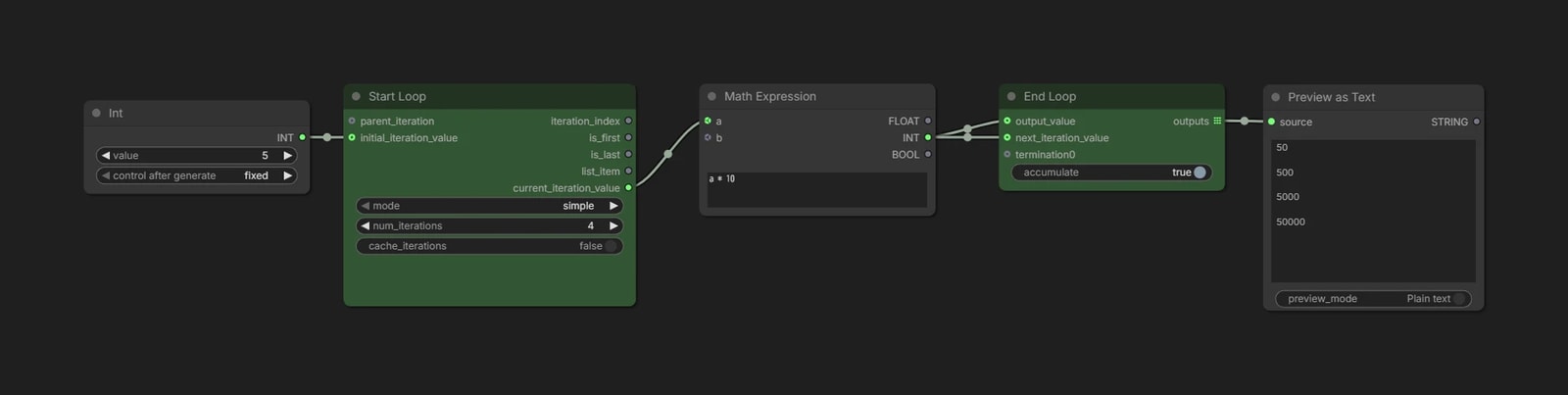
The starting value 5 is multiplied by 10 and passed to next_iteration_value, then multiplied by 10 again on the next iteration, and so on.
next_iteration_valueonly hands the value forward. To get a result out of the loop, remember to connectoutput_valueas well.
Carrying several values at once
As you build things out, you will want to send two or three values into the next iteration. That works fine too.
Bundle them with Create List to send, and pull them apart again with Get Item From List on the receiving side.
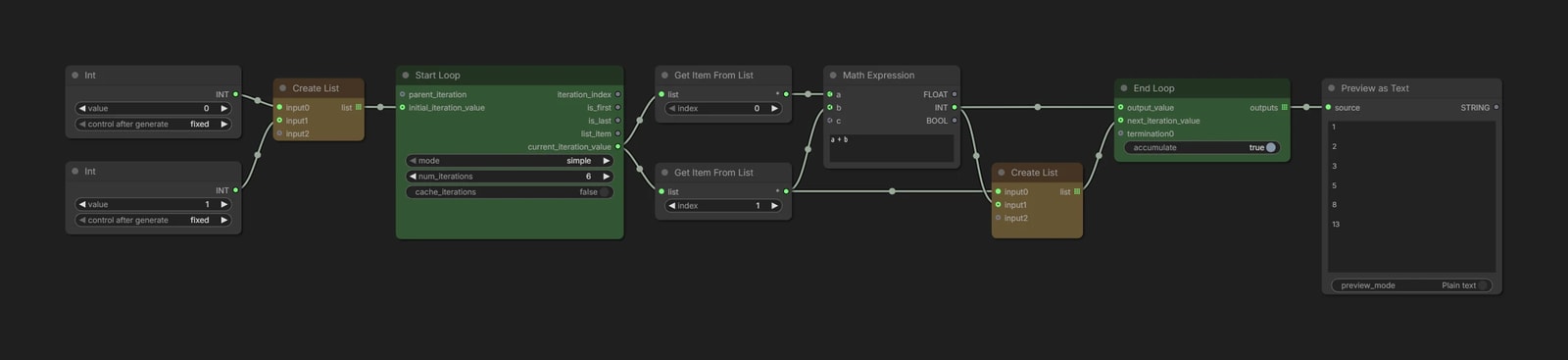
Let's build a Fibonacci sequence: add the previous two numbers to get the next one.
Start from [0, 1], compute a + b, and pass [b, a + b] to the next iteration.
[0, 1] → [1, 1] → [1, 2] → [2, 3] → [3, 5] → …
Here we are bundling two
INTvalues, but mixed types are fine too —IMAGEandBOOLEAN, for instance.
Running Preview inside a loop
Preview nodes only look at things, as the name suggests, so you'll want to wire them up like this… but unfortunately, that gives an error.
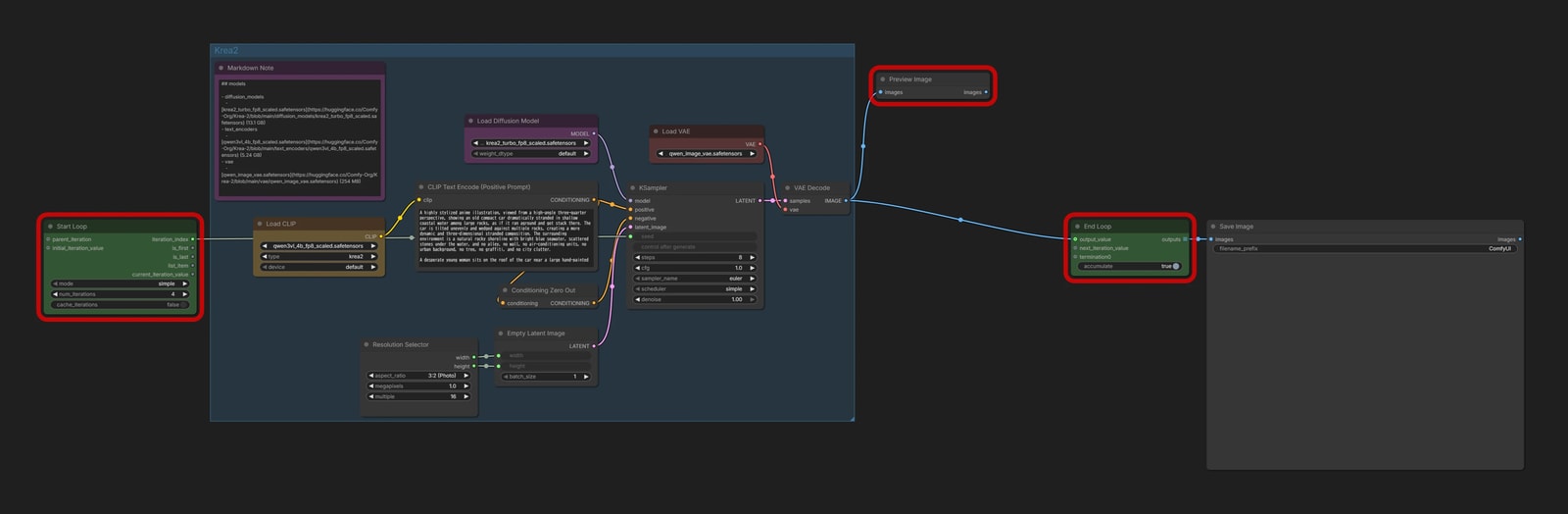
Skipping the fine detail: every node inside a loop has to end up at End Loop. Leave Preview Image dangling and the loop never closes.
Still, sometimes you just want a look at something without outputting it. That is what termination on End Loop is for.
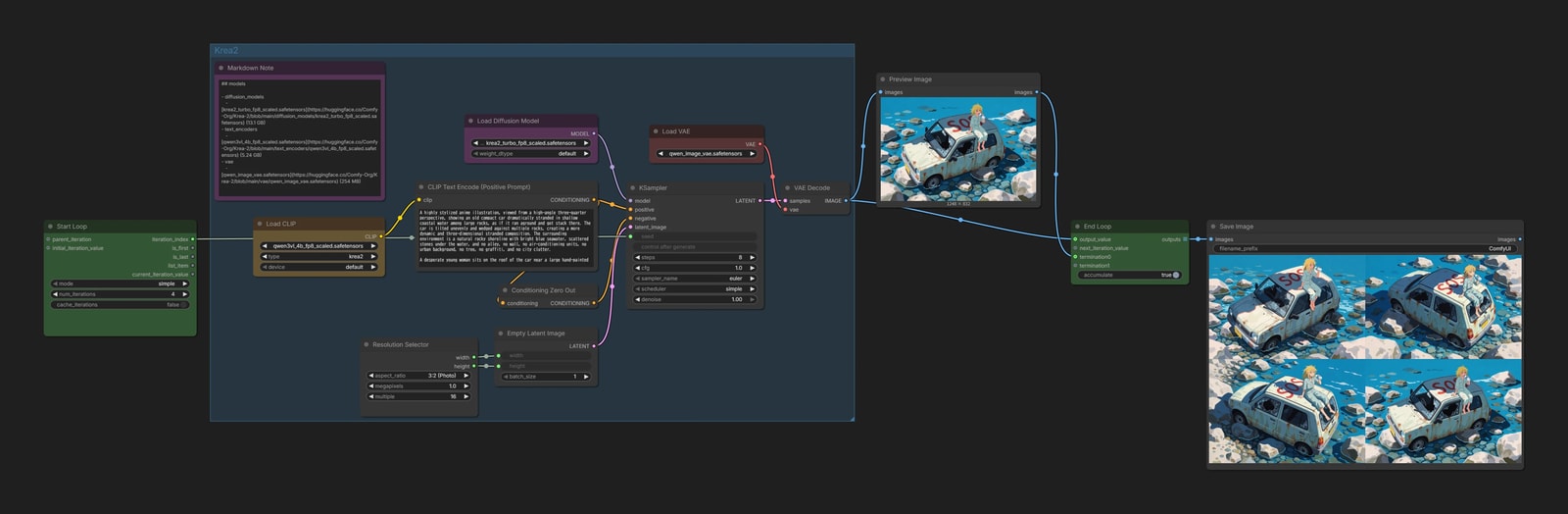
It's fine to think of it as a trash bin that's just there to make the loop valid.
Some more involved examples
Let's put together a few more practical workflows. They may give you ideas of your own.
Flexible loops with Generate Text
Loops tend to suggest doing the same thing over and over, but there is a way to add some creativity: an MLLM.
Let's combine an MLLM with image editing and have the AI come up with the next edit each time.
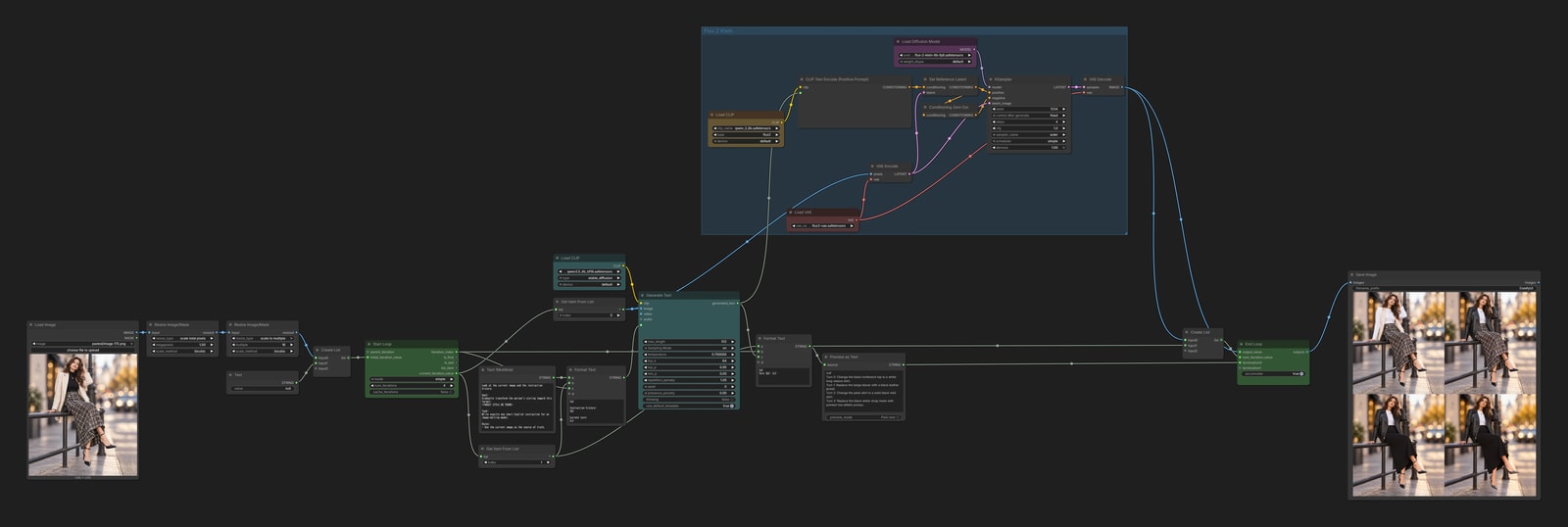
The base is an image-editing workflow using FLUX.2 [klein].
What to edit, though, is left to the MLLM. Here it looks at the image, picks one thing the person is wearing, and swaps it for something else.
As a nice touch, the MLLM gets more than the image: it also receives the history of prompts it wrote earlier. That keeps it from repeating the same instruction.
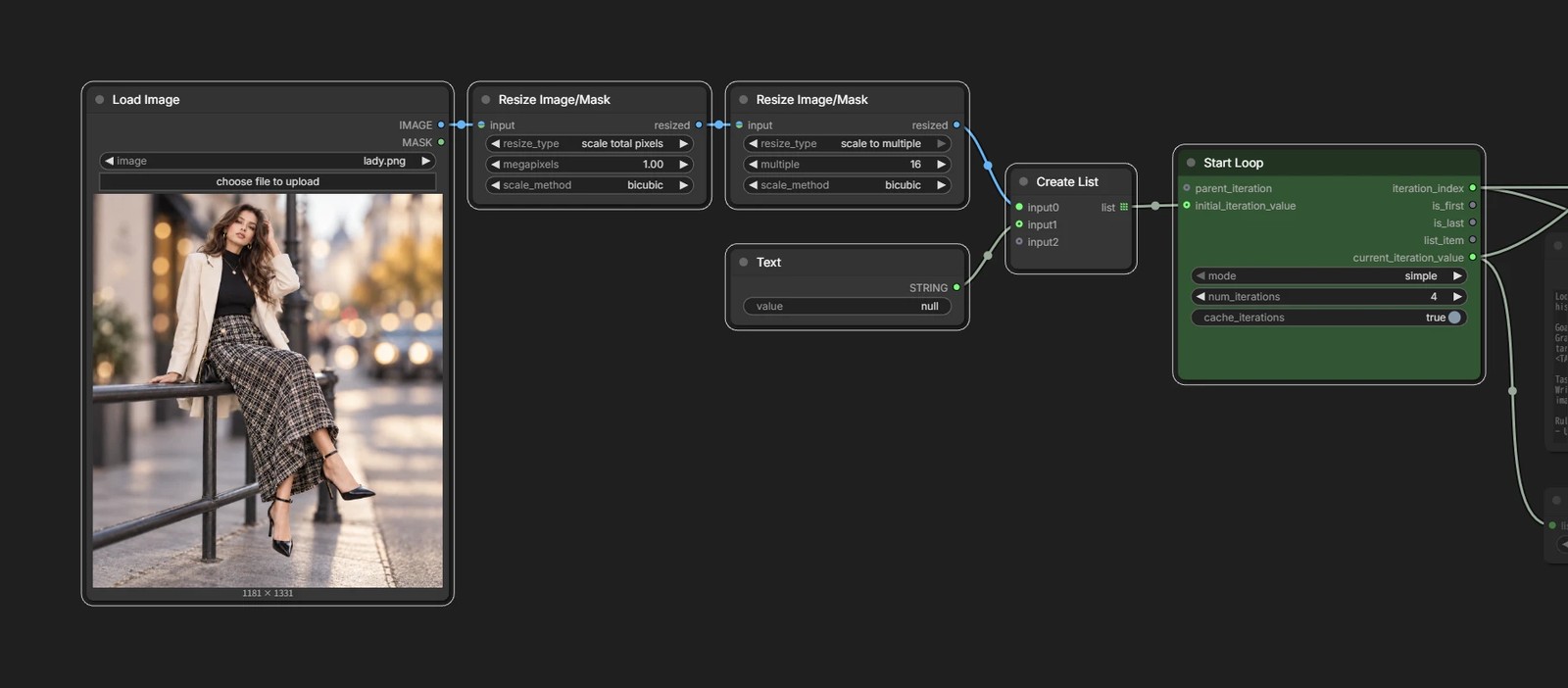
Image and prompt history into a List
The image to edit and the prompt history are bundled into a List and handed to the loop.
On the first pass there is no history yet, so we put in null as a harmless placeholder.
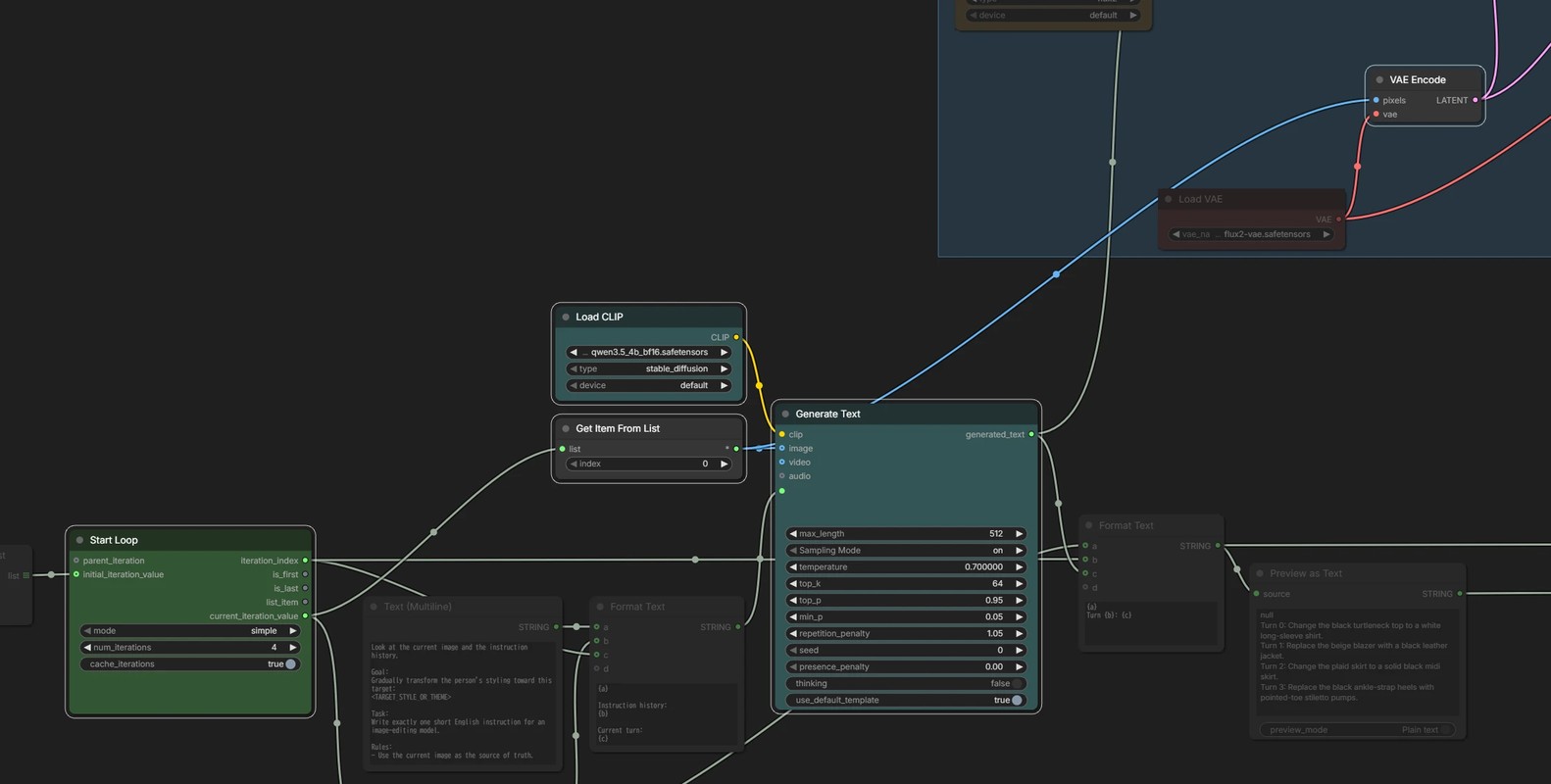
Taking the image back out
The List holds [image, history].
Setting index on Get Item From List to 0 gives you the image, which goes to Generate Text and to FLUX.2 [klein].
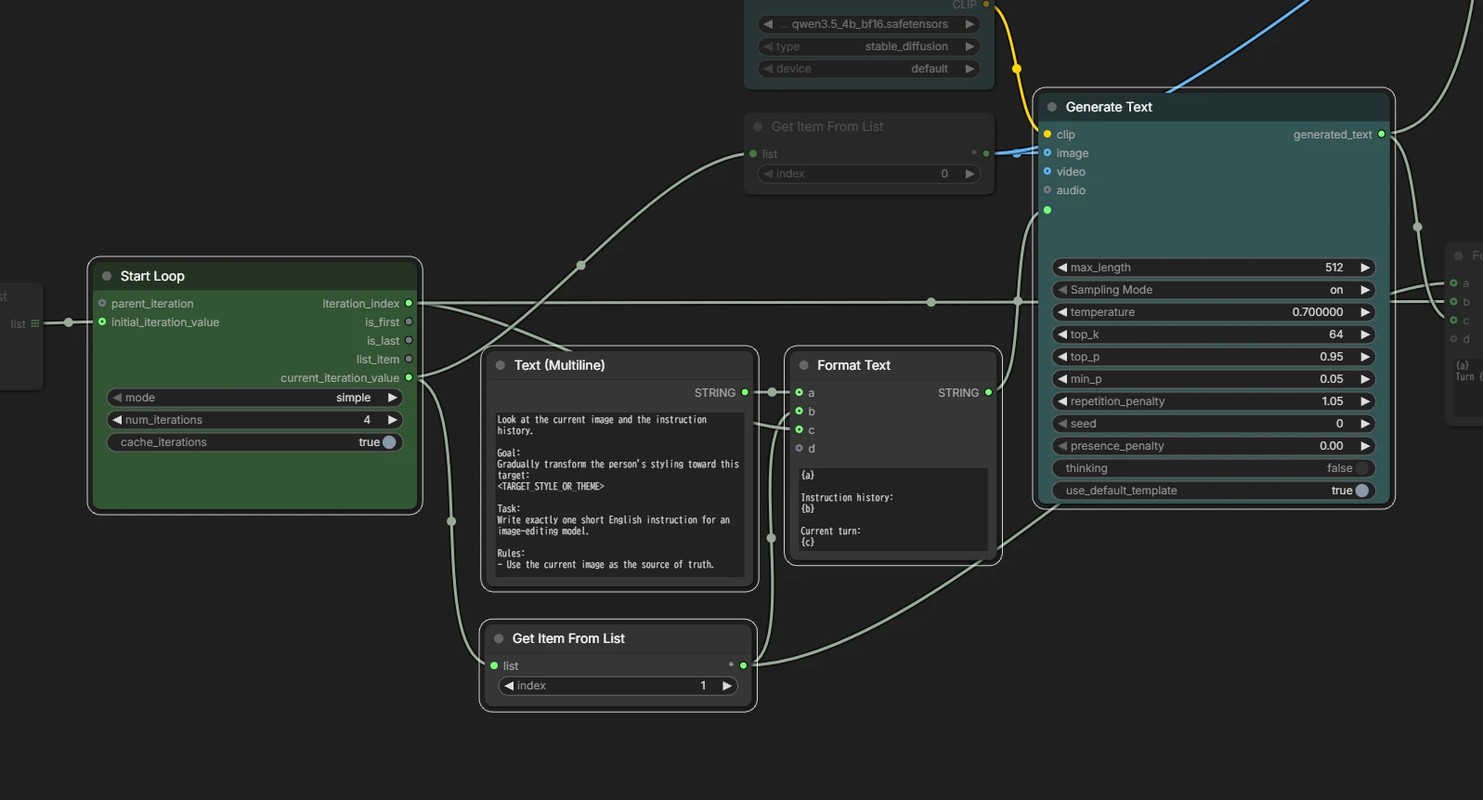
Writing the instruction for the MLLM
The core of it is "look at the person in the image and write a prompt that changes one piece of their outfit."
On top of that, Format Text supplies the history and which turn we are on.
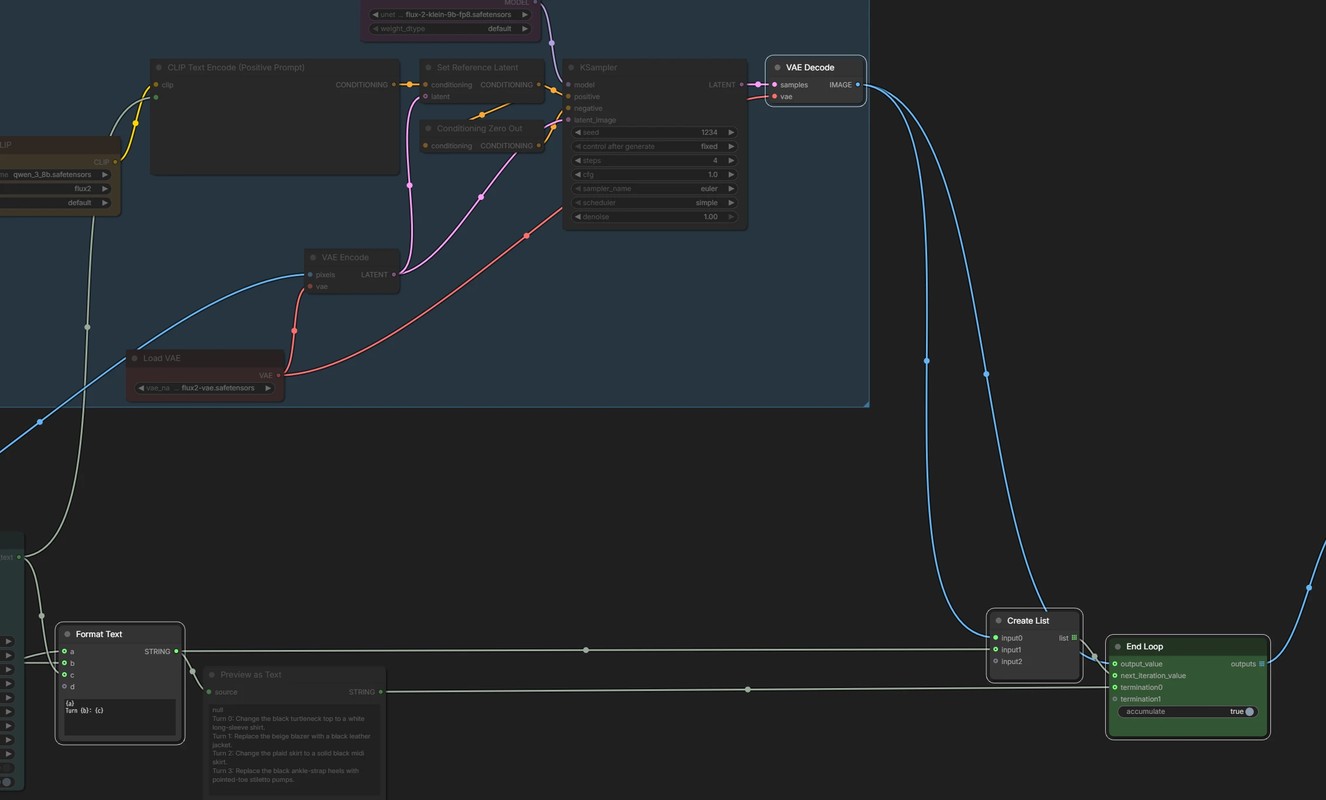
Append to the history, back into a List
The prompt the MLLM just wrote is appended to the history so far.
That, together with the edited image, goes back into a List and on to the next iteration.





Continuous I2V with a Prompt List on MiniMax H3
Even the newest video models only produce about 5 to 15 seconds at a time.
Which is where loops come in. Twelve repeats of a 5 second clip gets you a minute!
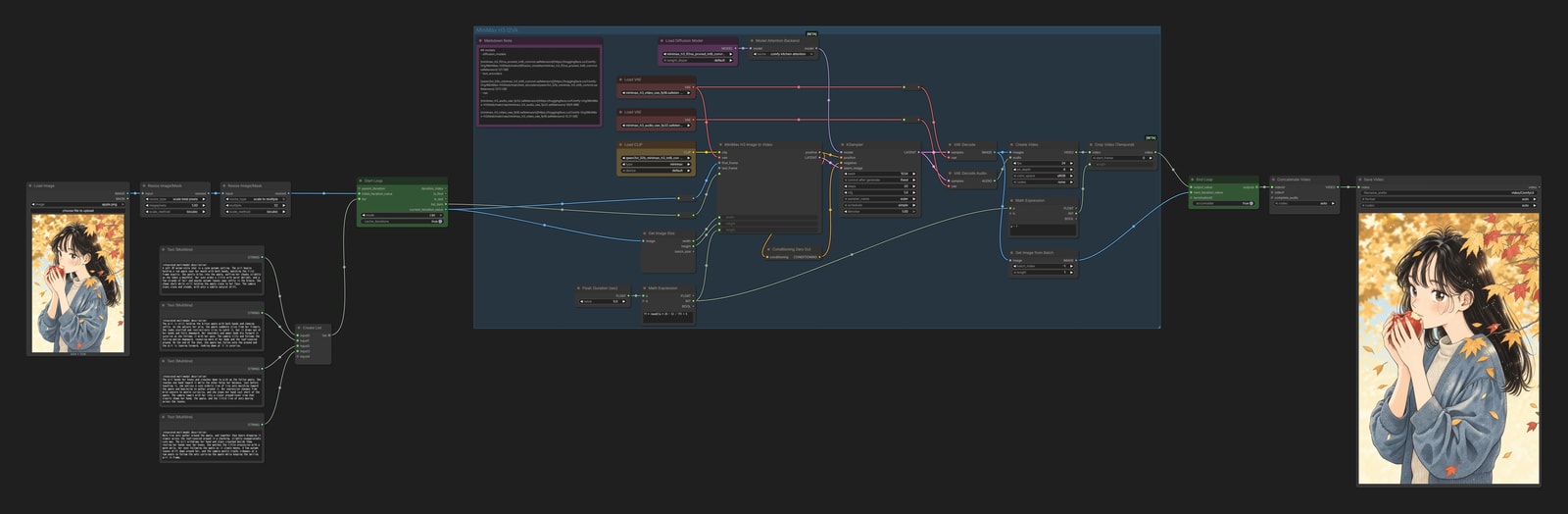
We generate 5 seconds at a time with MiniMax H3 I2VA, and repeat that N times.
List mode feeds the prompts one at a time, while the last frame of each generated clip is passed to the next iteration.
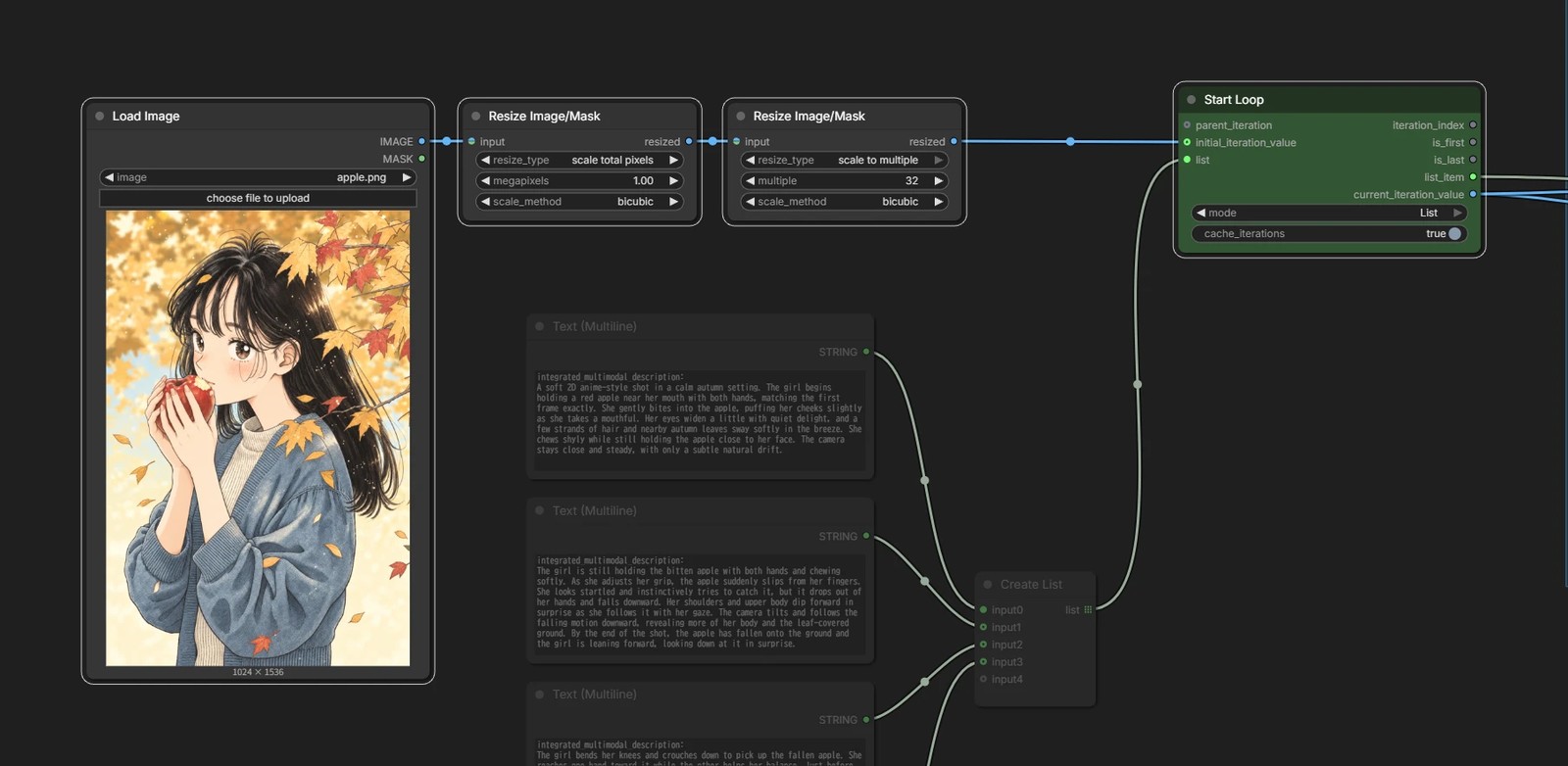
Starting image
The image used for the first frame goes into initial_iteration_value.
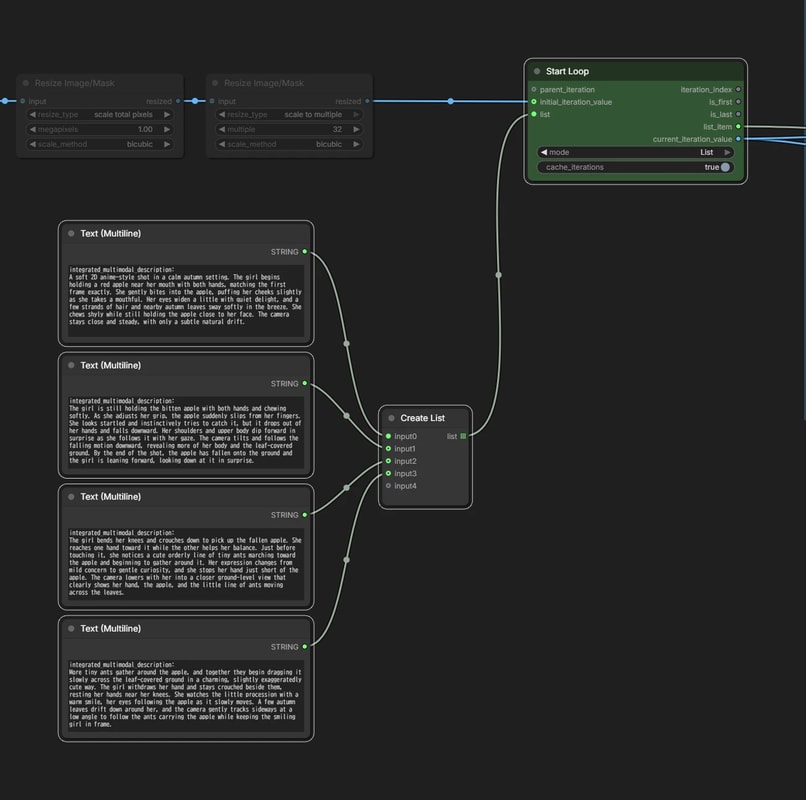
Prompts (List)
The 5 second clip is repeated once per element in the List.
Write N self-contained prompts — 0–5 s, 5–10 s and so on — bundle them into a List, and feed that into Start Loop.
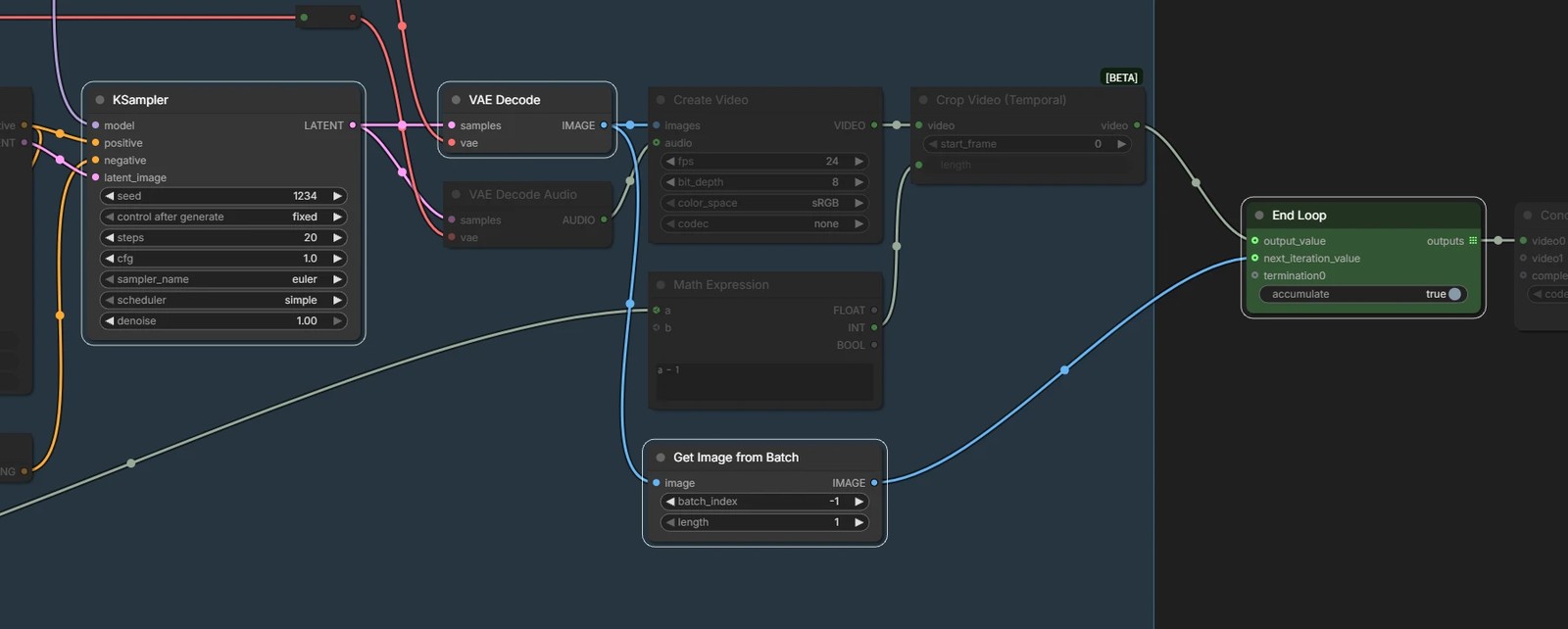
Last frame into the next pass
The last frame of the clip that came out becomes the first frame of the next iteration.
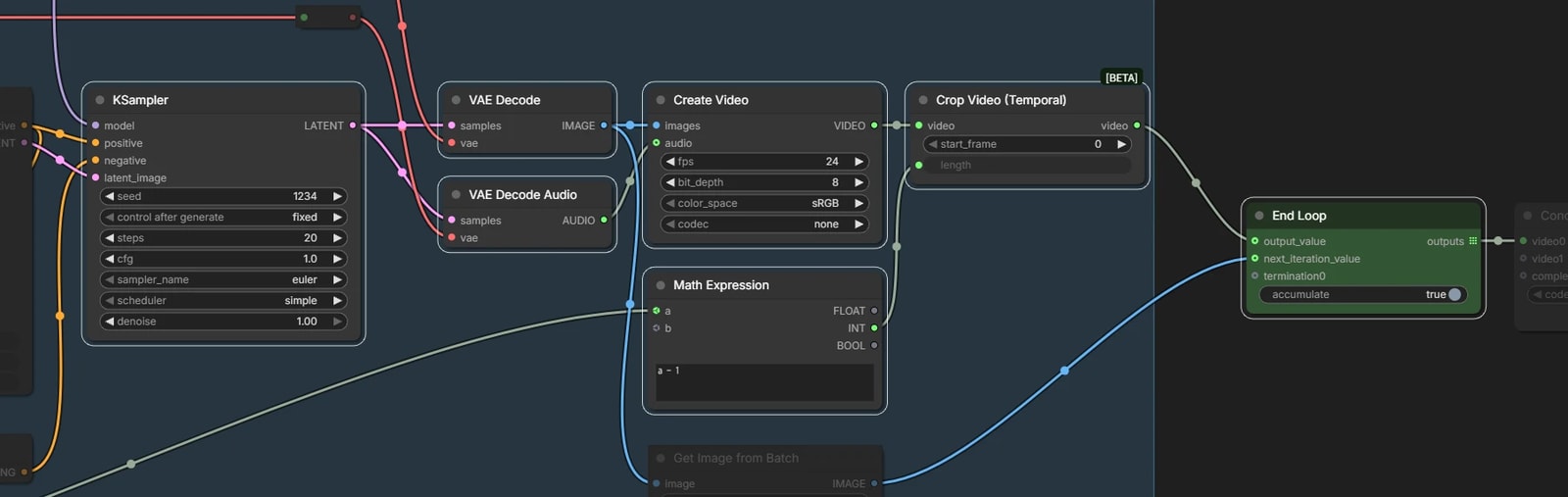
Output video
Everything gets joined later, so accumulate is turned on.
The last frame would otherwise duplicate the first frame of the next clip, so we drop it before connecting to output_value.
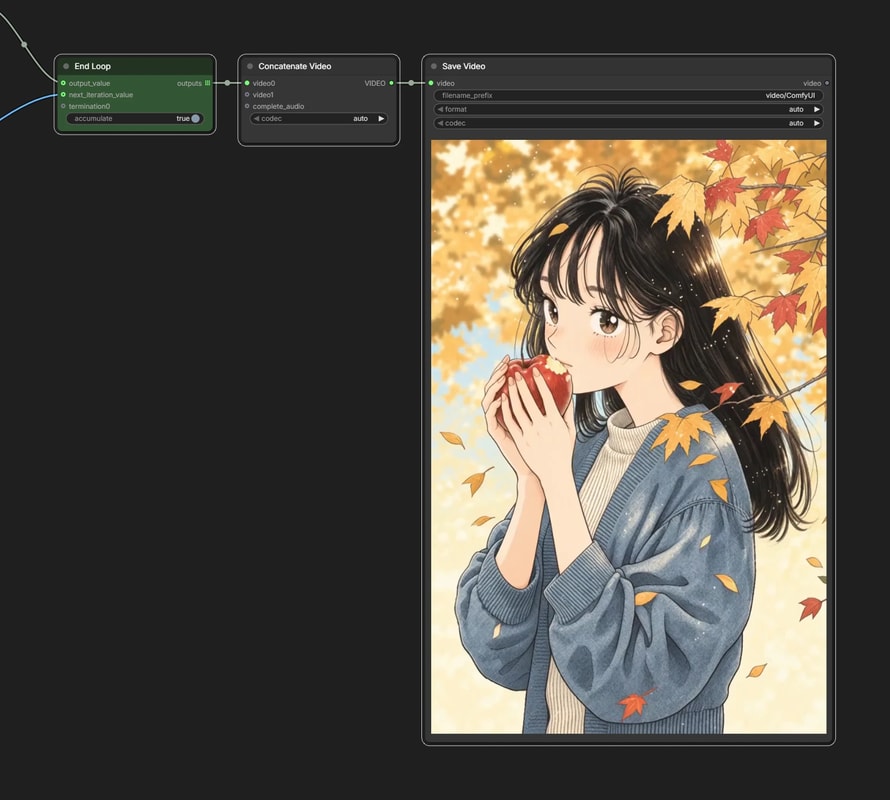
Concatenate Video
The clips from all four prompts come out together as a List.
Concatenate Video is what turns them into one.
Only video0 is connected, which looks odd, but that is all it takes.
To be honest, this workflow is not quite strong enough for real use.
All I2VA has to go on is that first frame. The last frame of a clip, though, sometimes shows neither the character nor the background. You can see it in the output — the woman turns into someone else partway through. Handing over a reference image with Ref2VA would be the better approach.
The seams between clips are a concern too. Ideally you would keep the first couple of seconds of the previous clip as overlap and generate only the rest — the technique usually called Extension — but there is no simple node for it, so this workflow settles for less.