What Are Wireless Nodes?
The best thing about node-based tools is that you can build complex processes just by wiring functions together. The flip side is that the more nodes and wires you add, the more cluttered the screen gets (spaghetti), until you have no idea what's going on.
So it's only natural that someone would think, "Why not just send the data wirelessly?"
Custom Node
Several custom nodes make wireless connections possible. chrisgoringe/cg-use-everywhere is well known too, but these days the simpler, easier-to-use nodes from KJNodes are the common choice.
Set & Get Node
They're very simple to use.
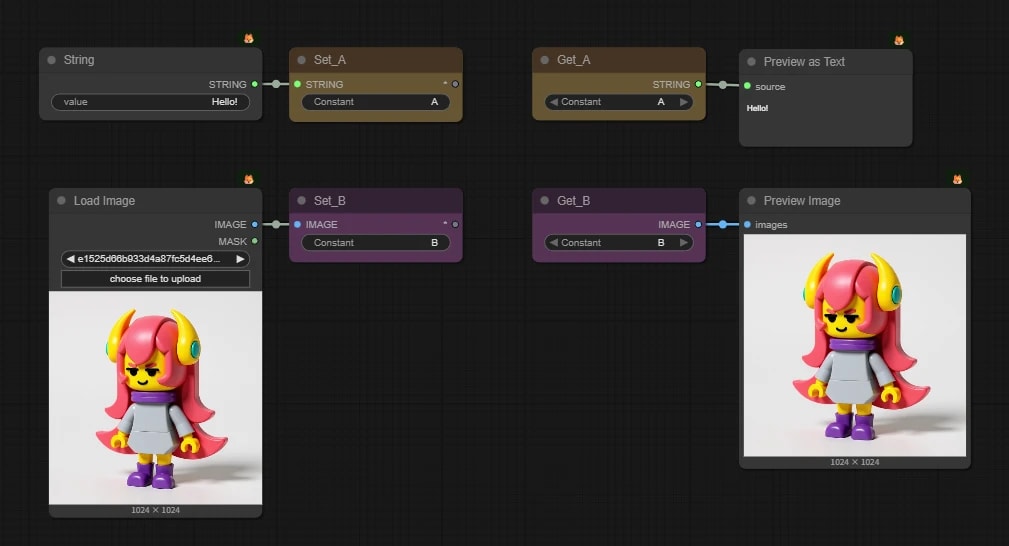
- 1. Set Node (Sender):
- Feed in the data and give
Constantany name (ID) you like.
- Feed in the data and give
- 2. Get Node (Receiver):
- Set
Constantto the same name as the sender, and you can receive the data even far away on the canvas.
- Set
Handy, but don't overdo it
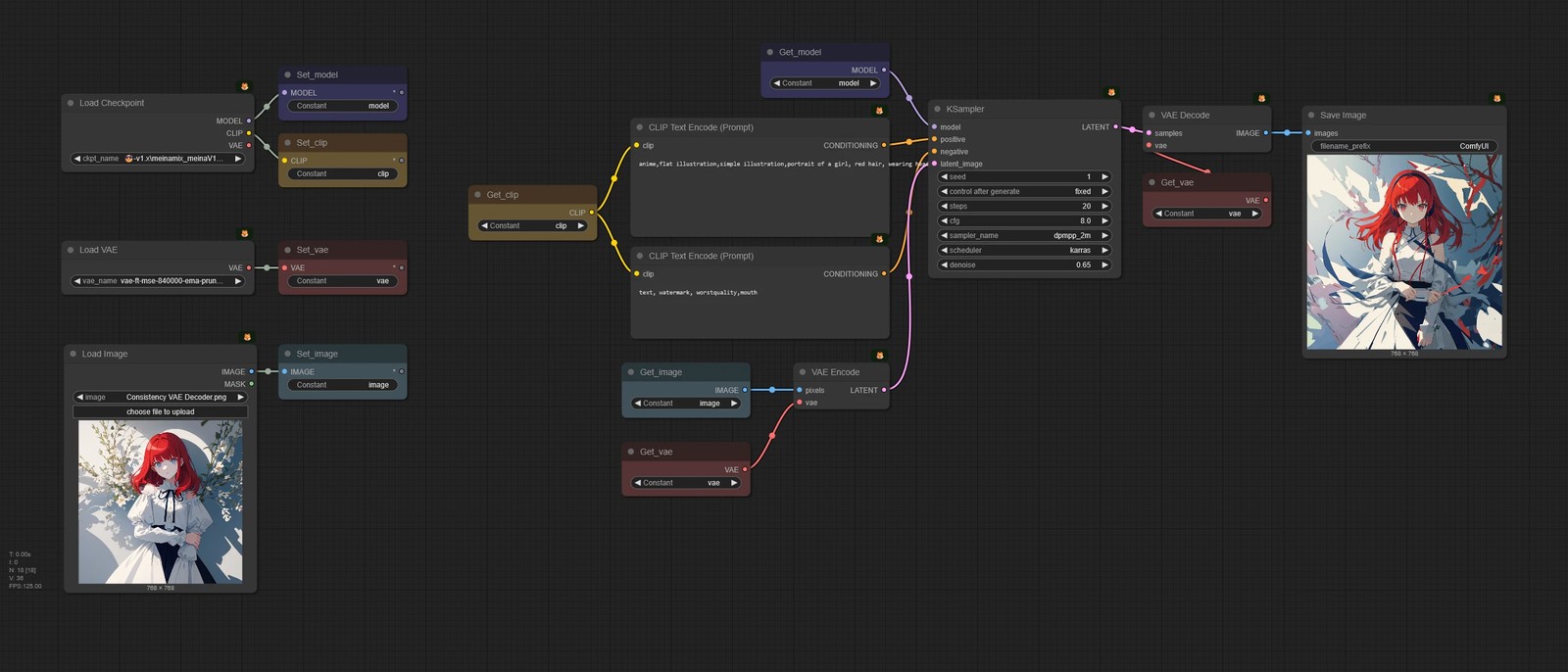
As mentioned in Recommendation for Readable Nodes, the biggest advantage of node tools is that "you can follow the data flow just by looking at the wires." Go wireless for no good reason, and it gets very hard to trace the flow: "Wait, where did this image data come from?"
Wireless nodes can be handy when the same variable shows up again and again all over one workflow, but then again, a workflow that big should maybe be split into smaller ones in the first place (;・∀・)