What is WeVisOne-VL?
WeVisOne-VL is a model released by Tencent: Qwen3-VL fine-tuned specifically for perception tasks.
It handles object detection, segmentation, counting, and OCR with a single model.
Florence-2 is a similar model, but the base model has come a very long way, so it naturally handles complex prompts better.
Downloading the Models
- text_encoders
- wevisone_vl_4b_int8_convrot.safetensors (5.29 GB)
- wevisone_vl_2b_int8_convrot.safetensors (2.89 GB)
📂ComfyUI/
└── 📂models/
    └── 📂text_encoders/
        ├── wevisone_vl_2b_int8_convrot.safetensors
        └── wevisone_vl_4b_int8_convrot.safetensors
WeVisOne-VL Detect
Switch task to choose what it does.
segmentation
Describe the target in text, and it outputs masks and BBOXes.
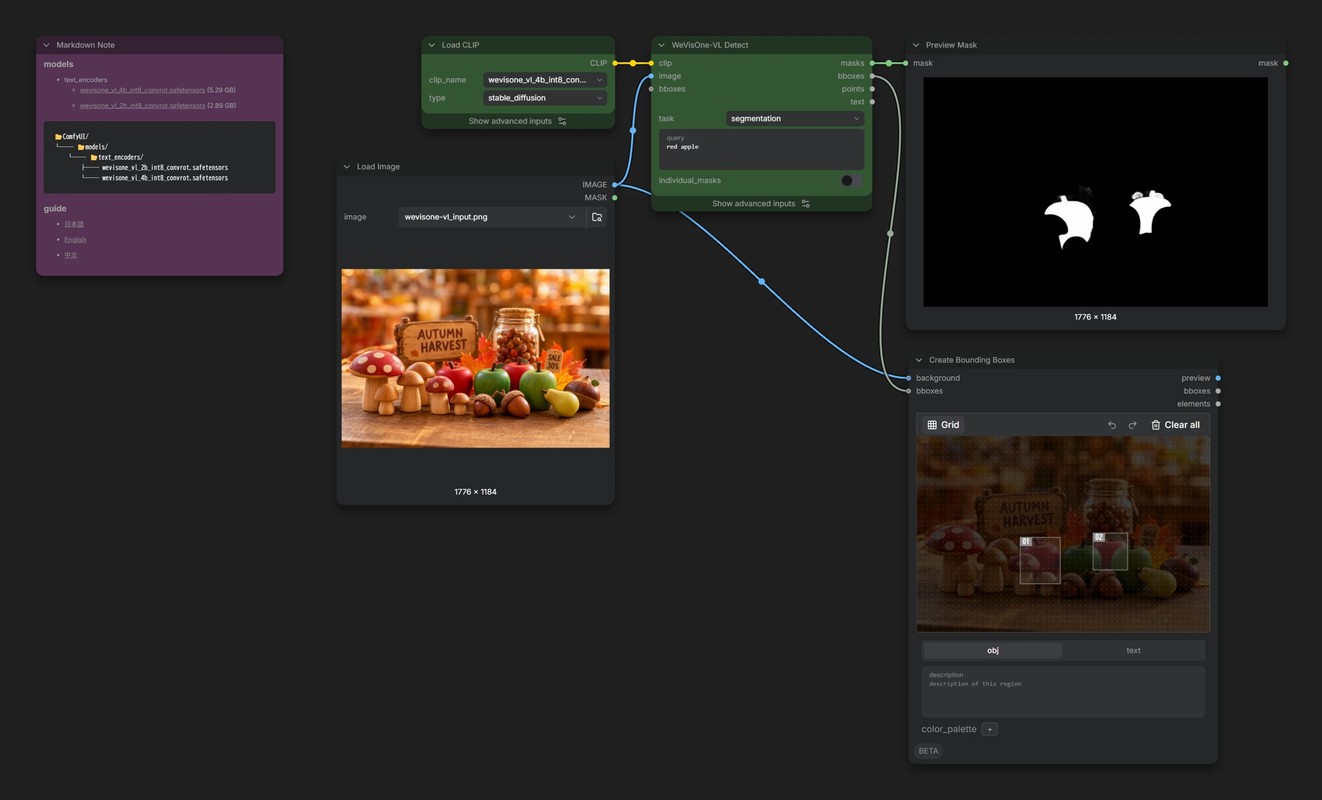
- Turn on
individual_masksand, when there are several targets, each one comes out as its own mask.
detection / referring
Basically segmentation without the mask output.
Strictly speaking, detection and referring use different prompts internally, but in my tests the results were almost the same. Since segmentation already outputs BBOXes too, I don't think you'll need these very often.
point
Instead of BBOXes, it gives the positions of objects as coordinates.
count_box / count_point
Counts the target objects.
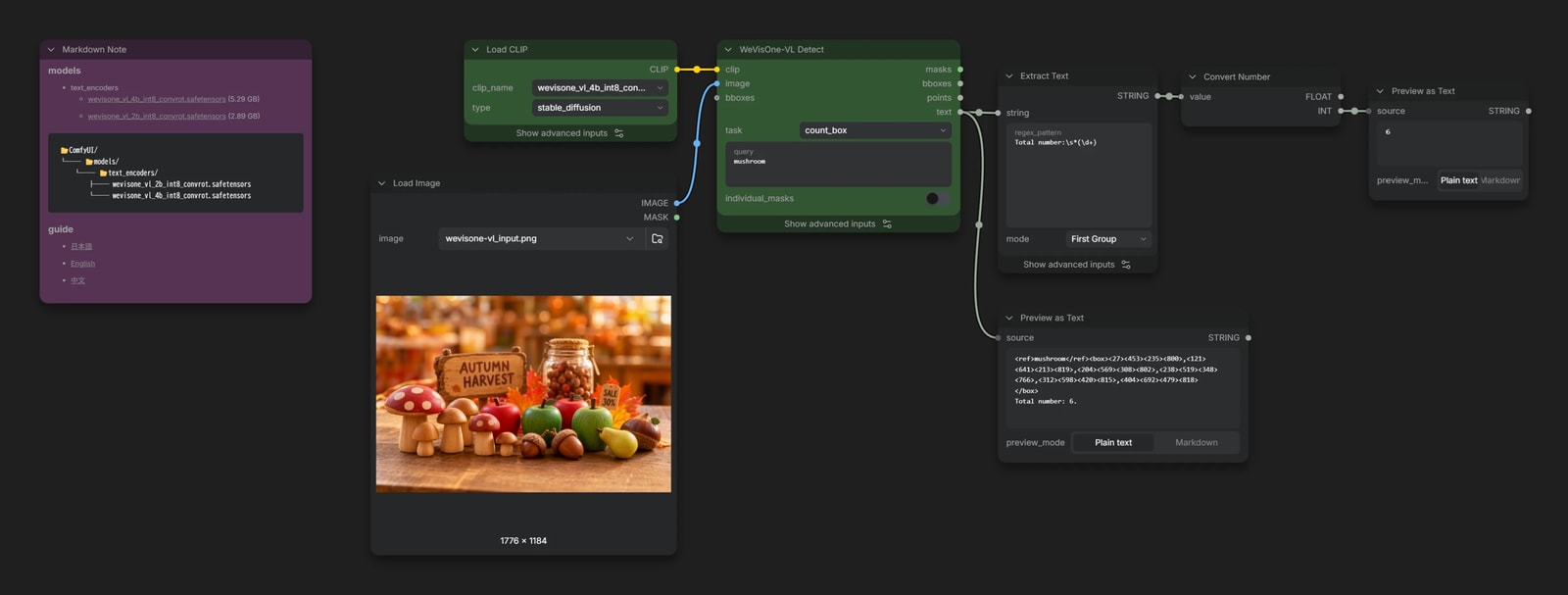
The count comes out as a sentence like Total number: 6., which is a little awkward to use.
This workflow pulls out just the number with a regular expression in Extract Text, then turns it into an INT with Convert Number.
ocr
Extracts the text in an image.
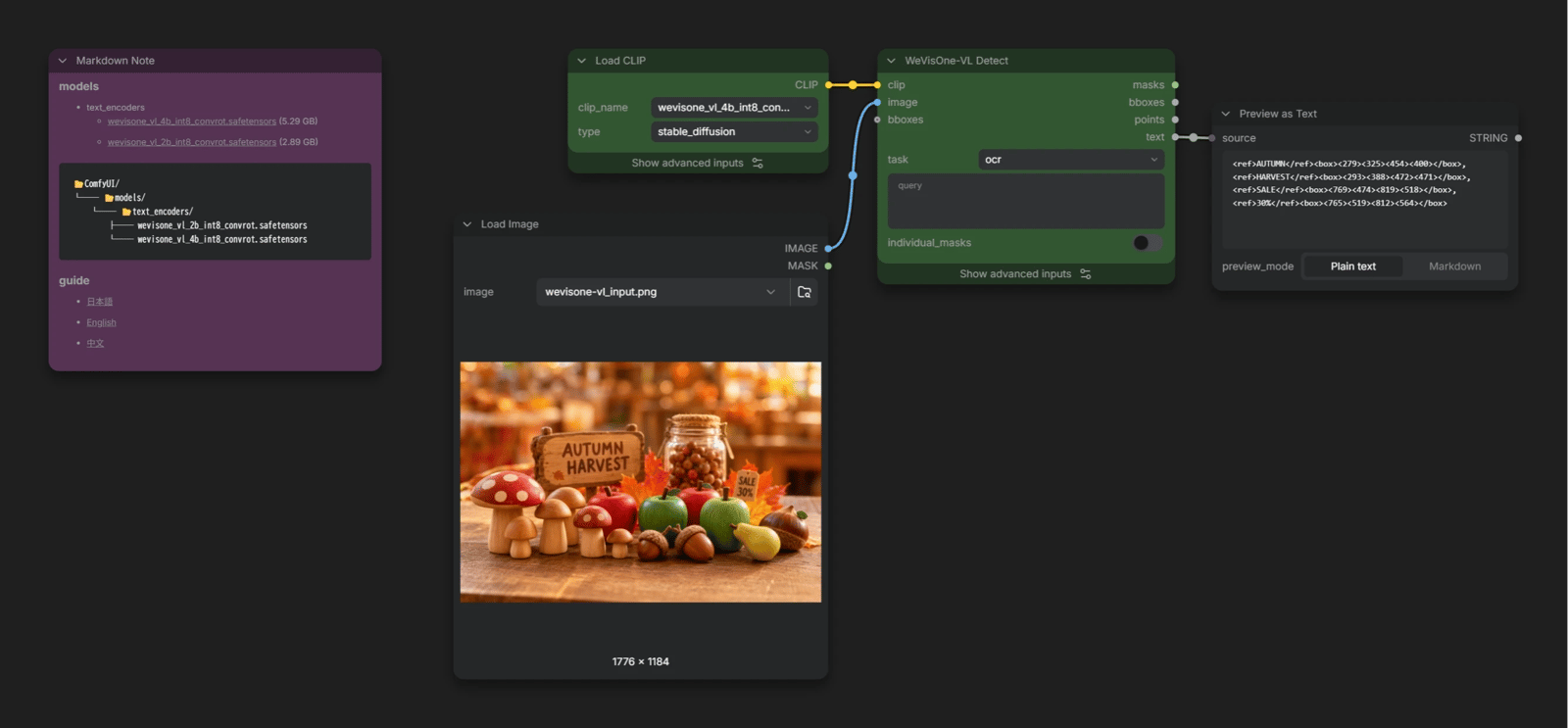
It outputs the coordinates and content of each word as text.
Unfortunately, it doesn't seem to handle Japanese well.
ocr_grounding
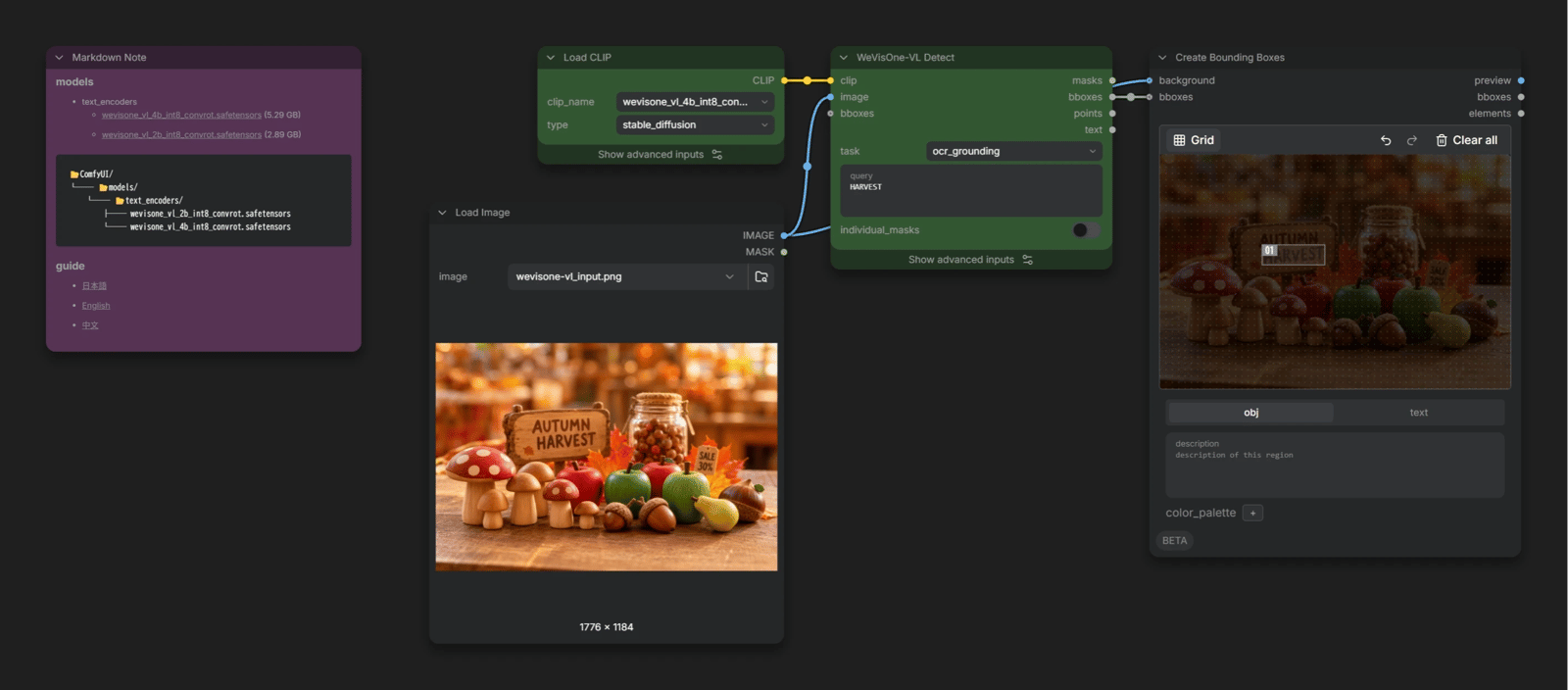
The reverse of ocr: write the text you're looking for, and it outputs a BBOX showing where it is in the image.
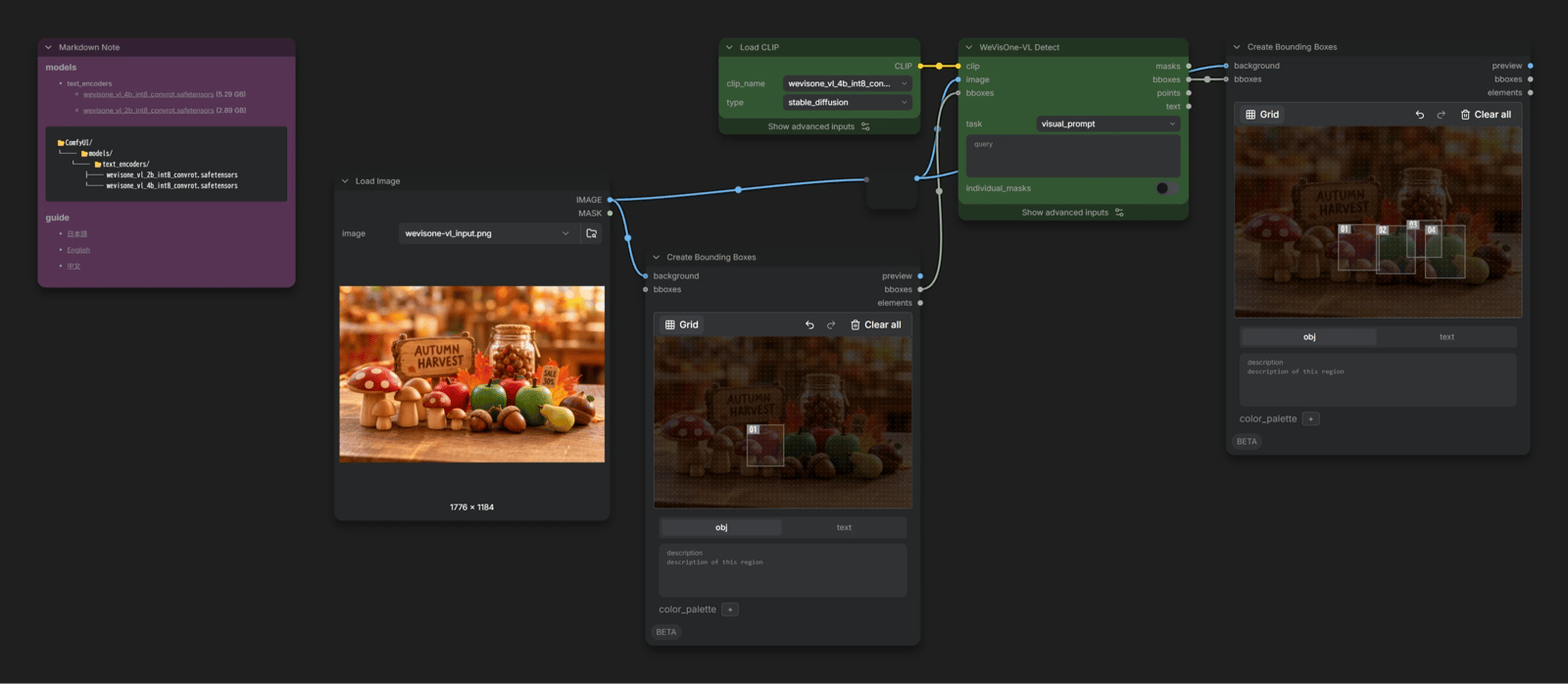
visual_prompt
Finds objects that match the one you boxed, within the same image.
It doesn't work from a separate reference image, so it may be hard to put to good use.
freeform
The tasks above each shape the input and output for their job. In this mode, whatever you write in query is passed as the prompt as is.
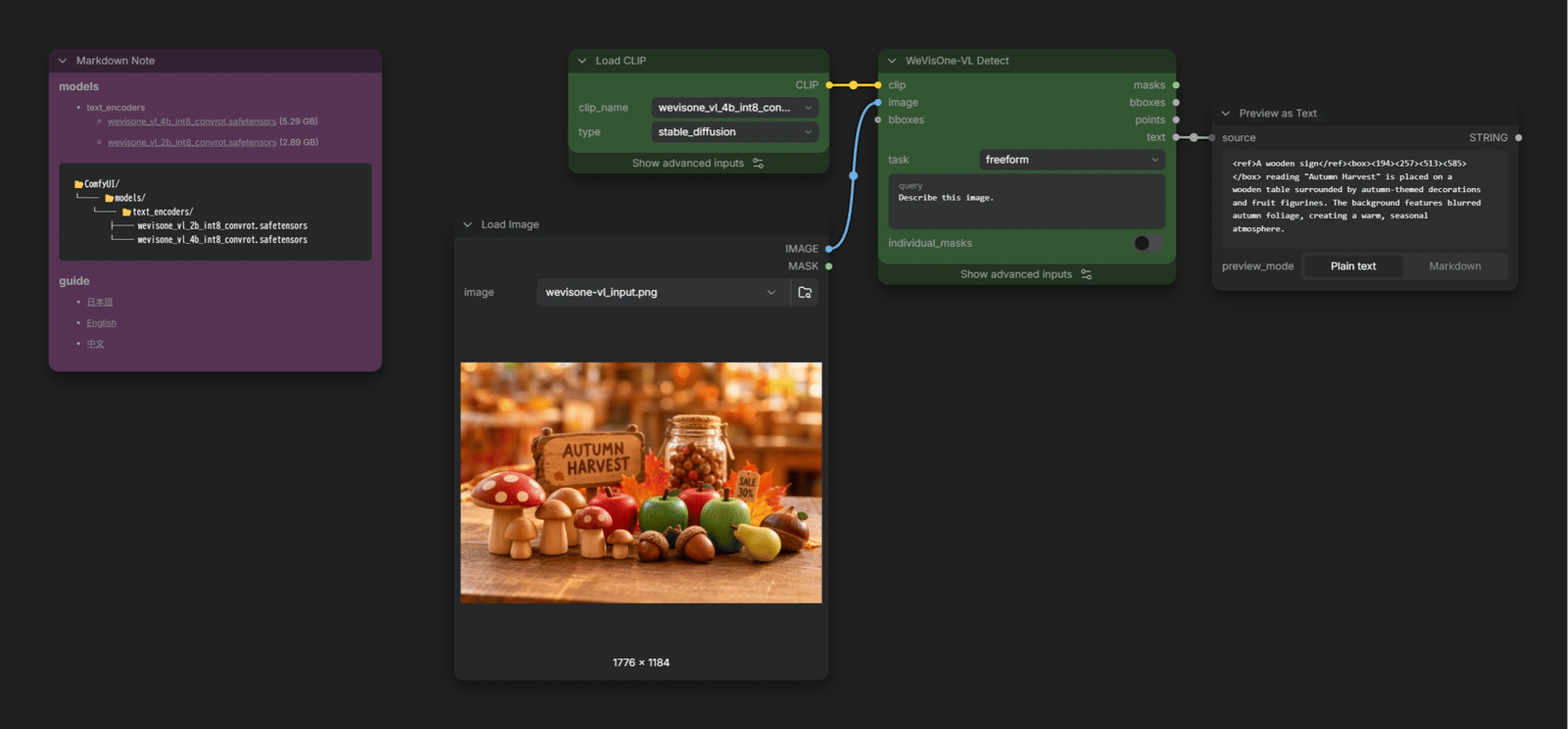
Write something like Describe this image. and you can use it as a regular VLM to describe images, too. That said, it was built for perception tasks, so for this kind of use, a regular Qwen3-VL would be a better fit.