What is Region-Limited Generation?
Layout matters a lot in design.
Just generating an image from the prompt "a woman leaning against a wall in the city" won't give you a compelling piece.
A brick wall along the right edge of the frame, a woman leaning against it, a streetlight just in front of her, and fewer objects on the left to leave some breathing room...
Techniques for generating images with the things you want placed where you want them are what "region-limited generation" is about.
Instructing Position with Prompts
The simplest way is to write the positions directly into the prompt.
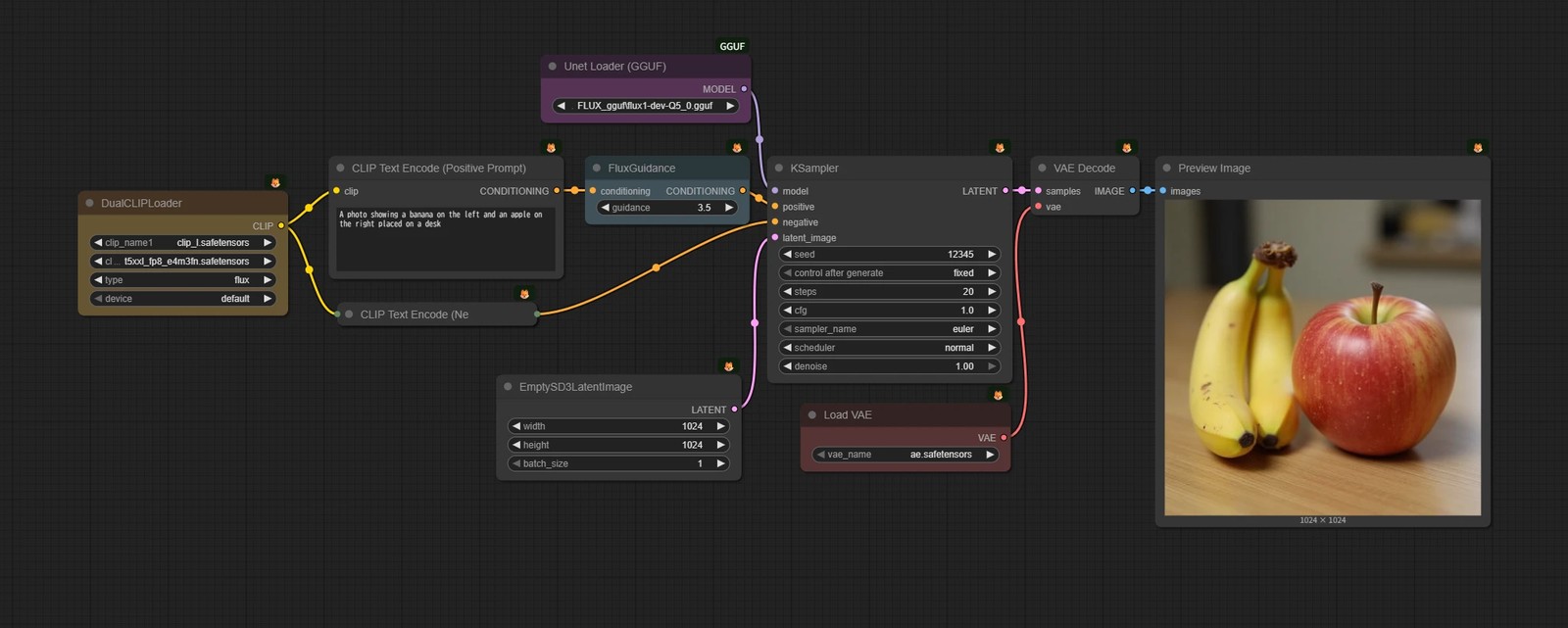
"Banana on the left, apple on the right"
Stable Diffusion's text encoder barely understood spatial relationships, but models from Flux onward have started to reflect them to some extent.
Still, it tends to fall apart with complex compositions. It's more a way to express a loose layout preference than to specify regions precisely.
Repeating Inpainting
Generate an image once, then inpaint again and again.
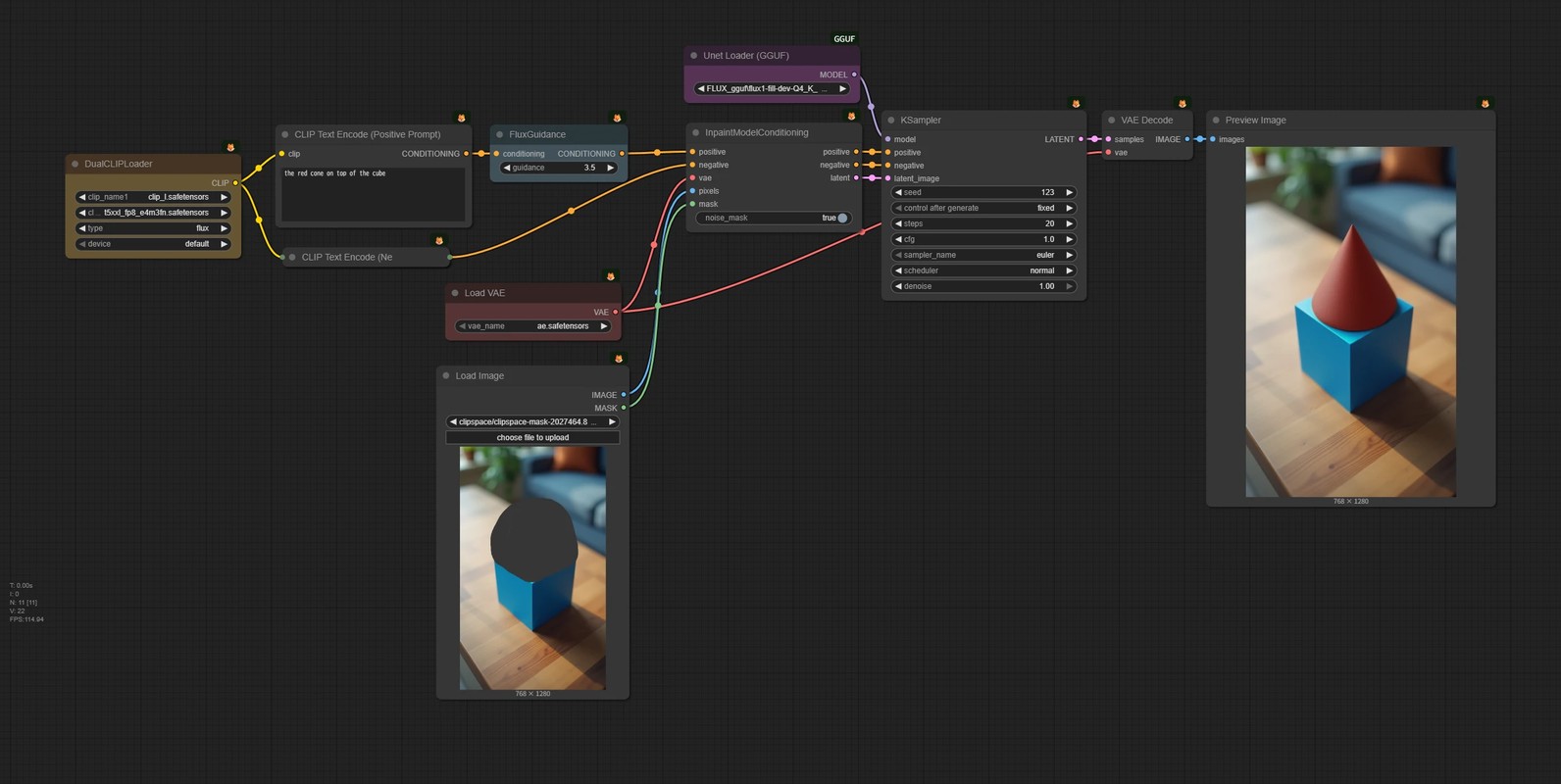
- 1. Generate a base image
- 2. Mask the area you want to edit and inpaint it
- 3. If needed, move the mask to another area and inpaint that too
It might not seem very clever, but it's a dependable, stable method. Prompts don't bleed into each other, and LoRAs basically don't affect anything outside the mask. Each region can be handled as a fully independent step.
The weakness is that because each part is generated separately, subjects can't really interact. In an image of two people shaking hands, for example, their eyes often don't meet, or it just looks off.
Conditioning Set Area (Regional Prompting)
This approach tries to apply different text conditions to different parts of the image, using the Cross-Attention layers to give each region its own prompt.
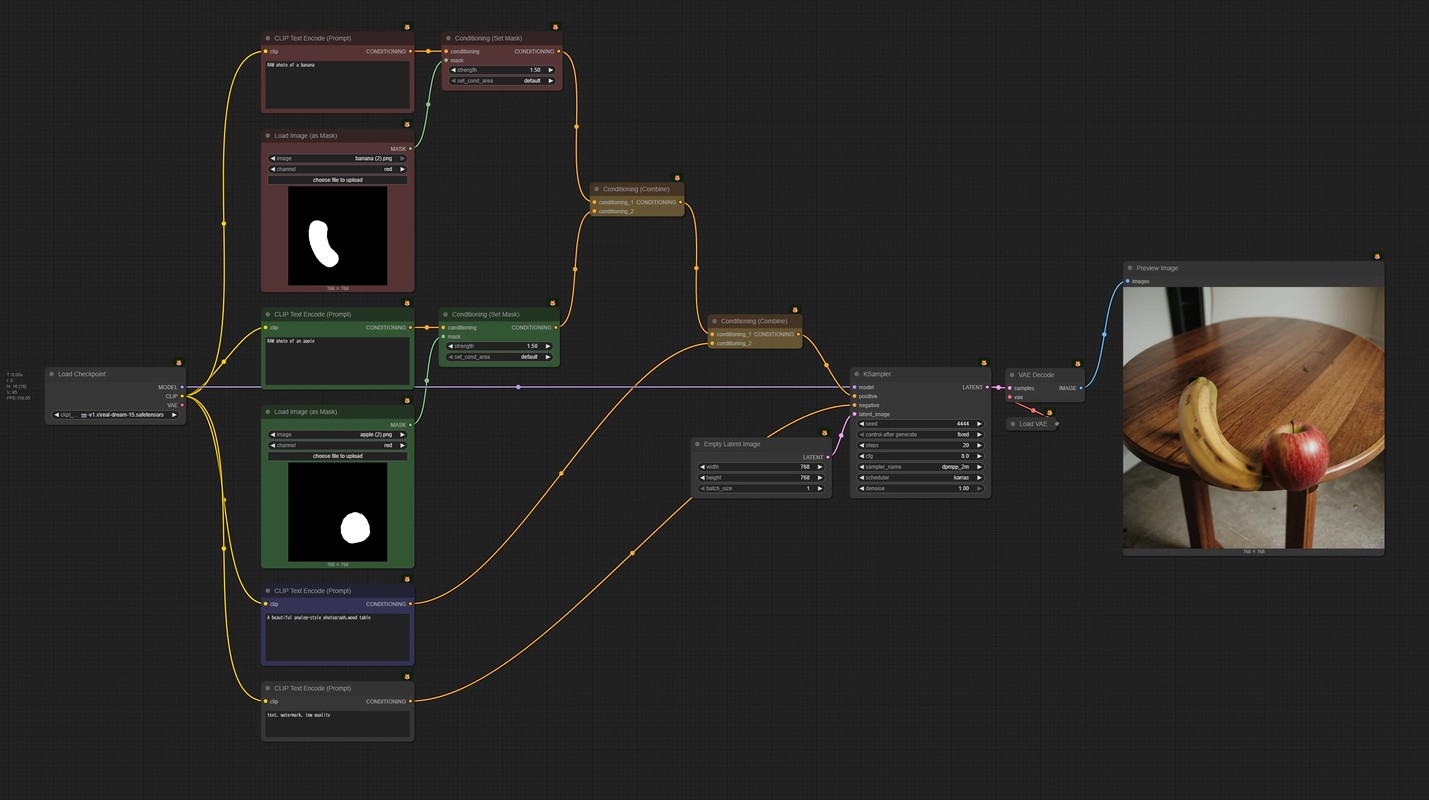
It's neat in theory, but in practice the boundaries often bleed or don't switch over cleanly, so it's not very practical.
You also can't assign LoRAs per region.
Latent Composite (Composition in Latent Space)
Combine images while they're still in latent space.
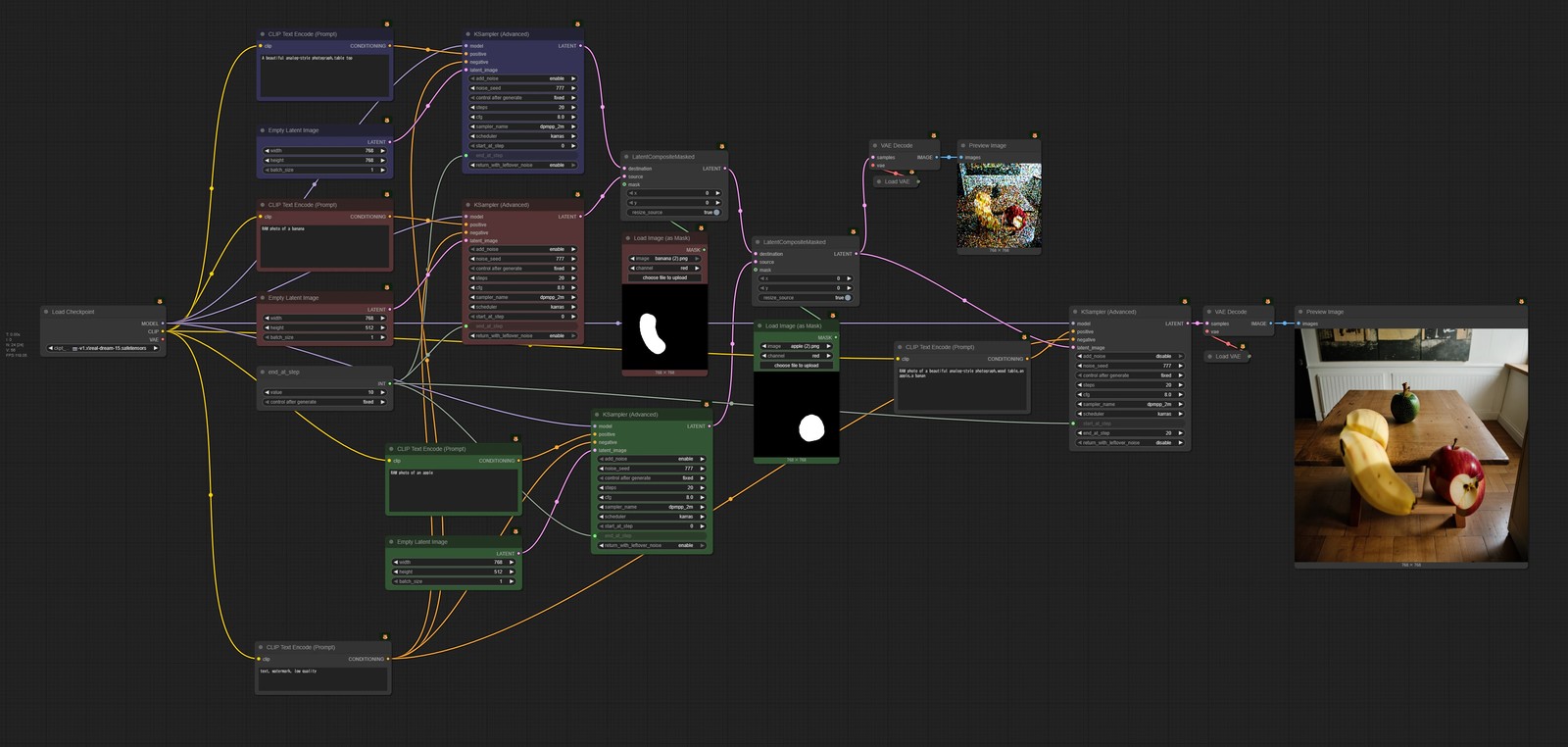
- 1. First, generate multiple images (banana image, apple image, background image, etc.)
- 2. Use masks to paste their latents together into a single latent
- 3. Run the remaining sampling steps on that combined latent
Each object can be generated under its own conditions and then blended into "one image" at the end.
That said, in many cases it's more reliable to just inpaint several times and finish with an image2image pass over the whole thing.
Latent Couple / Attention Couple
Latent Couple
Splits the latent space completely by region, generates each with its own settings (prompts, LoRAs, etc.), then merges them.
- Ideal in that each region can use completely different settings
- Heavy on compute, since it's effectively generating one image per region
There's currently no direct implementation in ComfyUI.
Attention Couple
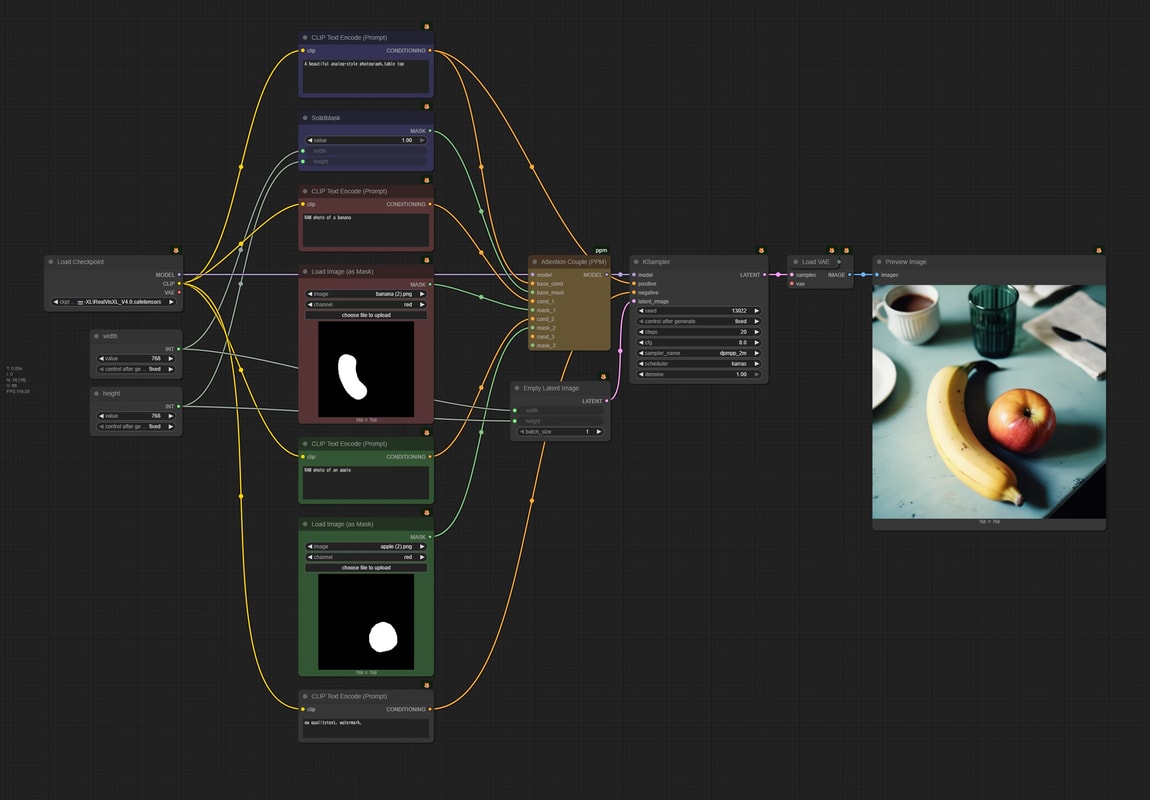
Latent Couple runs the whole UNet for each region, but this only computes the Cross-Attention layers.
That cuts the compute a lot, but you can't assign LoRAs per region.
Refining Rough Collages (Recommended)
Make a rough collage, then have the model redo it as a natural-looking picture.
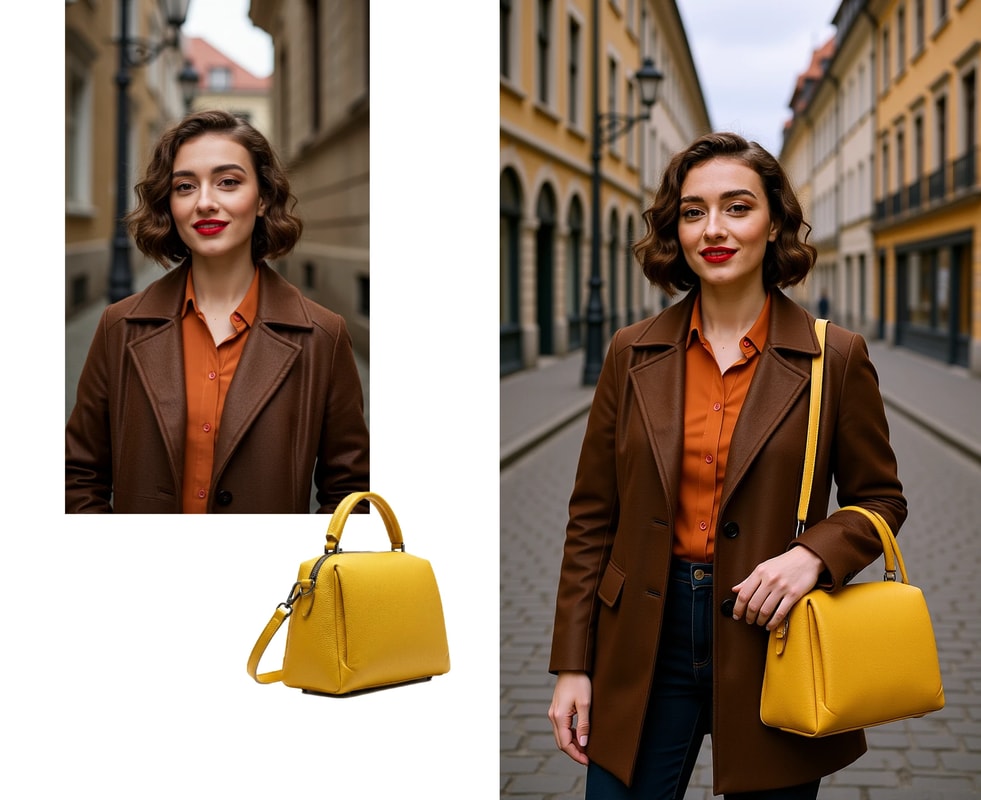
You can place things very intuitively, and for the things you want to generate you can just paste in any rough stand-in object, so honestly, I highly recommend this method.
Details → Refining Rough Collages