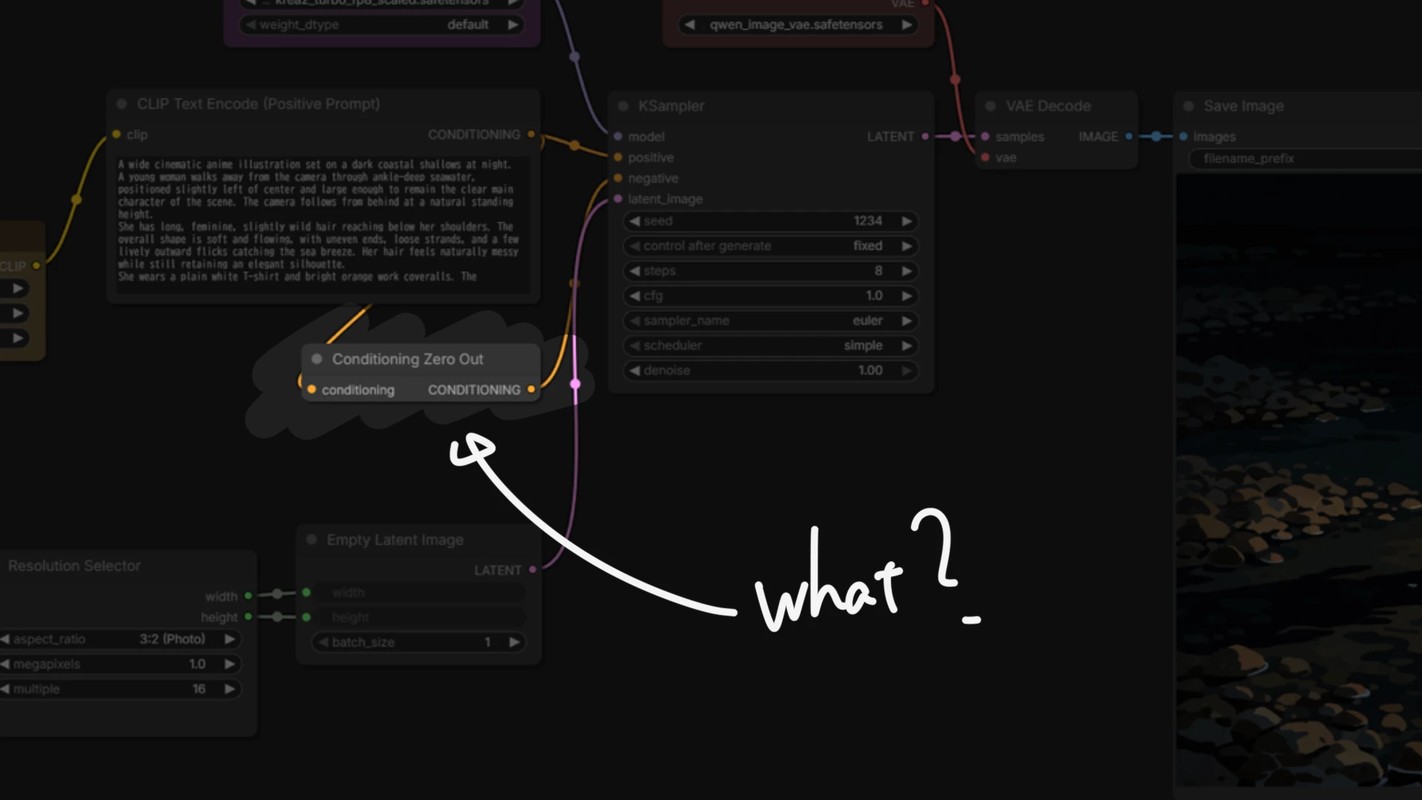
You will often see a node called Conditioning Zero Out in recent workflows.
So, what exactly is it?
In short, it fills the unused negative input when CFG is set to 1.0.
Let us look at why that is necessary.
CFG 1.0 ignores Negative
A simplified version of the CFG formula looks like this:
output = negative + CFG × (positive - negative)
If we set CFG to 1.0:
output = negative + 1.0 × (positive - negative)
       = positive
Negative disappears completely.
In other words, when CFG is 1.0, the result does not change no matter what you put in Negative.
That also means the entire Negative-side calculation can be skipped, making generation considerably faster. Nice.
Many recent models are trained to generate cleanly even at CFG 1.0 through CFG distillation. That is why workflows designed for CFG 1.0 are becoming more common.
But KSampler still has a negative input
At CFG 1.0, Negative is not used.
Even so, KSampler still has a negative input, and it throws an error if nothing is connected.
Although it is not used for generation, you still need to connect some kind of conditioning.
Since it will be ignored anyway, any conditioning gives the same result. Here are a few ways to handle it.
Connect Positive directly
The simplest method is to send the Positive Prompt conditioning directly into negative as well.
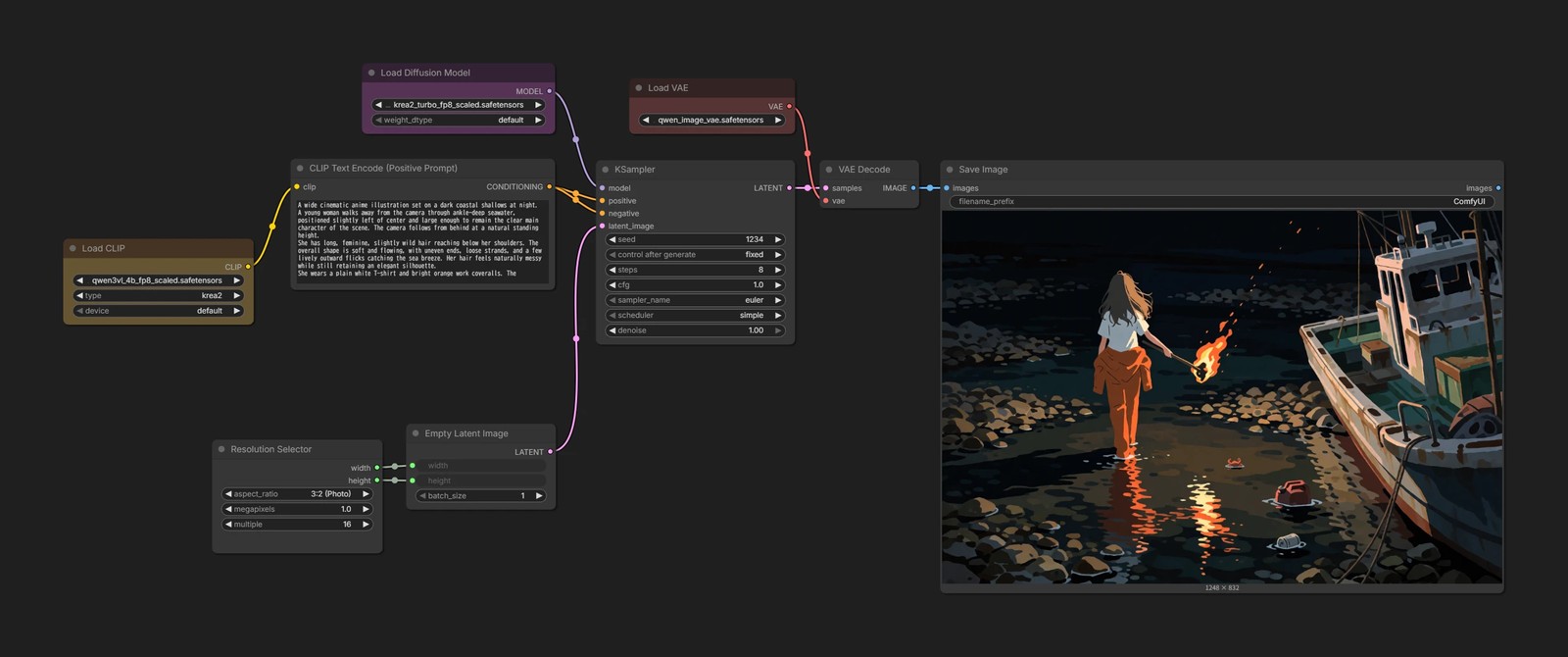
This works without any problem.
As a workflow, though, it feels a little odd. A beginner looking at it will probably wonder:
“Why is positive connected to negative?”
There is another strange part to this method.
If negative and positive receive the same conditioning:
output = positive + CFG × (positive - positive)
       = positive + CFG × 0
       = positive
The result stays the same no matter what CFG value you use.
That is fine when the workflow is meant for CFG 1.0, but it can be confusing when you raise CFG later and nothing happens.
Connect an empty prompt
Another option is to leave CLIP Text Encode empty and connect that conditioning to negative.
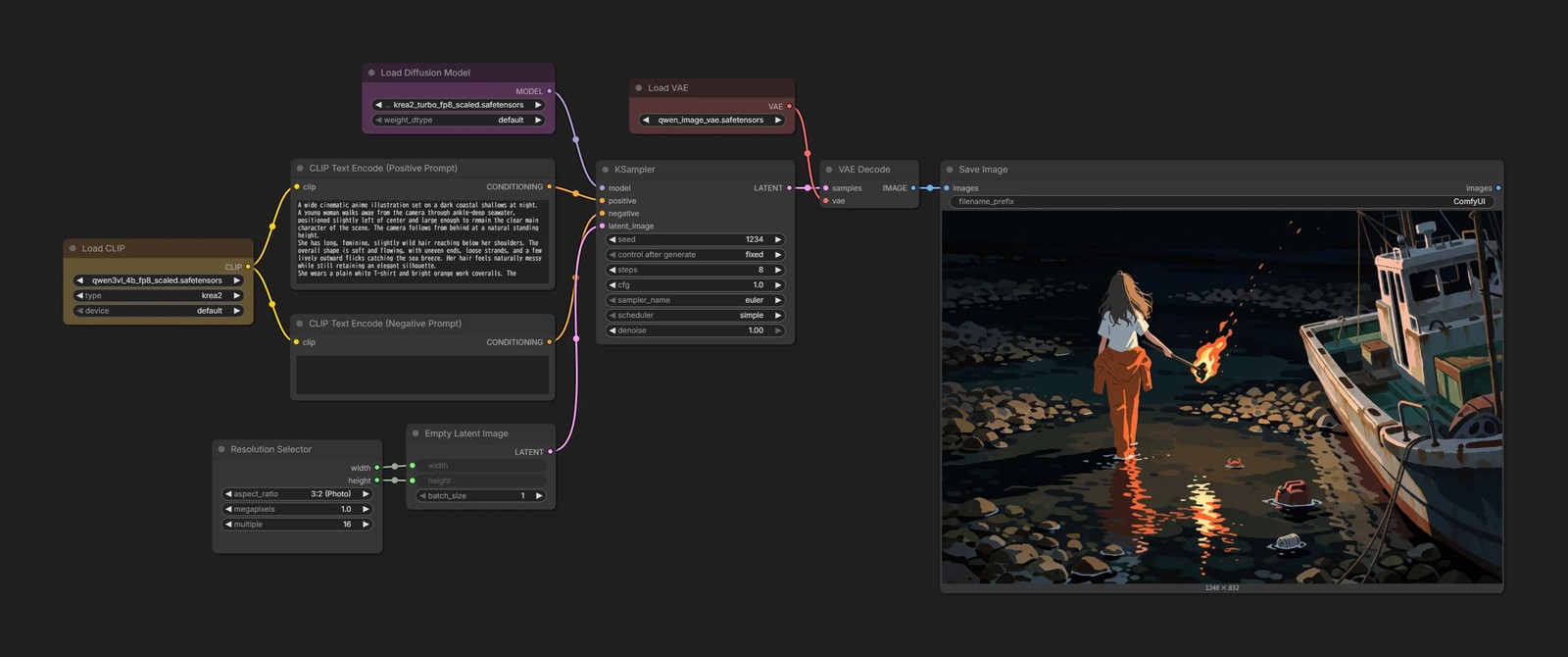
This is easier to understand at a glance.
However, the Text Encoder has to run again just to create conditioning that will not be used.
It is not a huge cost, but adding extra processing for something unused feels a little wasteful.
This is where Conditioning Zero Out comes in
This is where Conditioning Zero Out is useful.
It simply replaces every value in the input conditioning with 0.
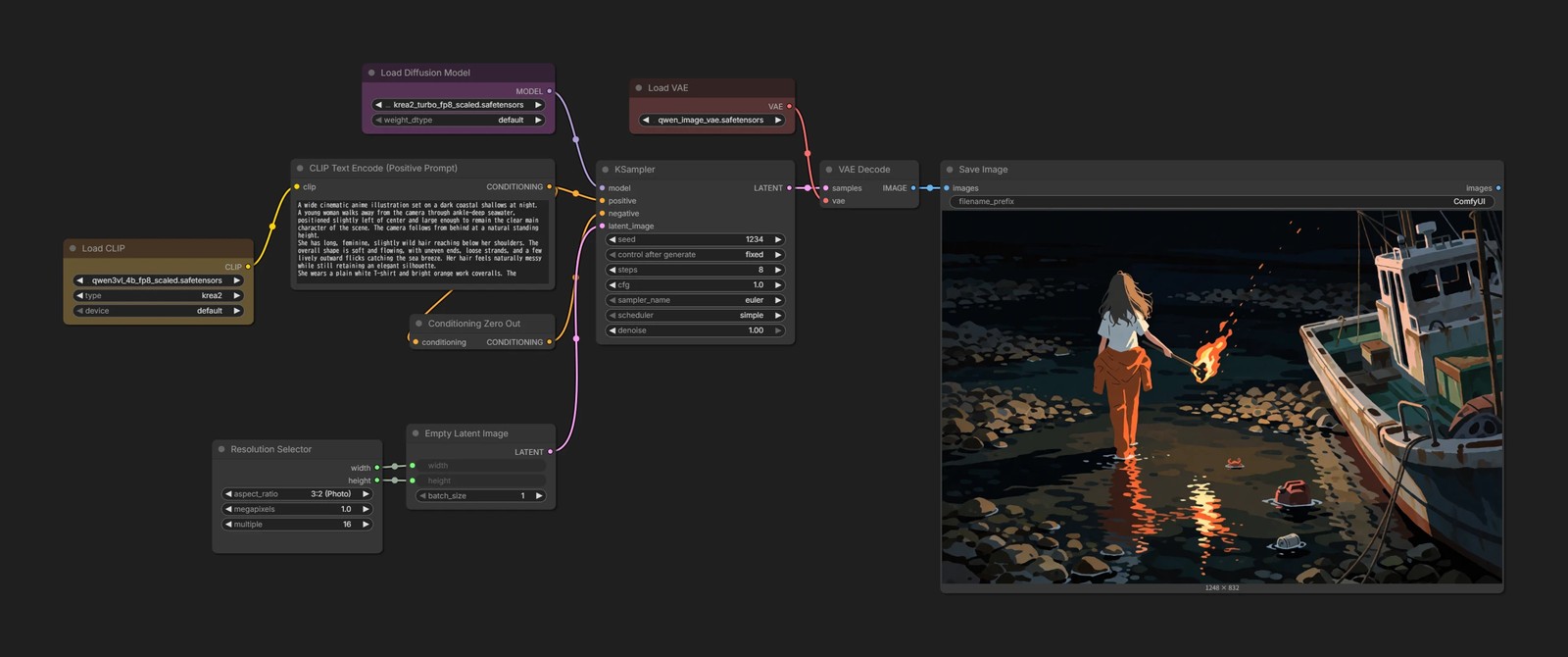
At CFG 1.0, it naturally produces the same result as the previous methods.
At the same time:
- You do not need to run the Text Encoder again for Negative
- The workflow clearly shows that the Negative input is intentionally receiving meaningless data
- Unlike reusing Positive directly, raising CFG will actually change the result
It gives you the best parts of both approaches.
Empty prompt and Zero Out are different
An empty prompt and Conditioning Zero Out may sound like the same thing, but the data they produce is completely different.
Let us inspect the values in ComfyUI.
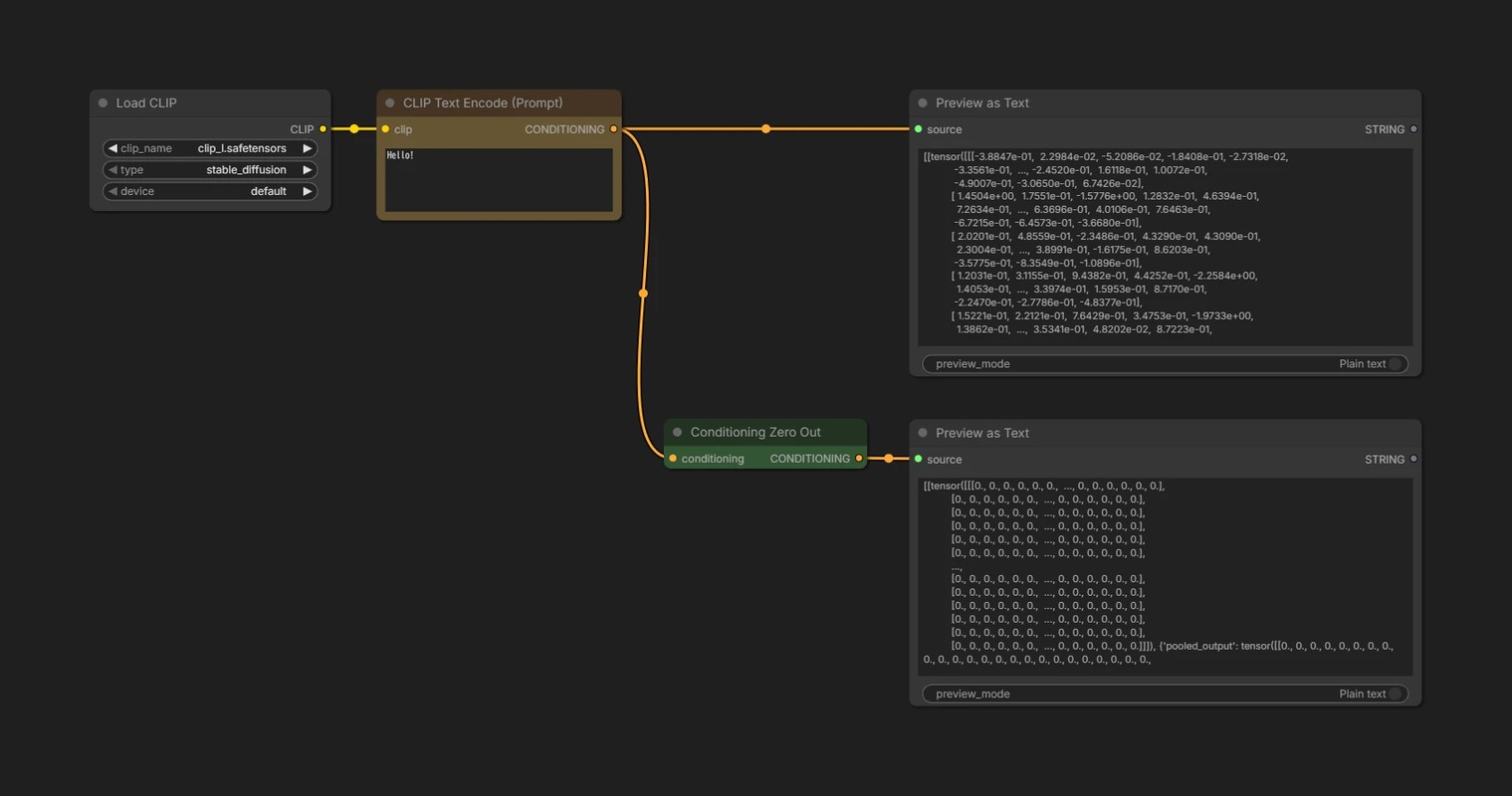
The conditioning created from the prompt Hello! naturally contains many different values.
Conditioning Zero Out replaces all of those values with 0.
What about an empty prompt?
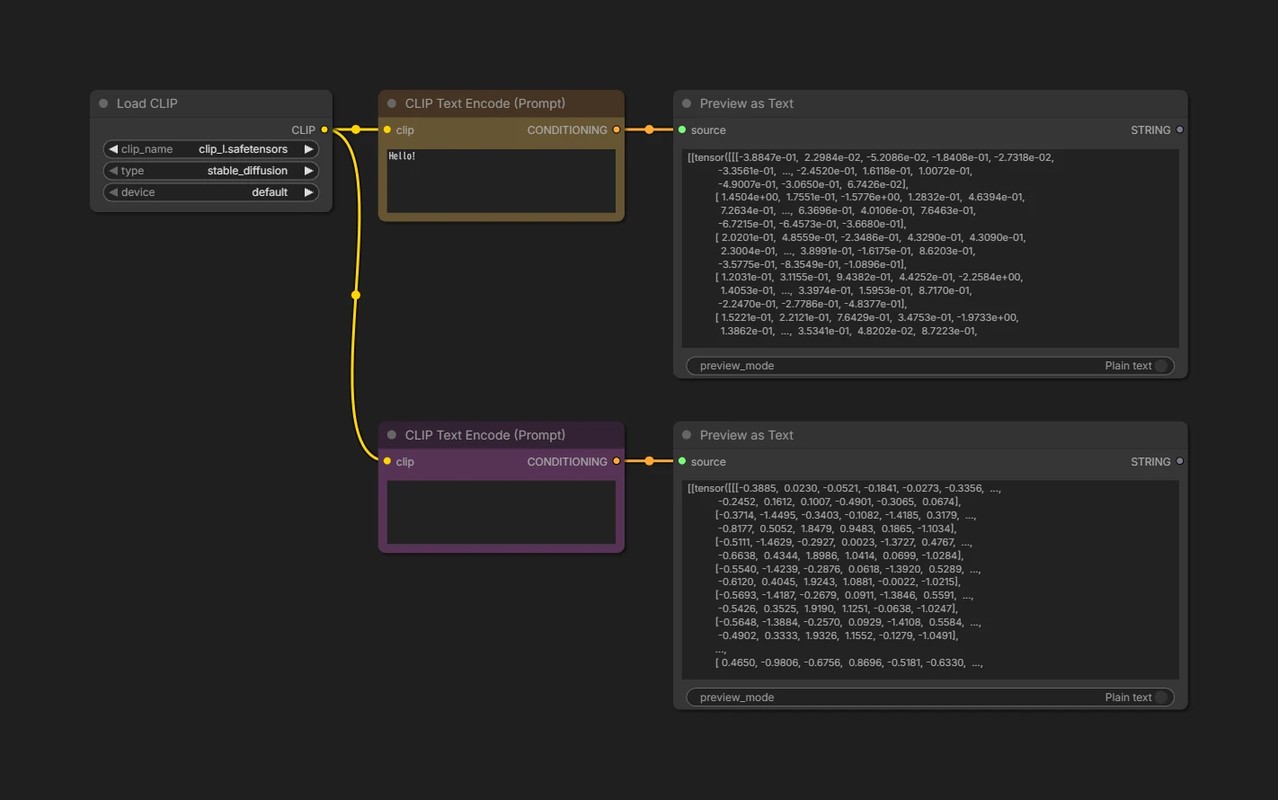
Its values are not all 0.
It may seem like no text should produce empty conditioning, but to the Text Encoder, even “a sentence with nothing written in it” still has its own meaning.
At CFG 1.0, Negative itself is not used, so both methods produce the same generated result.
Once CFG is set above 1.0, however, they produce different results. That is the one thing to keep in mind.