What is LTX 2.3?
LTX 2.3 is an improved version of Lightricks' video generation model LTX-2.
The basic ideas and node structure are the same as LTX-2.
So on this page, we only look at what changed from LTX-2.
Recommended Settings
- Resolution
- Final output around 1.5M pixels
- Must be a multiple of 32
- FPS
- 24 / 25 / 48 / 50
- Frames
- 65 / 97 / 121 / 161 / 257
- Must be 8n + 1
Model Download
- checkpoints
- ltx-2.3-22b-dev-fp8.safetensors (29.1 GB)
- latent_upscale_models
- loras
- text_encoders
- gemma_3_12B_it_fp8_scaled.safetensors (13.2 GB)
📂ComfyUI/
└── 📂models/
    ├── 📂checkpoints/
    │   └── ltx-2.3-22b-dev-fp8.safetensors
    ├── 📂latent_upscale_models/
    │   └── ltx-2.3-spatial-upscaler-x2-1.1.safetensors
    ├── 📂loras/
    │   └── ltx-2.3-22b-distilled-lora-384.safetensors
    └── 📂text_encoders/
        └── gemma_3_12B_it_fp8_scaled.safetensors
Basic Process Flow
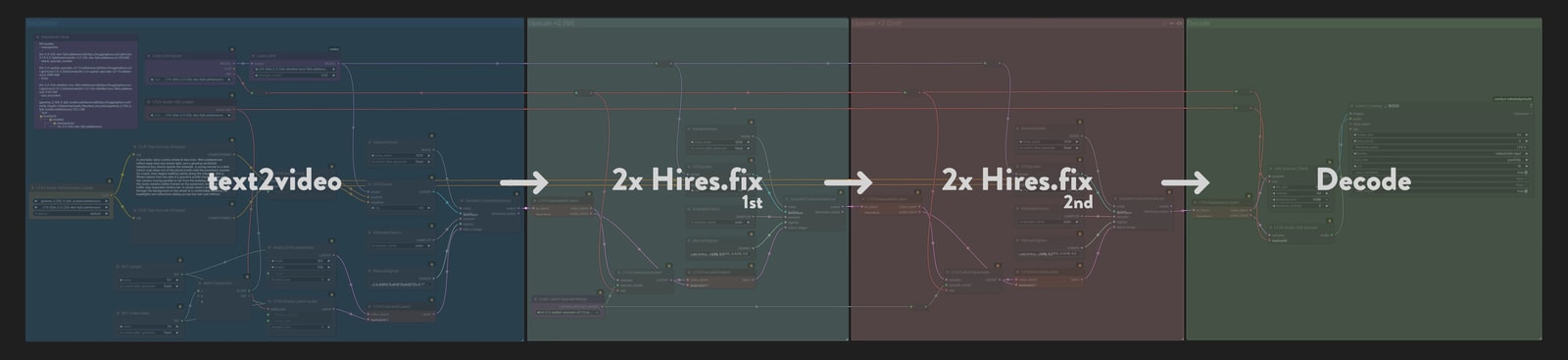
The architecture is the same as LTX-2, so the workflow itself can be reused.
However, the results are not very good if you use it as-is.
So on this page, we use the community-discovered 3-stage workflow.
Originally, LTX-2 used a 2-stage process: generate once at low resolution, then Hires.fix it to 1.5MP.
In 2.3, you add one more stage: generate at a very small resolution, do 2x Hires.fix, then do another 2x Hires.fix.
This is not the officially recommended method, but the results are clearly better, so this is what we use here.
Everything here uses
distilled-lorawith 8-step generation.
About prompts
Just like LTX-2, prompt quality directly affects video quality.
It is a good idea to use the official prompt guide as a reference and write prompts that are both specific and information-rich.
It can also help to let an LLM assist with prompt writing. Give it the reference link and a rough description of what you want, and have it clean the prompt up for you.
ComfyUI has a core TextGenerate node that can run an LLM directly.
Many LTX-2 workflows use it to refine prompts, but it is still just a node for editing prompts, so the workflows on this page do not use it.
Personally, I think it is easier to make prompts separately with ChatGPT or Gemini.
text2video
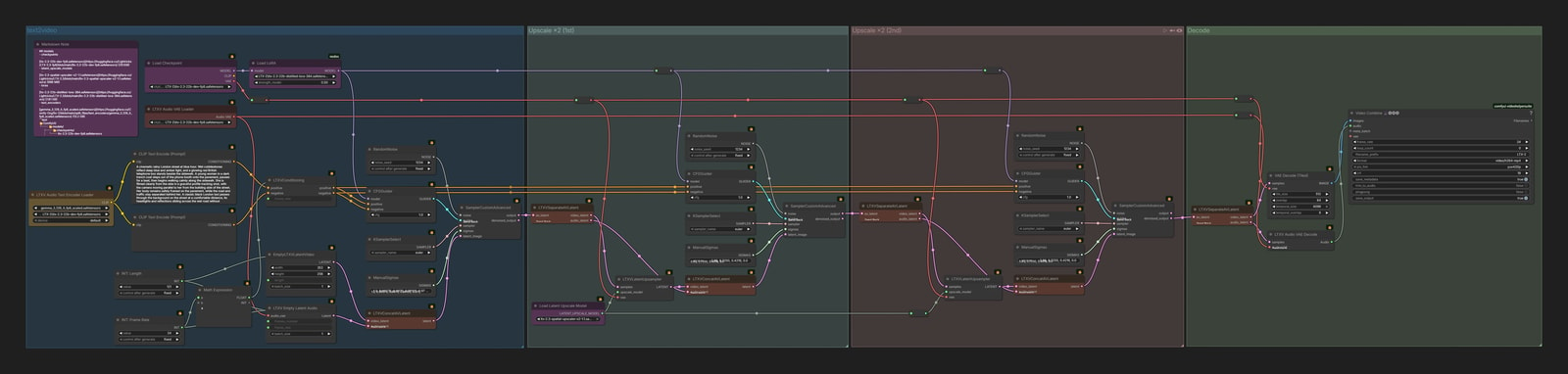
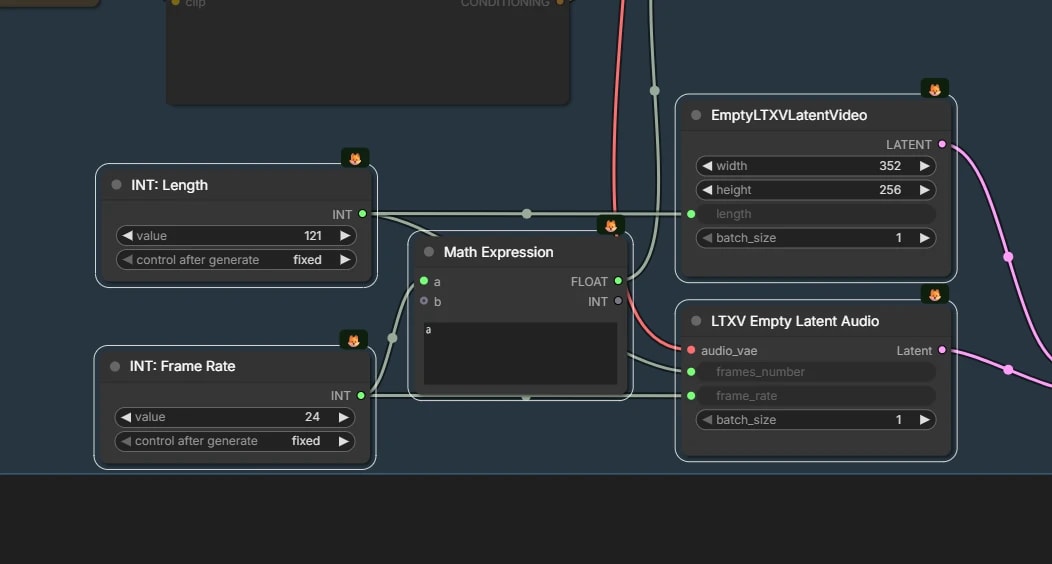
Set video resolution, length, and FPS
This is where you decide the parameters for the video and audio you want to generate.
- Enter resolution, frame count, and FPS in
EmptyLTXVLatentVideo/LTXV Empty Latent Audio - 🚨This is the part that differs from LTX-2
- Since it upscales by 2x twice, meaning 4x in width and height overall, set a value around 0.1MP with that in mind
image2video


audio2video

audio-image2video
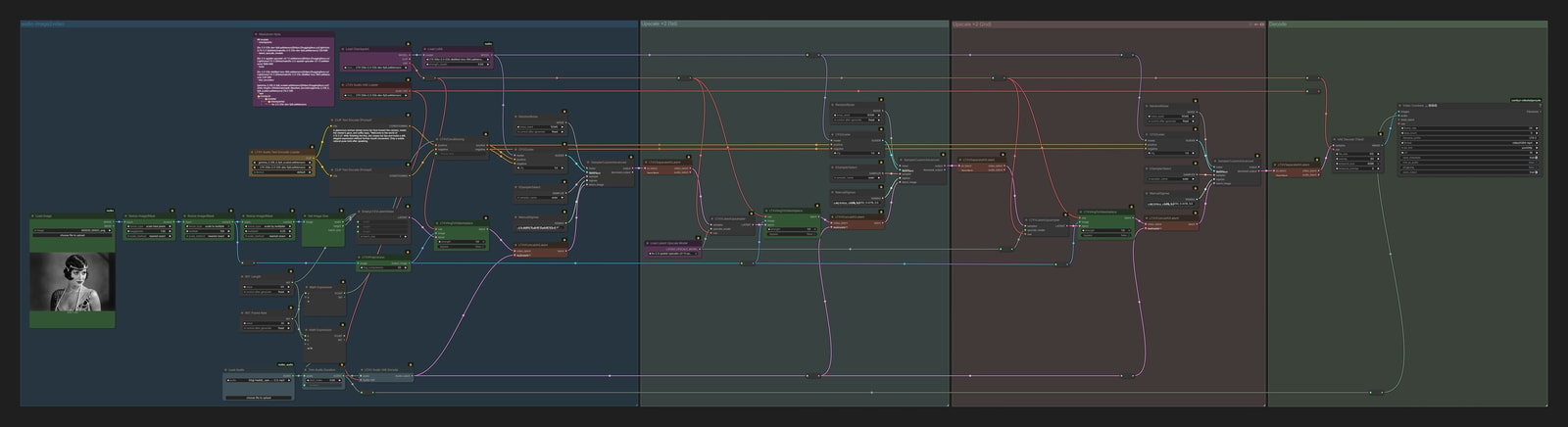
Generative Interpolation
It is also called FLF2V or FMLF2V, but in practice it means inserting images into intermediate frames and generating a video while using them as guideposts.
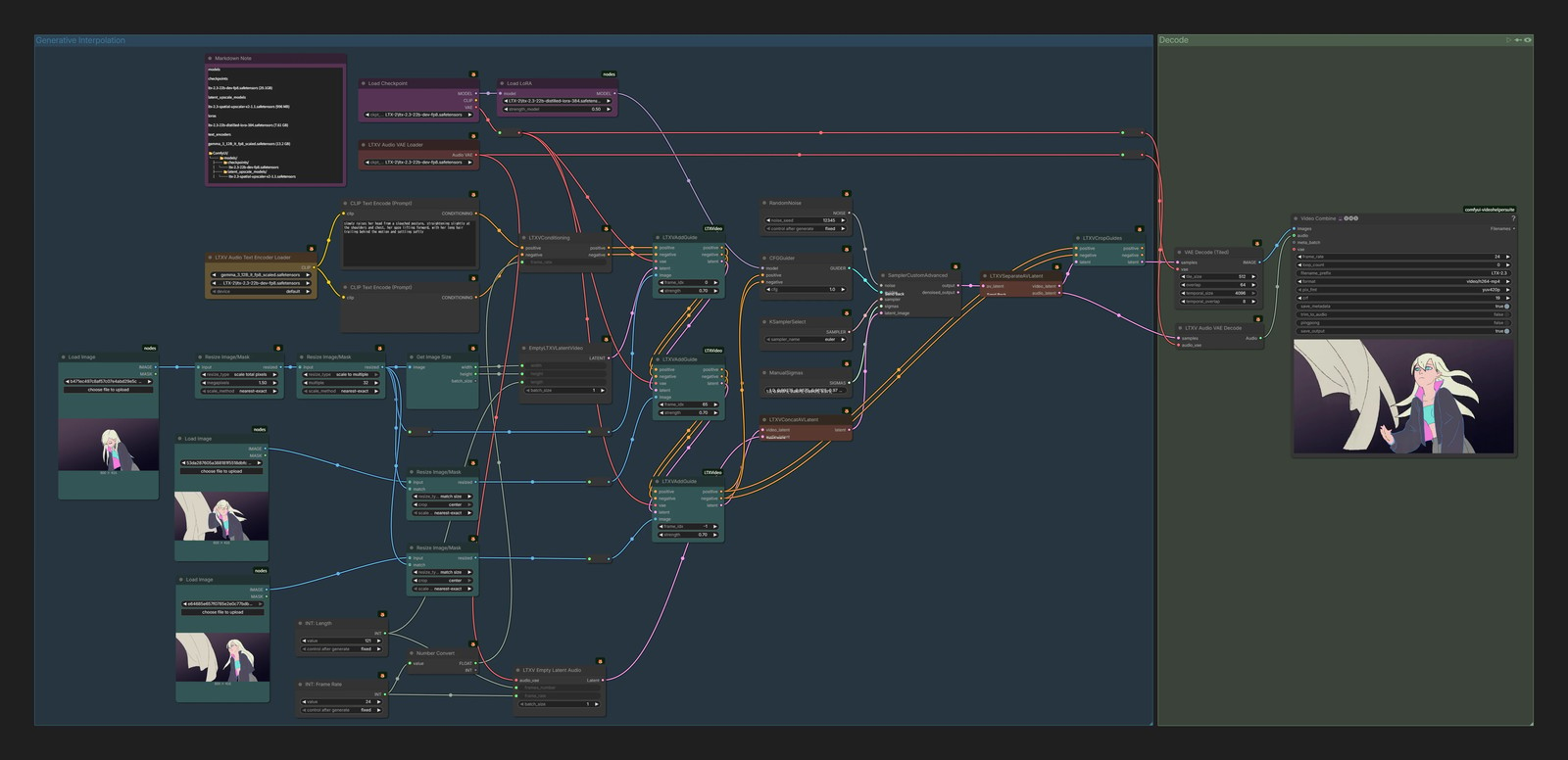
It may look like an extension of image2video, but the mechanism is different.
In image2video, the first frame itself is replaced with the reference image, and the remaining frames are generated afterward.
Here, the reference images are placed beside intermediate frames as guides during generation.
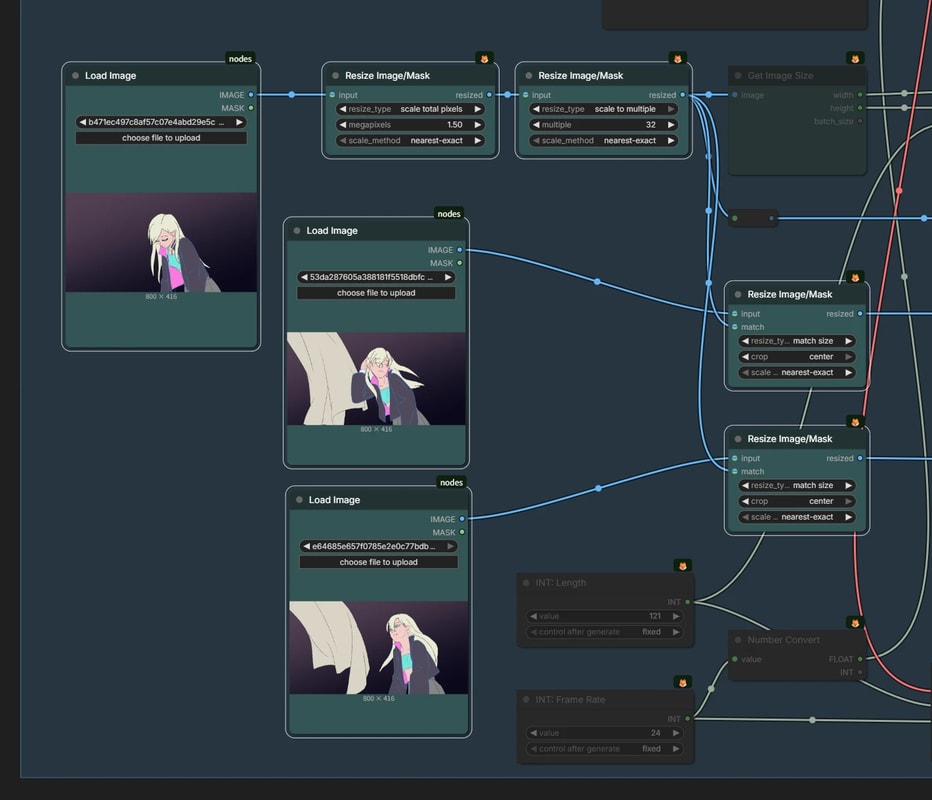
Resize the images
Resize the reference images to an appropriate size (around 1.5 MP).
- Every image after the first one also needs to be resized to the same dimensions.
- The
match sizemode in theResize Image/Masknode makes this easy.
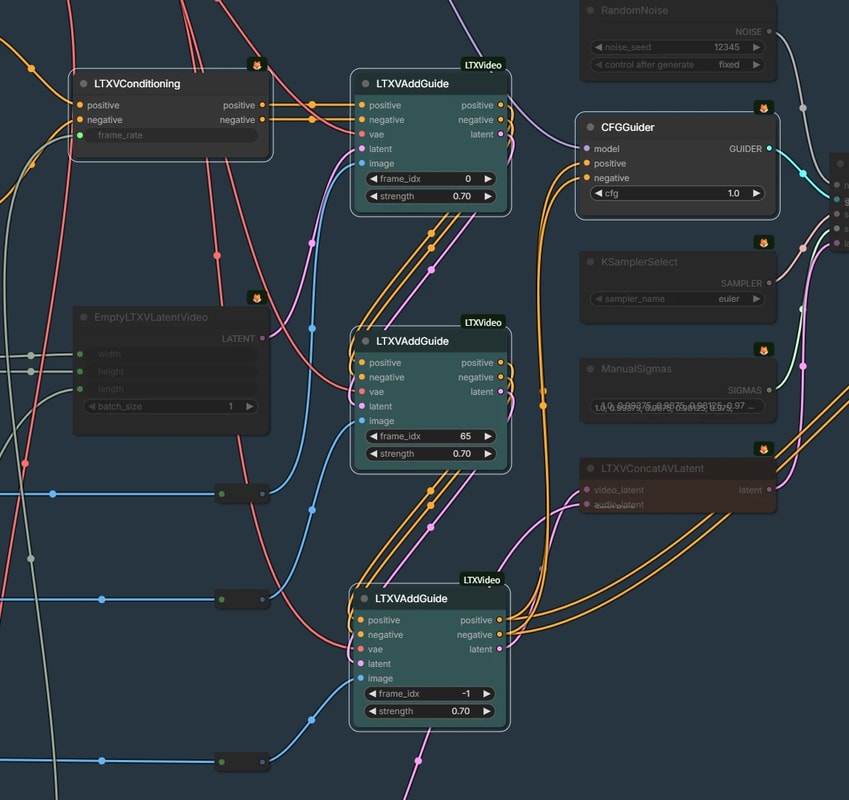
LTXVAddGuide
Insert the reference images here as guides.
- In
frame_idx, specify the frame position and the image you want to insert.0: first frame-1: last frame
- This workflow uses 3 reference frames, but you can chain more of them in series if needed
- With only 1 image, it can behave a lot like
image2video, and if you only place images at the first and last frames, it becomes FLF2V.
- With only 1 image, it can behave a lot like

LTXVCropGuides
With LTX-2's guide mechanism, the guide images will remain mixed into the generated video if you output it as-is.
So you remove those guide areas with the LTXVCropGuides node.
For more detail on the behavior, see this page.
IC-LoRA
LTX-2.3 can also use IC-LoRA-based extensions, just like LTX-2.
There are several variations, but here we only introduce two easy-to-understand ones.
- Union
- Generate video using pose, depth maps, or edges as conditions
- Outpaint
- Naturally fill the black areas of an input video
Model Download
- ltx-2.3-22b-ic-lora-union-control-ref0.5.safetensors (654 MB)
- ltx-2.3-22b-ic-lora-outpaint.safetensors (1.31 GB)
📂ComfyUI/
└── 📂models/
    └── 📂loras/
        ├── ltx-2.3-22b-ic-lora-union-control-ref0.5.safetensors
        └── ltx-2.3-22b-ic-lora-outpaint.safetensors
IC-LoRA Union (Pose)
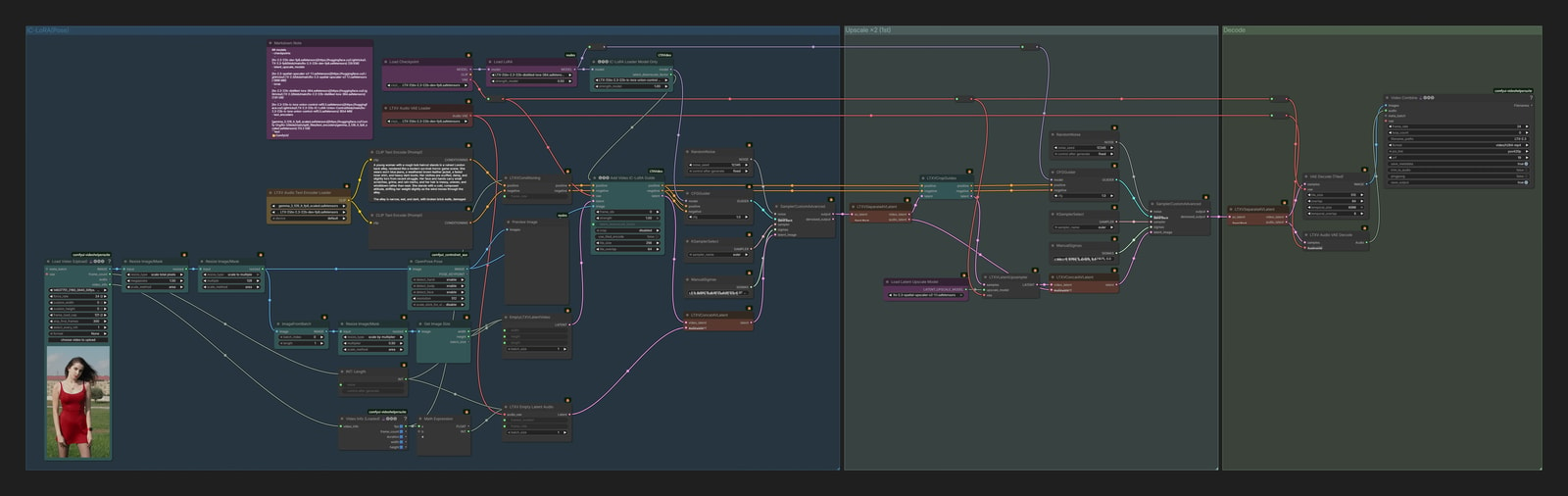
- 🚨For IC-LoRA, use a 2-stage workflow instead of 3-stage
- IC-LoRA Union uses a slightly unusual method where the control video is set to half the resolution of the generated video
- So if you use 3 stages, the control image resolution becomes even smaller and drops to around 100px
- At that size, it becomes hard to preserve enough information for a proper control image
- That is why IC-LoRA is more stable when you stop at 2 stages
IC-LoRA Outpaint
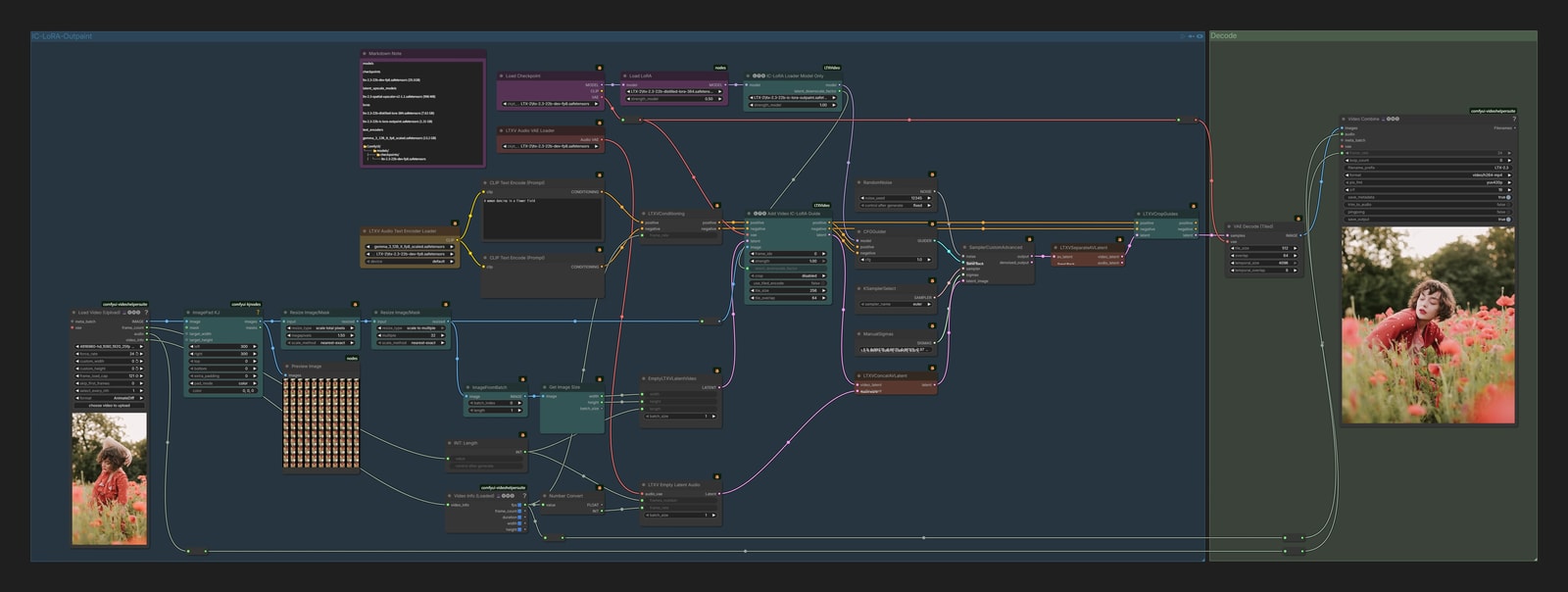
This workflow naturally fills the black areas of an input video.
To preserve the original video as much as possible, it uses a 1-stage workflow instead of a 3-stage workflow that gradually scales up from low resolution.
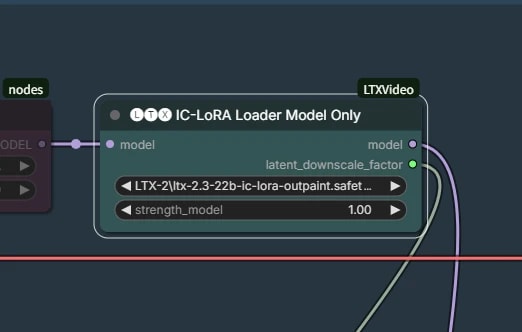
Load the LoRA model
Load the IC-LoRA-Outpaint LoRA here.
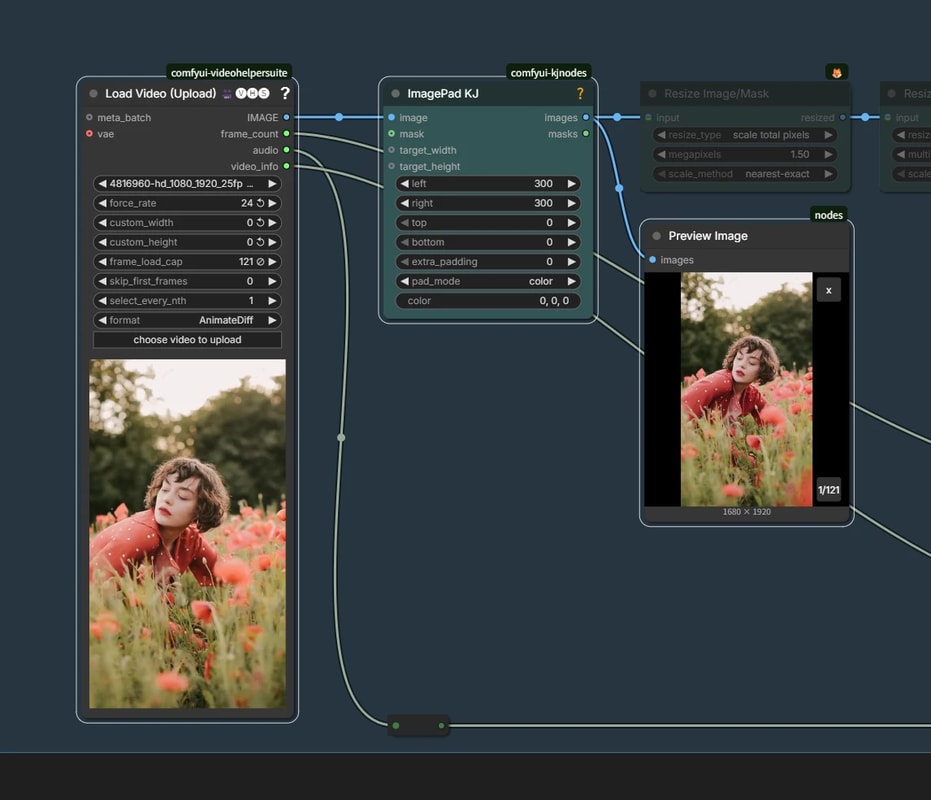
Add black padding
Add the area you want to expand by padding it with black.
You do not need a special mask here, as long as the added area is black.
- I have not tested it yet, but it may also work for something like inpainting
ID-LoRA
Generate a talking-head video of a person speaking in a scene, using one reference image, a short reference audio clip, and a text prompt.
Unlike feeding cloned audio into audio-image2video afterward, ID-LoRA generates the audio and video at the same time.
Because of that, the mouth movement and overall voice feel tend to come out more naturally as one piece.
Model Download
- LTX-2.3-ID-LoRA-CelebVHQ-3K.safetensors (1.16 GB)
- LTX-2.3-ID-LoRA-TalkVid-3K.safetensors (1.16 GB)
Both distributed files are named
lora_weights.safetensors.
To keep them easy to tell apart, it is helpful to rename them toLTX-2.3-ID-LoRA-CelebVHQ-3K.safetensorsandLTX-2.3-ID-LoRA-TalkVid-3K.safetensors.
📂ComfyUI/
└── 📂models/
    └── 📂loras/
        ├── LTX-2.3-ID-LoRA-CelebVHQ-3K.safetensors
        └── LTX-2.3-ID-LoRA-TalkVid-3K.safetensors
workflow
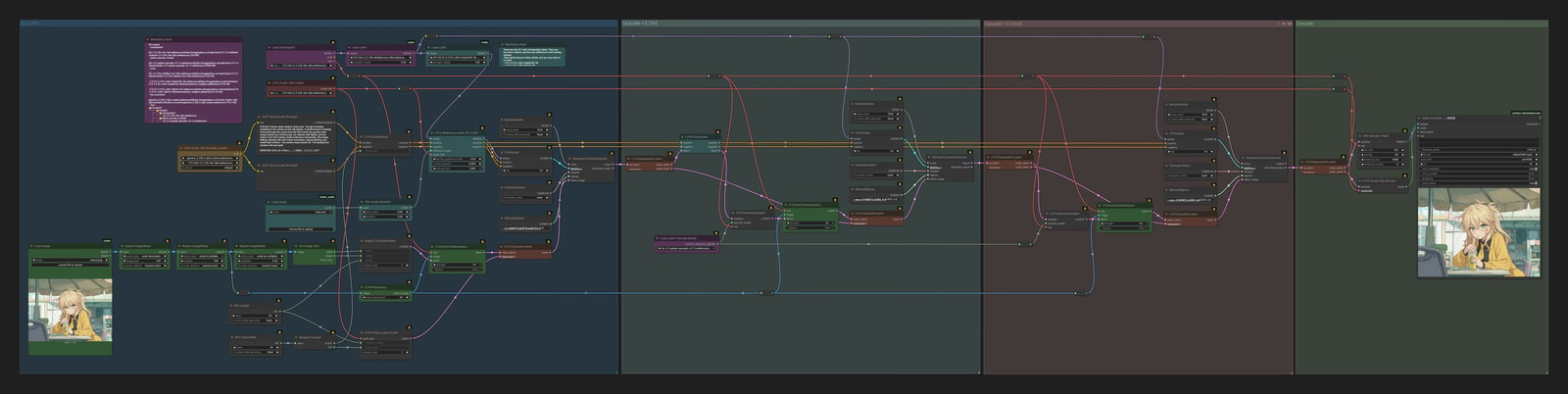
The overall base is image2video.
On top of that, you add the ID-LoRA LoRA and the reference-audio condition.
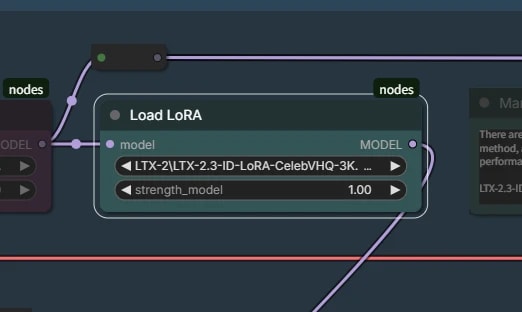
ID-LoRA model
Load the ID-LoRA model.
- LTX-2.3-ID-LoRA-CelebVHQ-3K
- LTX-2.3-ID-LoRA-TalkVid-3K
There are two versions, but the method is the same and only the dataset differs.
There is not a huge difference between them, but it is worth trying both to see which one works better for you.
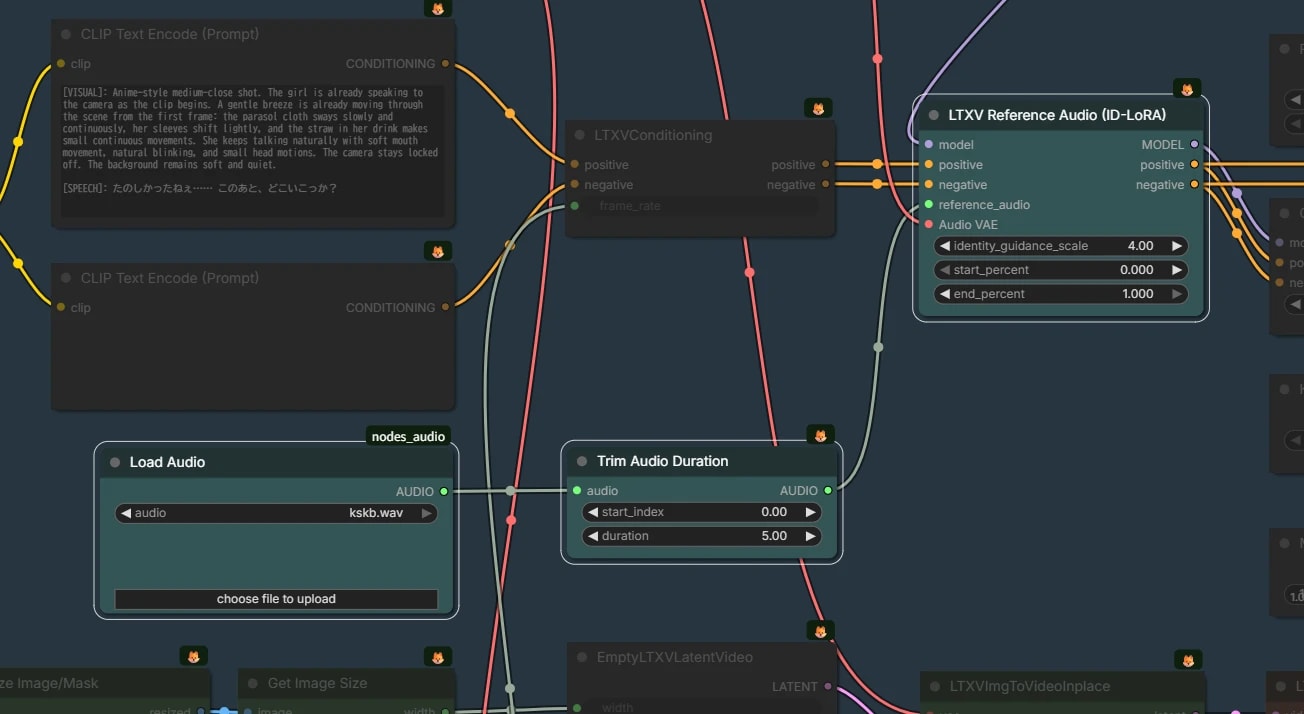
LTXV Reference Audio (ID-LoRA)
Connect ID-LoRA and the reference audio.
- Use a reference audio clip trimmed to around 5 seconds
- It is only used as a reference, so it does not determine the final video length
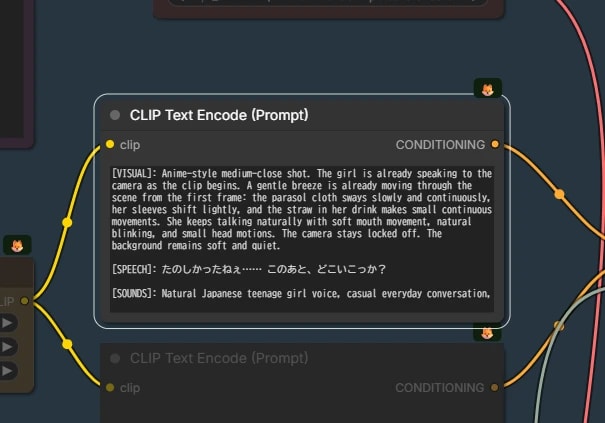
Prompt
The prompt format is fixed, so write it in this structure.
[VISUAL]: Scene description and the character's appearance
[SPEECH]: The line the character speaks
[SOUNDS]: Speaking style + ambient / surrounding sounds
- To avoid ending up with audio that feels like narration laid over the video, it helps to state in
[VISUAL]that the character is actually speaking