What is outpainting?
outpainting is a technique for extending an image beyond its edges.
It may sound like a special kind of generation, but it is not.
You deliberately add blank space outside the image, turn that space into a mask, then inpaint it.
Whether you fill an area inside the image or blank space added outside it—that is all that changes.
If you have not read inpainting yet, take a look at it first.
Inpainting model
One way is to use an inpainting model.
workflow
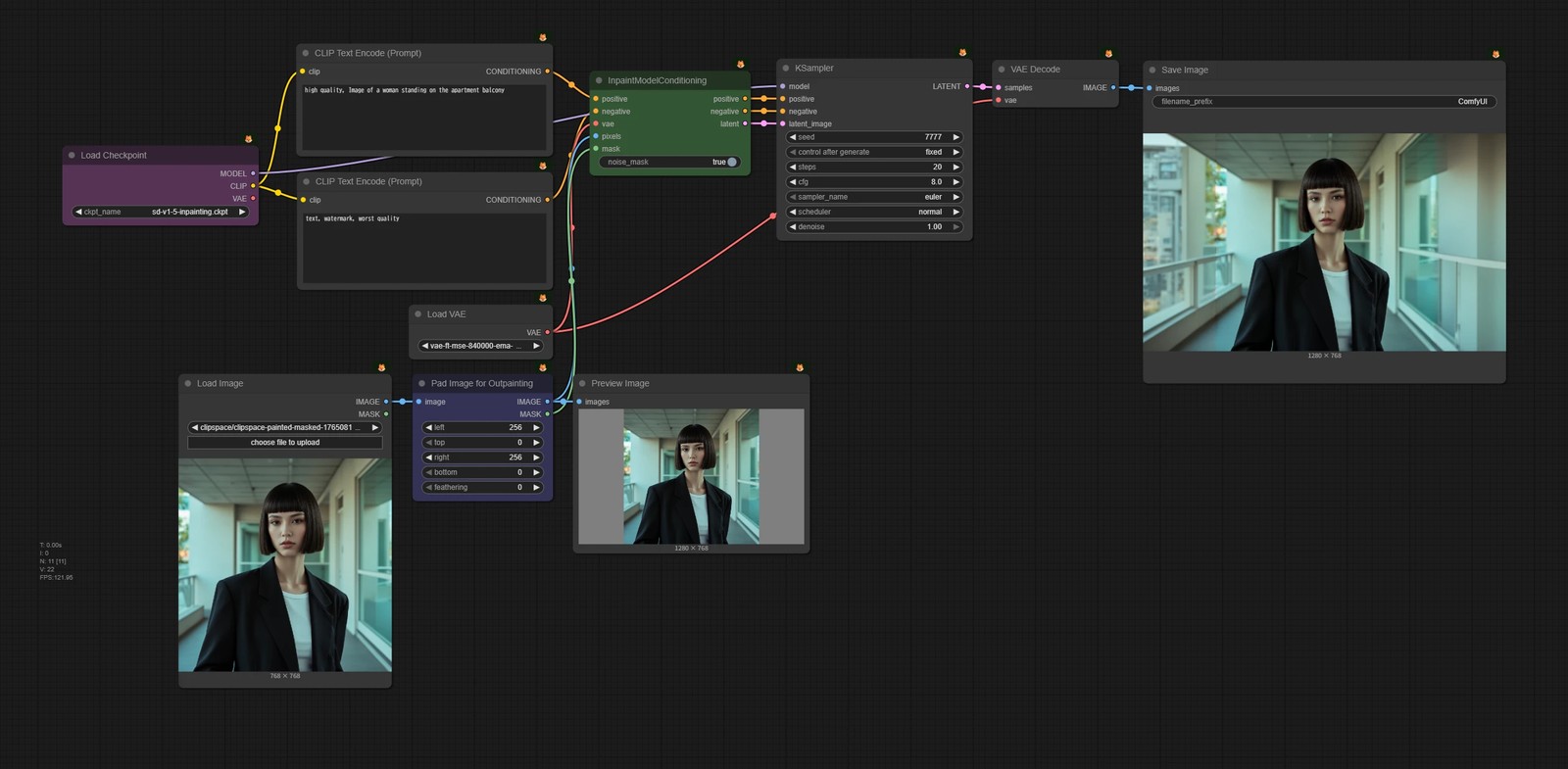
- 🟦 Use the
Pad Image for Outpaintingnode to add blank space outside the image.- It outputs the padded image and a mask marking the added space.
- 🟩 From there, it is the same as inpainting/Inpainting models. Connect the image and mask to
InpaintModelConditioning.
ControlNet inpaint
Of course, you can also use ControlNet inpaint.
workflow
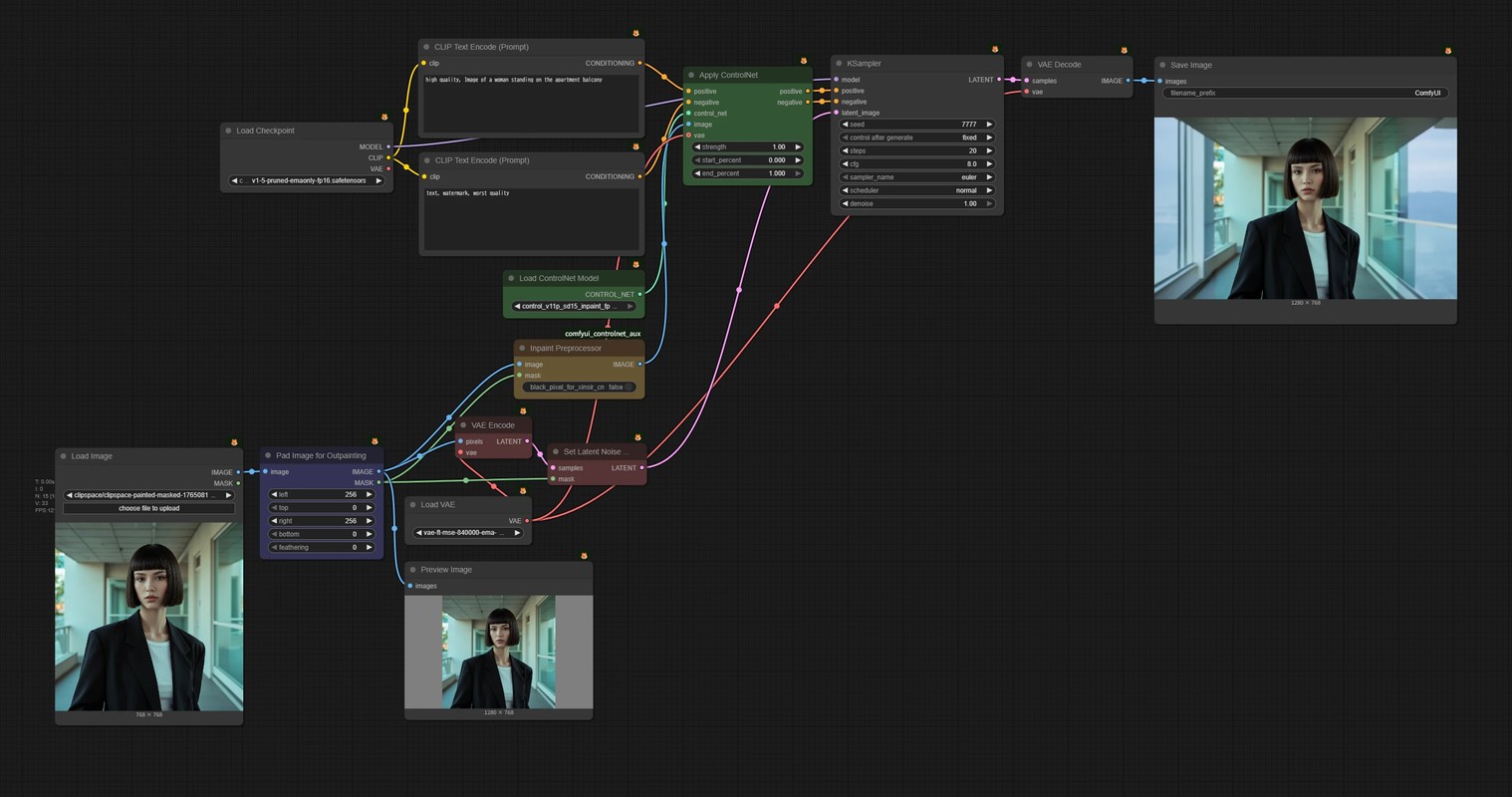
- 🟦 Use the
Pad Image for Outpaintingnode to add blank space outside the image.- It outputs the padded image and a mask marking the added space.
- 🟨 From there, it is the same as inpainting/ControlNet inpaint. Pass the image and mask to the ControlNet inpaint preprocessor.
Image editing models
Image editing models make this even simpler.
Add a gray area outside the image—the color does not really matter—then feed the result to the image editing model. All you have to do is tell it to outpaint the gray area naturally.
FLUX.2 [klein]
Let’s try FLUX.2 [klein] 9B.
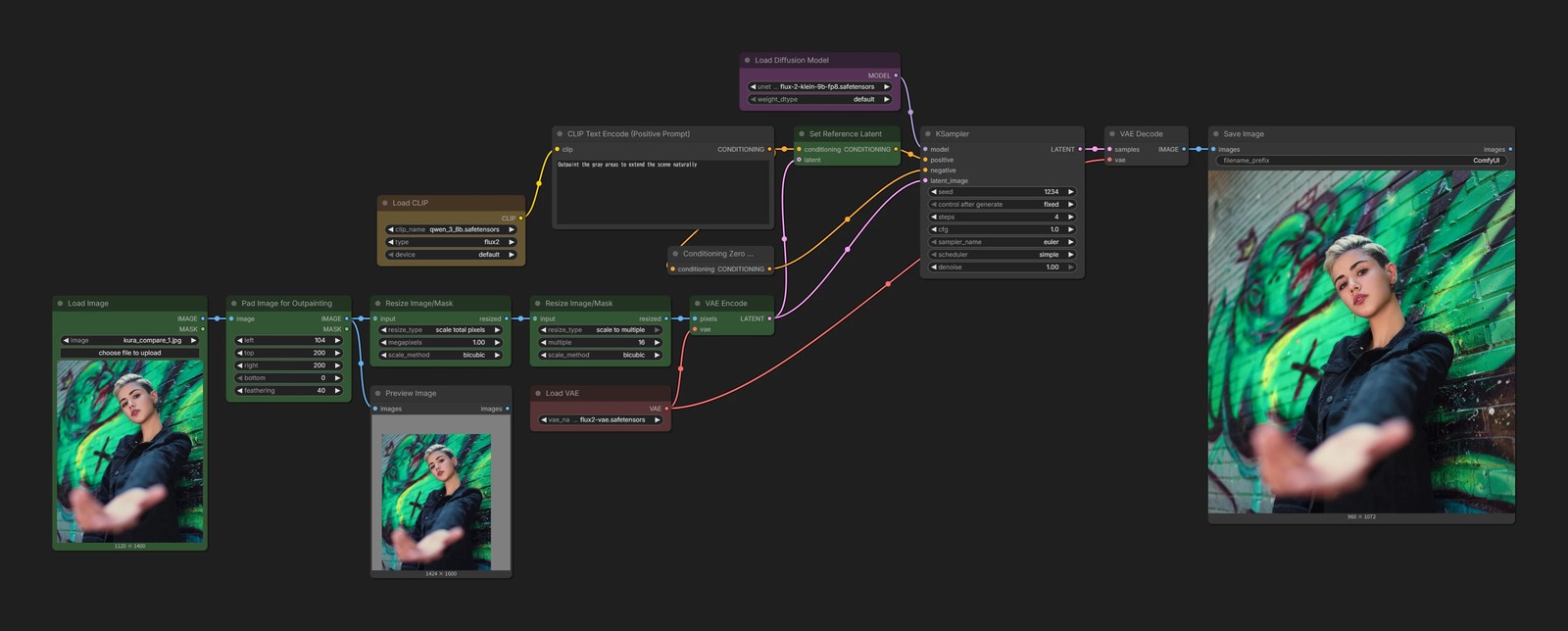
- 🟩 No mask is needed. Give it an image with added blank space and tell it to fill that area.