ComfyUI-TypedDecision
Jev started it, and MLLMs that only decide are having a moment. Instead of writing prose, you ask "is there a person in this image?" and get back yes / no along with how sure it is. The task has come to be called typed decision.
There are a few local alternatives to Jev. imajev fit ComfyUI's core system unusually well, so that is the one I built a custom node for first.
Let's look at what typed decision can do, and what you can do with it in ComfyUI.
Install
nomadoor/ComfyUI-TypedDecision
- Search for
TypedDecisioninComfyUI Managerand install it.
Downloading the models
- text_encoders
- qwen3.5_4b_int8_convrot.safetensors (5.76 GB)
- or the original qwen3.5_4b_bf16.safetensors (9.32 GB)
- typed_decision
- mohit67890/imajev-4b (490 MB for the files below)
- Put these files in an
imajev-4bfolder. Downloading the whole repository also works.
- Put these files in an
- mohit67890/imajev-4b (490 MB for the files below)
📂ComfyUI/
└── 📂models/
    ├── 📂text_encoders/
    │   └── qwen3.5_4b_int8_convrot.safetensors
    └── 📂typed_decision/
        └── 📂imajev-4b/
            ├── adapter_config.json
            ├── adapter_model.safetensors
            ├── calibration-rot4-modality.json
            ├── decision_readout.json
            └── decision_readout.safetensors
The three modes
There are three shapes a question can take. The one you pick changes both the input fields and the type of the answer.
The output sockets are the same across all three modes, but what they mean changes with the mode.
noul (Yes or No)
Answers a question with true or false.
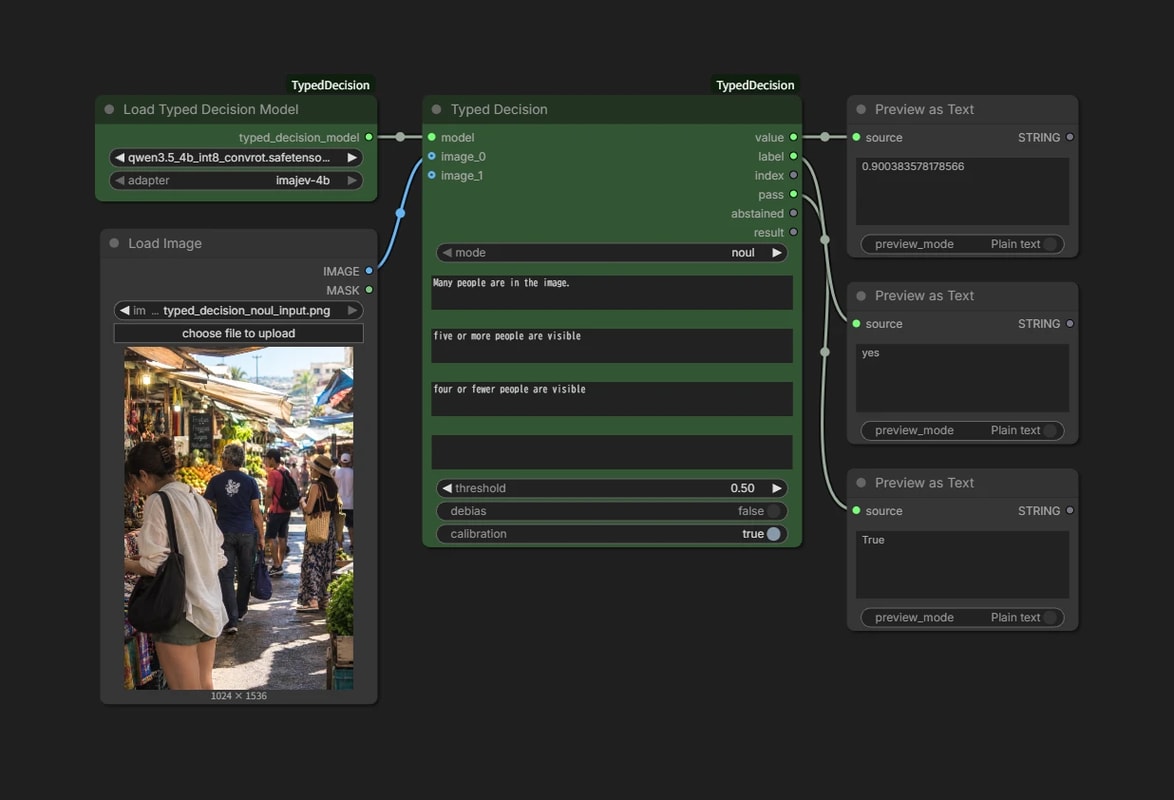
Input
instructionstakes the claim to judge, or a question that can be answered yes / nocriteria_true/criteria_falseare optional. Use them to say when the answer should be yes or no
Output
valueis the probability of true- Whatever it cannot decide is split evenly between true and false, so an uncertain answer lands near 0.5
labelisyes/nopassis aBoolean:value >= threshold, and the model did not abstain
Here the claim is "many people are in the image", judged true or false.
How many counts as "many" is vague, though. So the criteria spell it out: yes for five or more, no for four or fewer.
choice
Picks one of the options you supply.
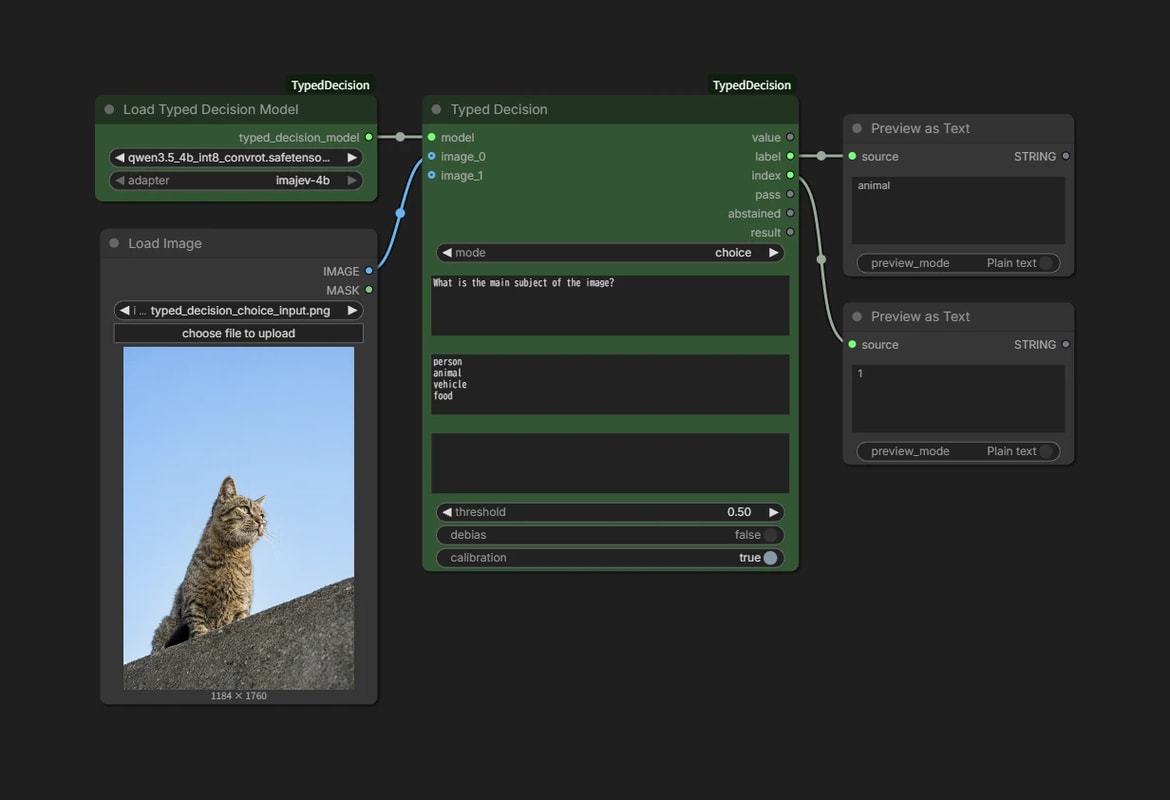
Input
criteriatakes the options, one per line- When the name alone is not enough, add a description after
:, as inlandscape: scenery with no clear main subject
- When the name alone is not enough, add a description after
Output
labelis the chosen optionindexis the line it came from- The third line counts as
index2, since counting starts at 0
- The third line counts as
score
Rates something on the scale you define.
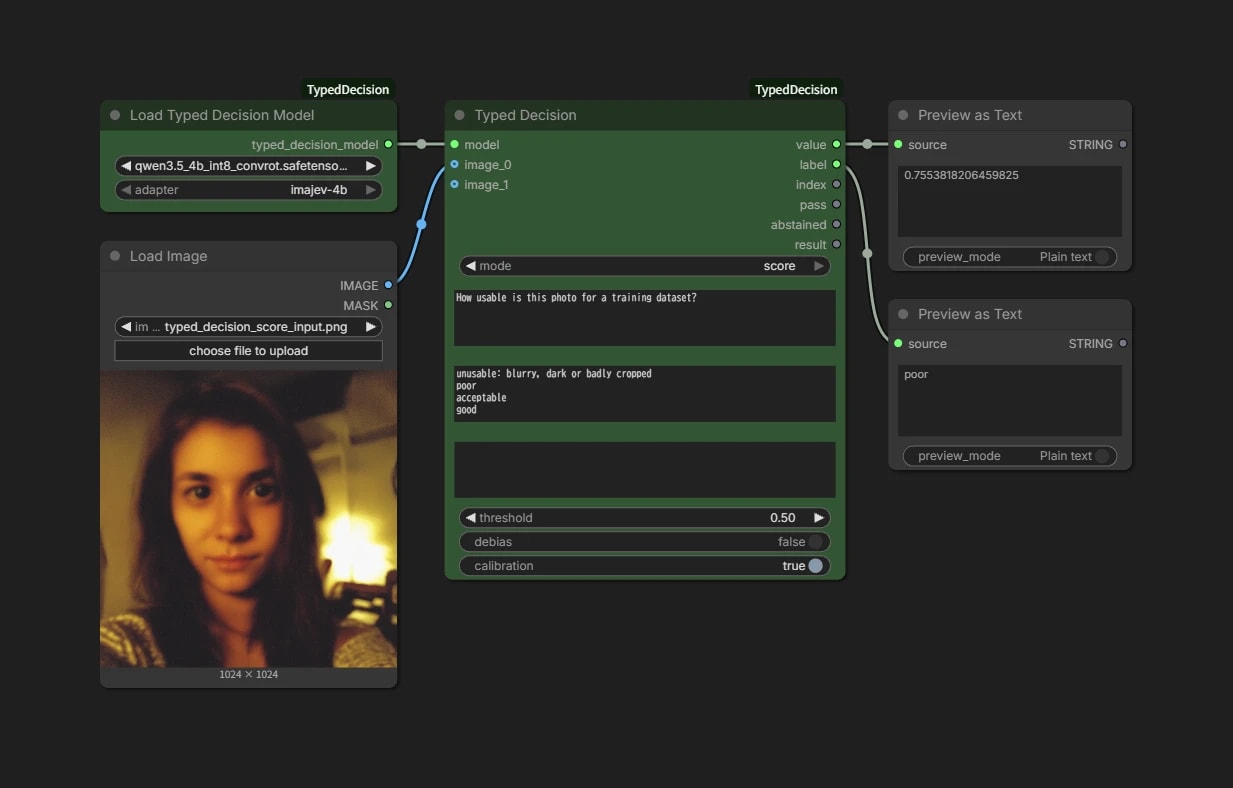
Input
criteriatakes the levels, one per line, lowest first
Output
valueis the expected level- The first line counts as
0, so five levels give a range of0.0to4.0
- The first line counts as
Here it rates how usable a photo is for a training dataset, on five levels.
value is an average weighted by the probability of each level, so it lands between levels, like 3.4. That reads as "between good and excellent, closer to good".
Two images at once
imajev takes up to two images. The first is the reference, the second is the one being judged.
ComfyUI will keep offering a third socket and beyond. imajev only takes two, so connecting more is an error.
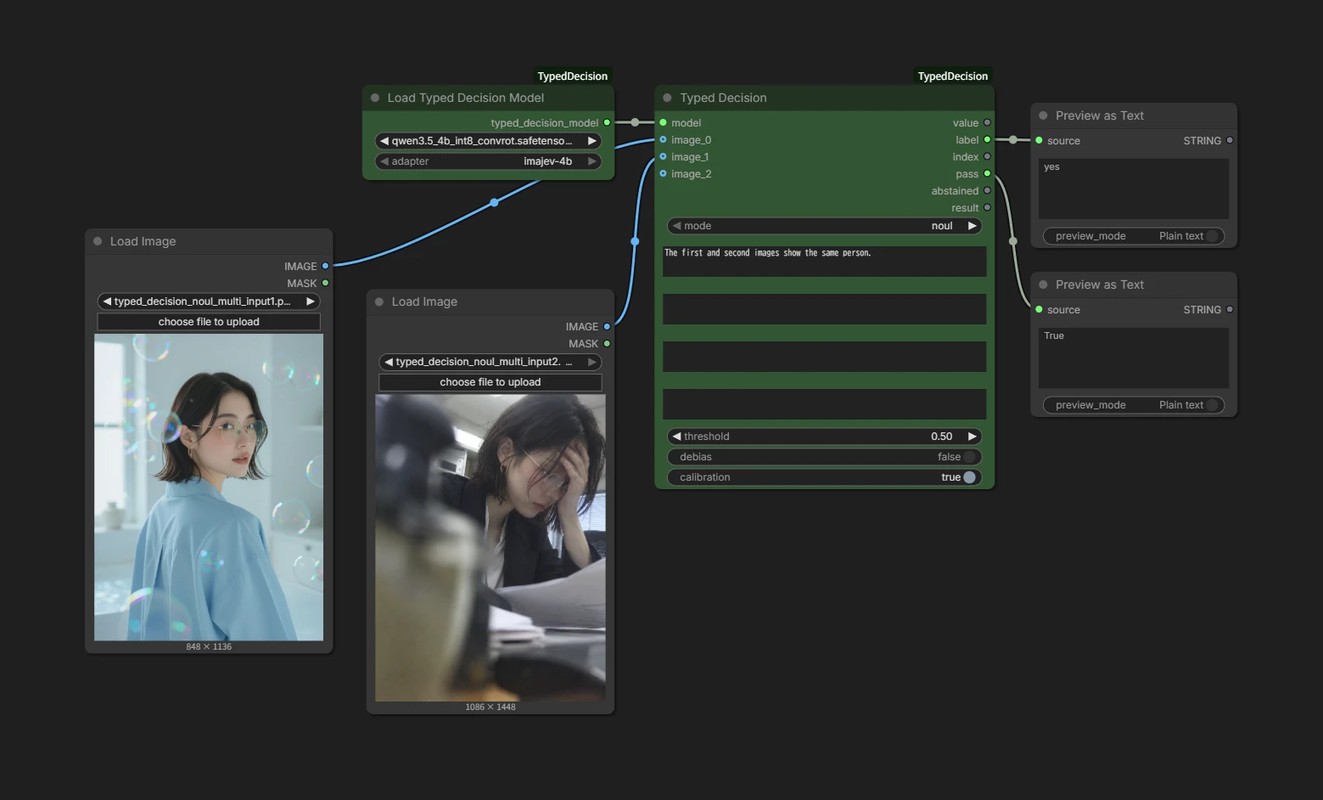
Ask "are the first and second images the same person?" and you have a same-person check.
Passing context with state
If instructions is the question, state is the context for answering it. Anything the image cannot tell you goes here as text.
Say you want to judge whether the product in a photo matches the colour in a listing. Nothing in the question says which colour is correct.
Put the listing in state and the model has something to compare against.
state:The listing says: red suede boat shoes.instructions:The shoes in the photo match the color in the listing.
statecan be JSON. Theninstructionscan name a field directly, as inlisting.color.
In practice
Picking a resolution from the prompt
Everything above took an image, but text alone works too.
Let's have it read the prompt and decide which shape to generate — portrait, landscape or square.
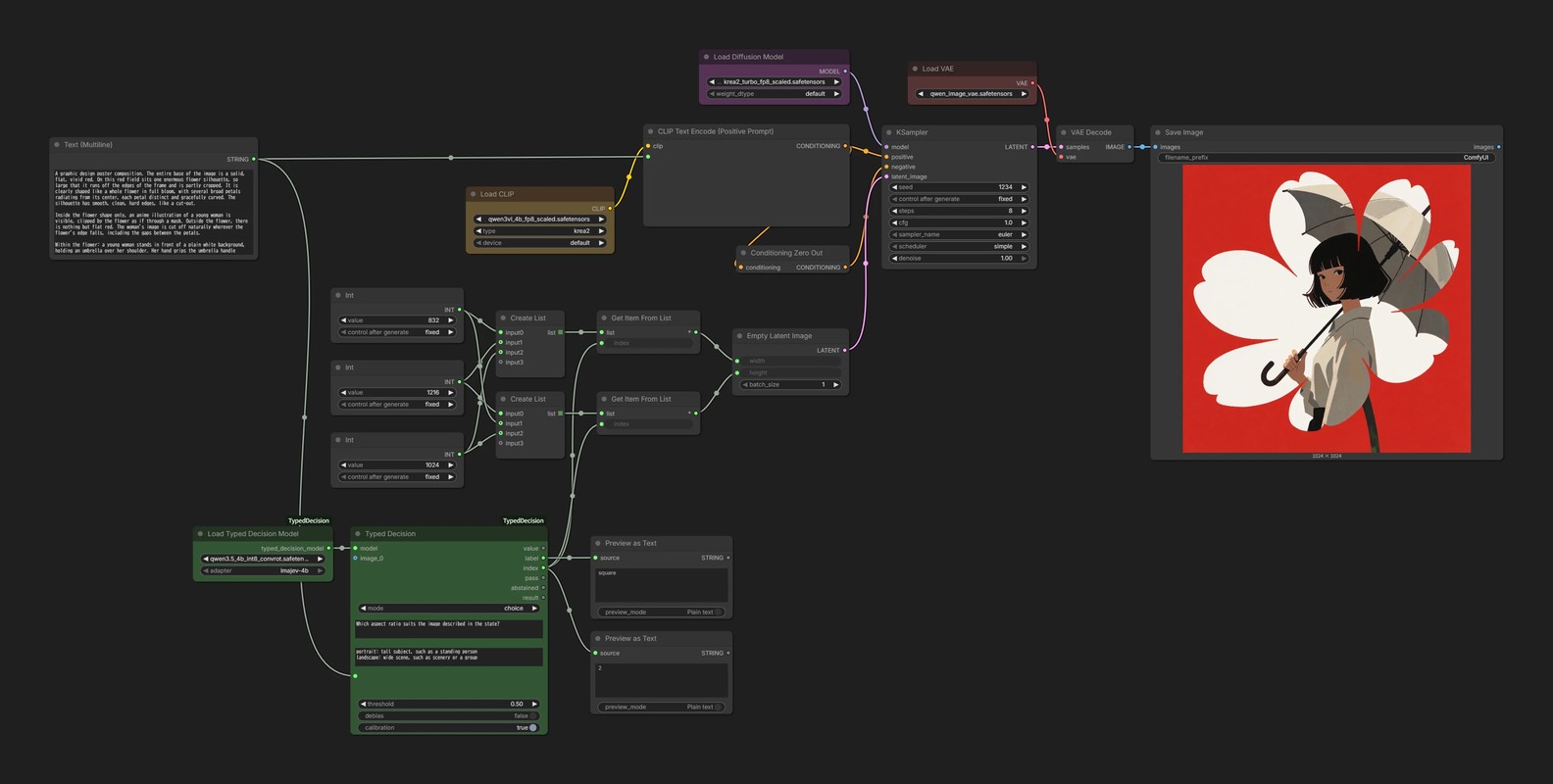
Three resolutions are prepared as a List, and the index output of choice switches between them.
- Put the prompt into
state - Have
choicepickportrait/landscape/squareindexis anINT, so portrait = 0, landscape = 1, square = 2
- Pass
indextoGet Item From Listto pull a width and a height - Feed both into
Empty Latent Imageand generate
This prompt chose square, and sure enough the image came out 1024 × 1024.

Sorting a dataset
The best thing about typed decision is how fast it is.
Which makes sorting a large pile of images a promising use for it.
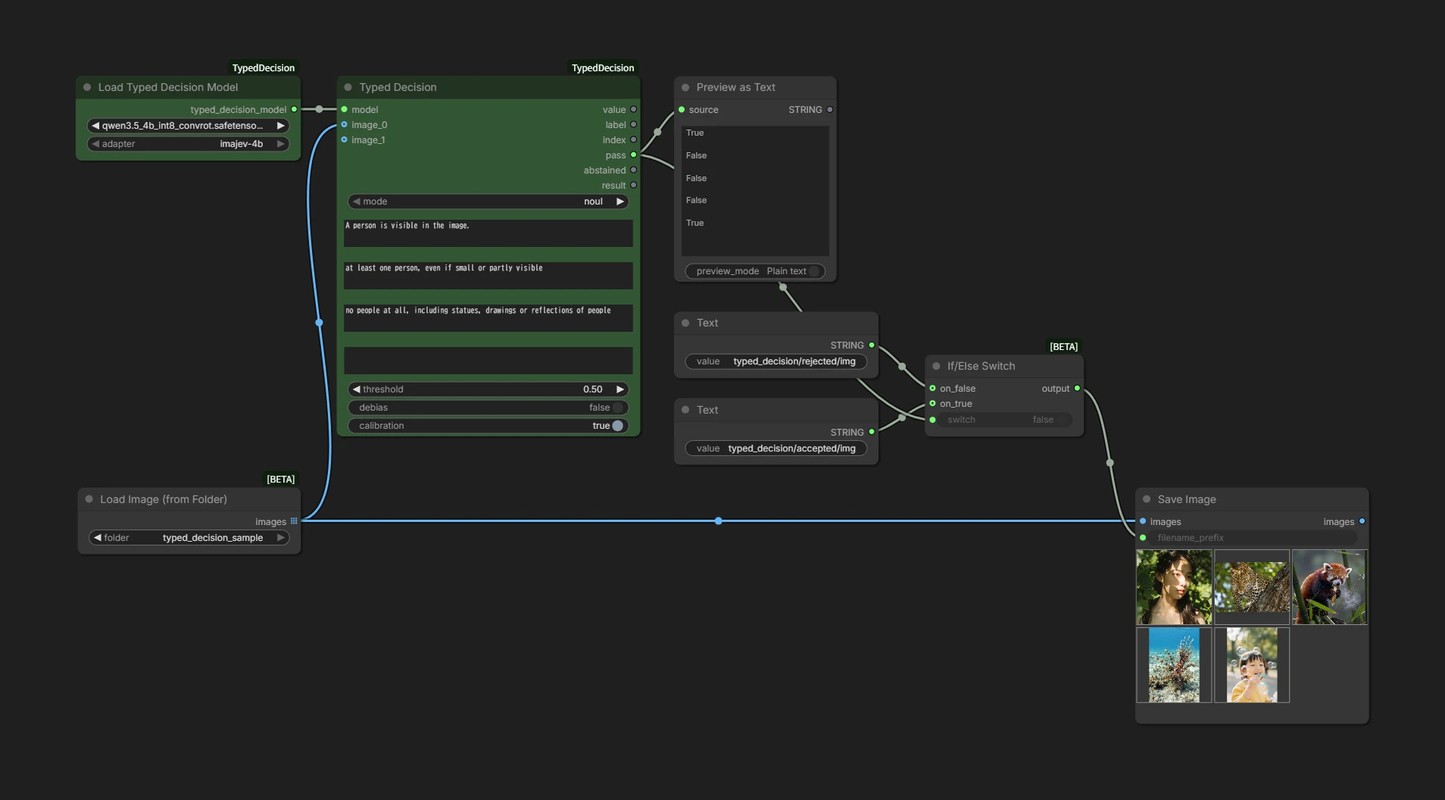
This sorts a folder of images into the ones that match a condition and the ones that do not.
Load Image (from Folder)reads the folder as a Listnouljudges whether a person is visiblepassgoes toIf/Else Switch, which switches the save path- A
typed_decisionfolder appears in ComfyUI's output folder, withacceptedandrejectedinside it
- A
Let's feed it a folder holding two photos of people and three of something else.
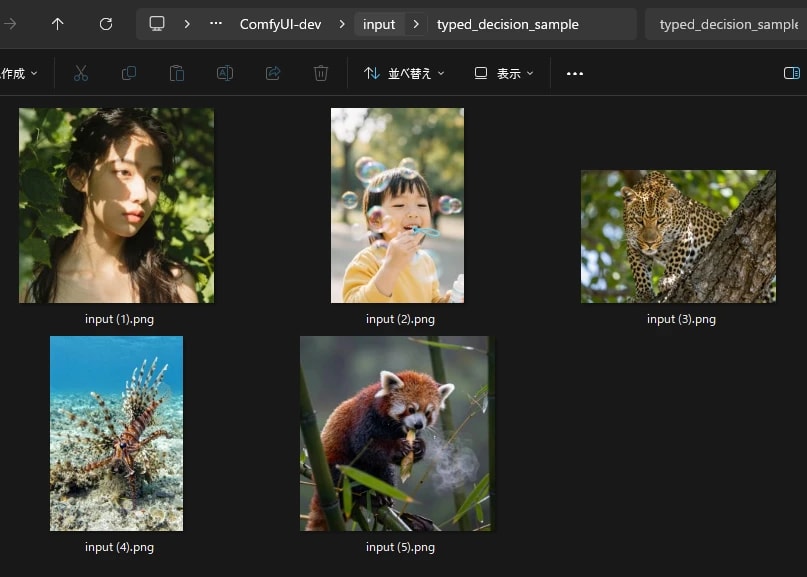
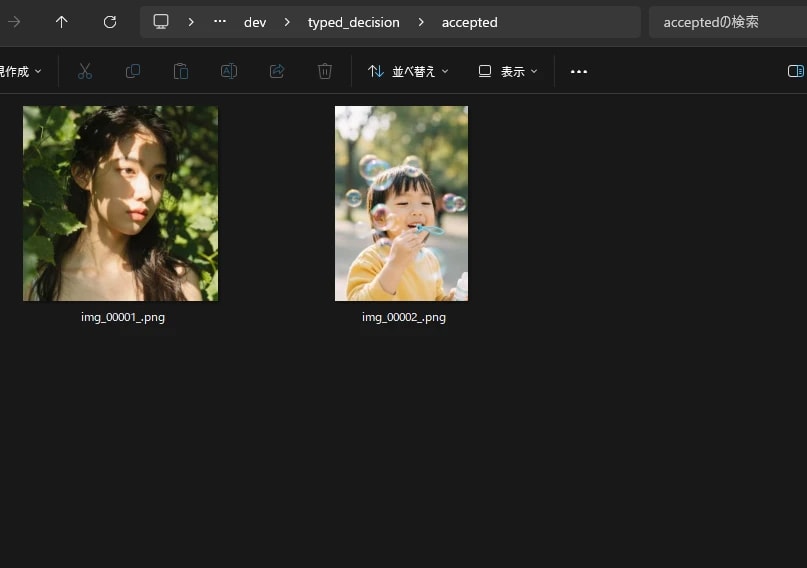
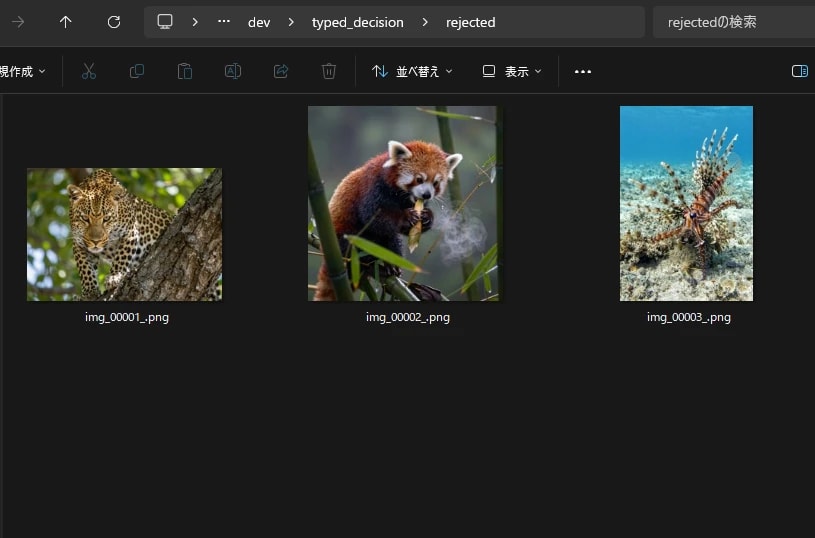
The images with a person land in accepted, the rest in rejected.
The
abstainedoutput lets you separate out the ones it could not decide on. A way to narrow down what a human needs to look at.