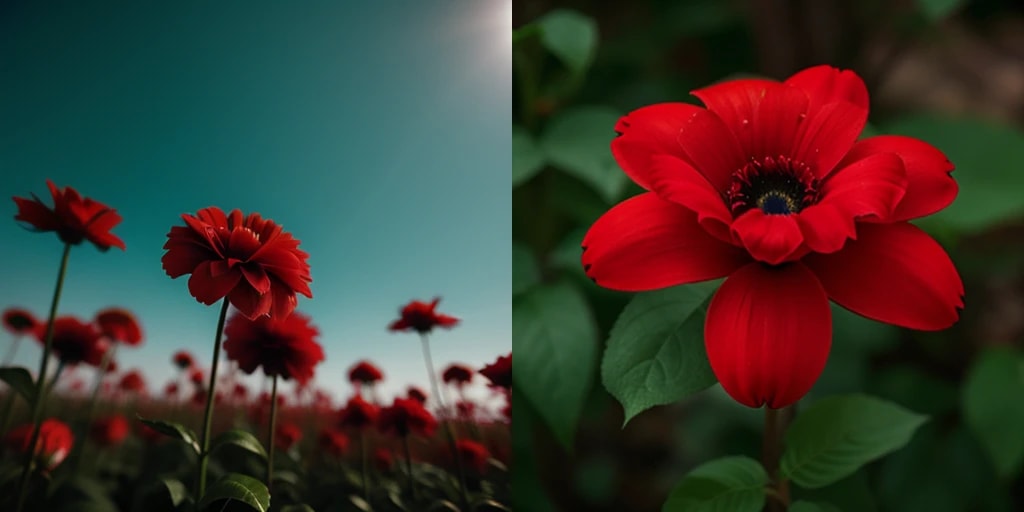
Seed 1234 and 1235 are completely different
You have probably seen this already: if you change the seed, the generated image also changes.
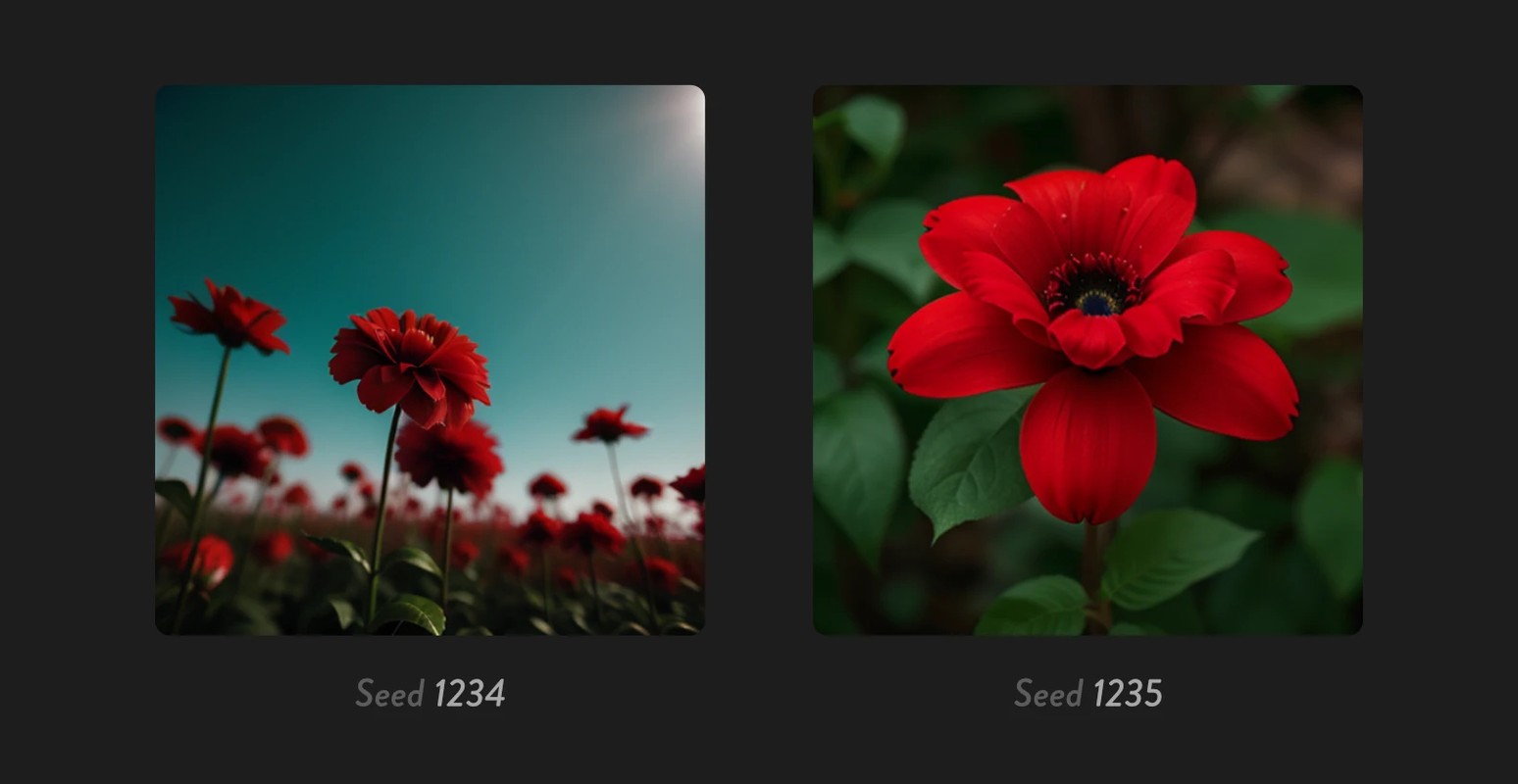
Now try generating with seed=1234, then run it again with seed=1235.
Because the numbers are close, you might expect similar images, but the output is completely different.
Why does this happen?
How noise relates to the generated image
Diffusion models create images by starting from noise and gradually removing that noise.
(See Diffusion Models for details.)
So if the initial noise is different, the final image is naturally different as well.
How noise relates to the seed
In text2image, noise must be created first.
Random numbers are used when generating that noise.
The seed is the number that determines how those random numbers are initialized.
A seed is the number that initializes random generation
Computers do not generate truly random numbers; they use a pseudo-random number generator (PRNG) to produce sequences that merely look random.
You might think "if seeds are close, random sequences should also be close." But that is not how it works.
1234and1235look close to us because they differ by 1- For a PRNG, they are different initialization inputs, and the generated random sequences are basically unrelated
A simple analogy: page 1234 and page 1235 in a dictionary are adjacent, but there is no guarantee the words on those pages are similar.
Then how do you make similar images?
So how close two seeds are has nothing to do with how similar the outputs are.
So if seed=1234 gives you a great image, how can you make similar variations?
1. Use image2image
This is the simplest method.
Use the generated image as input, then set a low denoise value to create a slightly changed result.
2. Blend noise
The idea is straightforward.
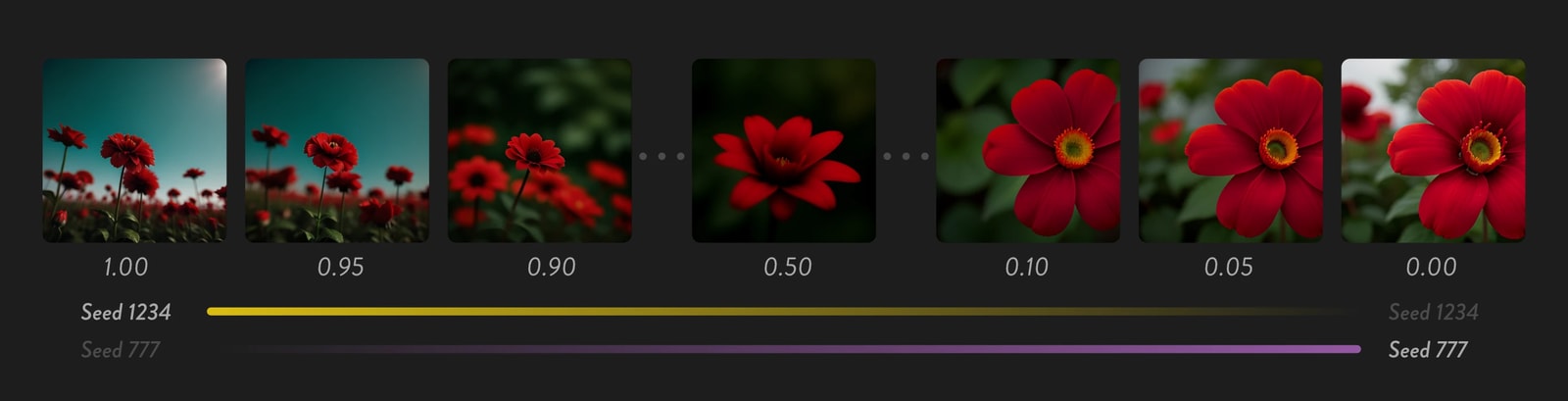
- Create noise A with
seed_A - Create noise B with
seed_B - Use A as the base and blend in a small amount of B
By changing seed_B or the blend amount, you can produce small variations.
3. Inject noise
Another way is to add a small noise latent to the base latent.
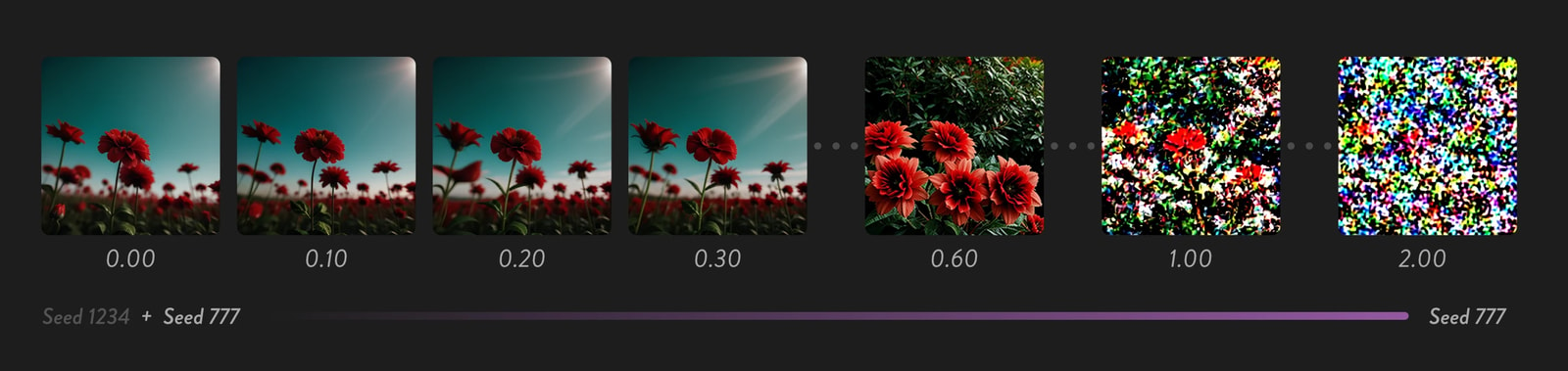
- Create noise A with
seed_A - Add a small noise latent from another random value, with a coefficient like
0.01
Since you are injecting noise, the total amount of noise goes up.
A small increase is fine, but if you set strength to 1.0 or 2.0, the sampler cannot fully denoise it and you tend to get nothing but noise.
workflow
In a normal workflow, noise generation and injection are handled internally by KSampler.
In these techniques, you create and modify noise (latent) before feeding it into KSampler.
This is a little unusual for ComfyUI, so plain image2image might honestly be good enough.
Blend noise
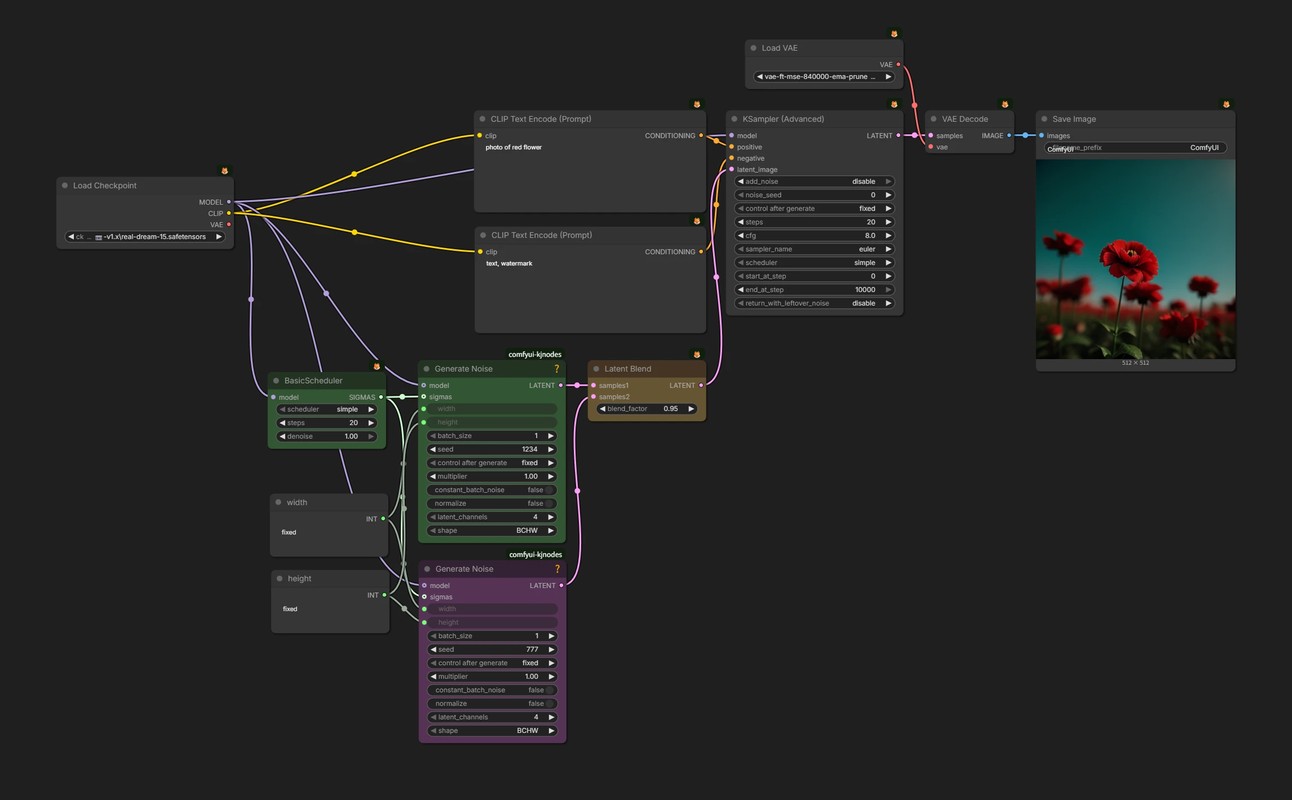
- 🟩 With
Generate Noise+KSampler (Advanced)(add_noise=disable), you can create noise outside the sampler. - 🟪 This
Generate Noisenode creates the second noise (latent) to blend in. - 🟨 Use
Latent Blendto mix the two latents.- At
blend_factor=1.0, you get only samples1; atblend_factor=0.0, only samples2.
- At
Inject noise
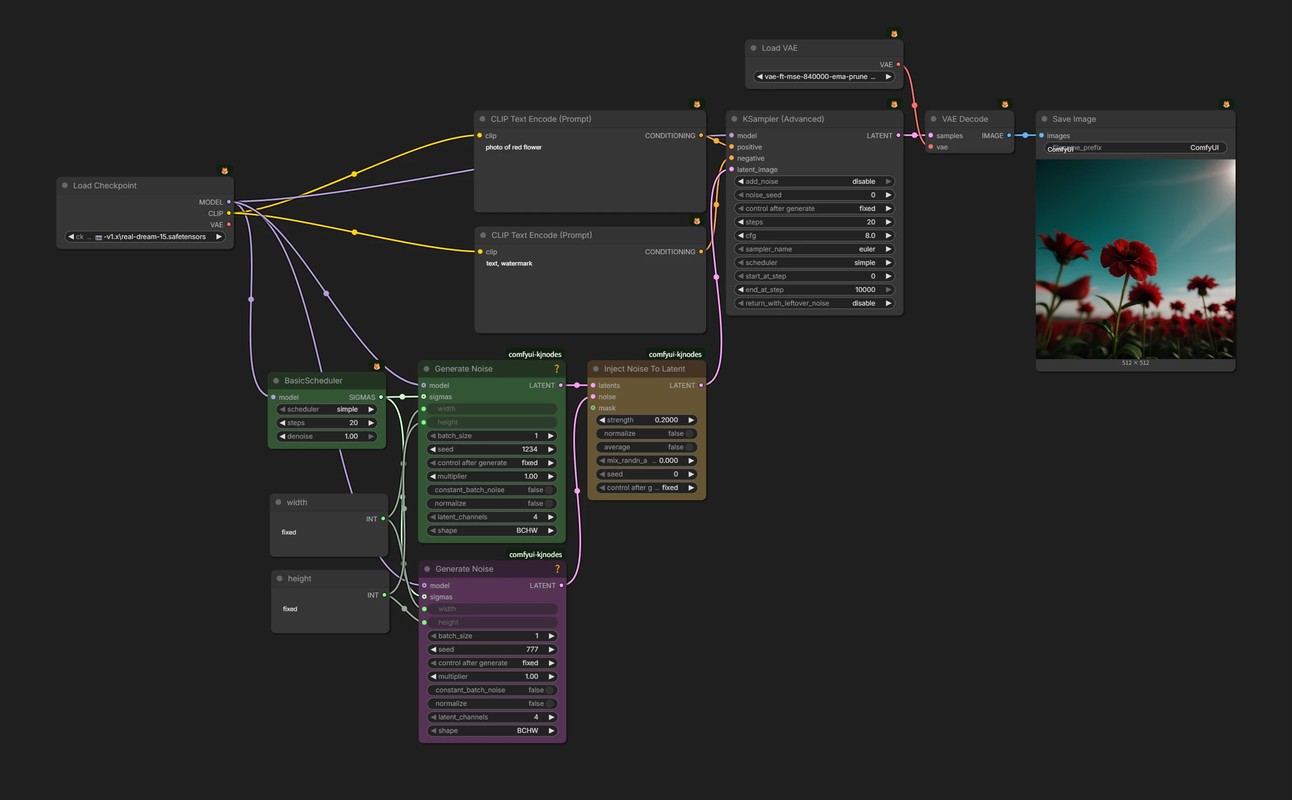
- 🟨 Increase
strengthinInject Noise To Latentgradually to add a second noise into the base latent.- Raising
mix_randn_amountadds yet another random component, but here it is kept at0.
- Raising